When to Use DynamoDB (and When Not To)
DynamoDB is a fantastic database for the workloads it's built for and a frustrating one for the rest. The deciding question is "do I know my access patterns up front, and are they key-based?" Get that right and DynamoDB gives you single-digit-millisecond reads at any scale; get it wrong and you'll fight the lack of joins and ad-hoc queries forever.
When should I use DynamoDB?
Use DynamoDB when your access patterns are known, key-based, and high-volume, and you want predictable single-digit-millisecond latency at any scale with zero servers to manage. Avoid it for ad-hoc queries, rich joins, or whole-dataset analytics, and when the data is small with query shapes that keep changing.
- Use DynamoDB when your access patterns are known, key-based, and high-volume — and you want predictable latency at any scale with no servers to manage.
- Avoid it when you need ad-hoc queries, rich joins, or analytics over the whole dataset, or when the data is small and the query shapes keep changing.
- The core trade: DynamoDB makes you design for your queries up front; in return it never slows down as you grow.
- It is not a relational database with a different syntax — modeling it like one is the #1 source of pain.
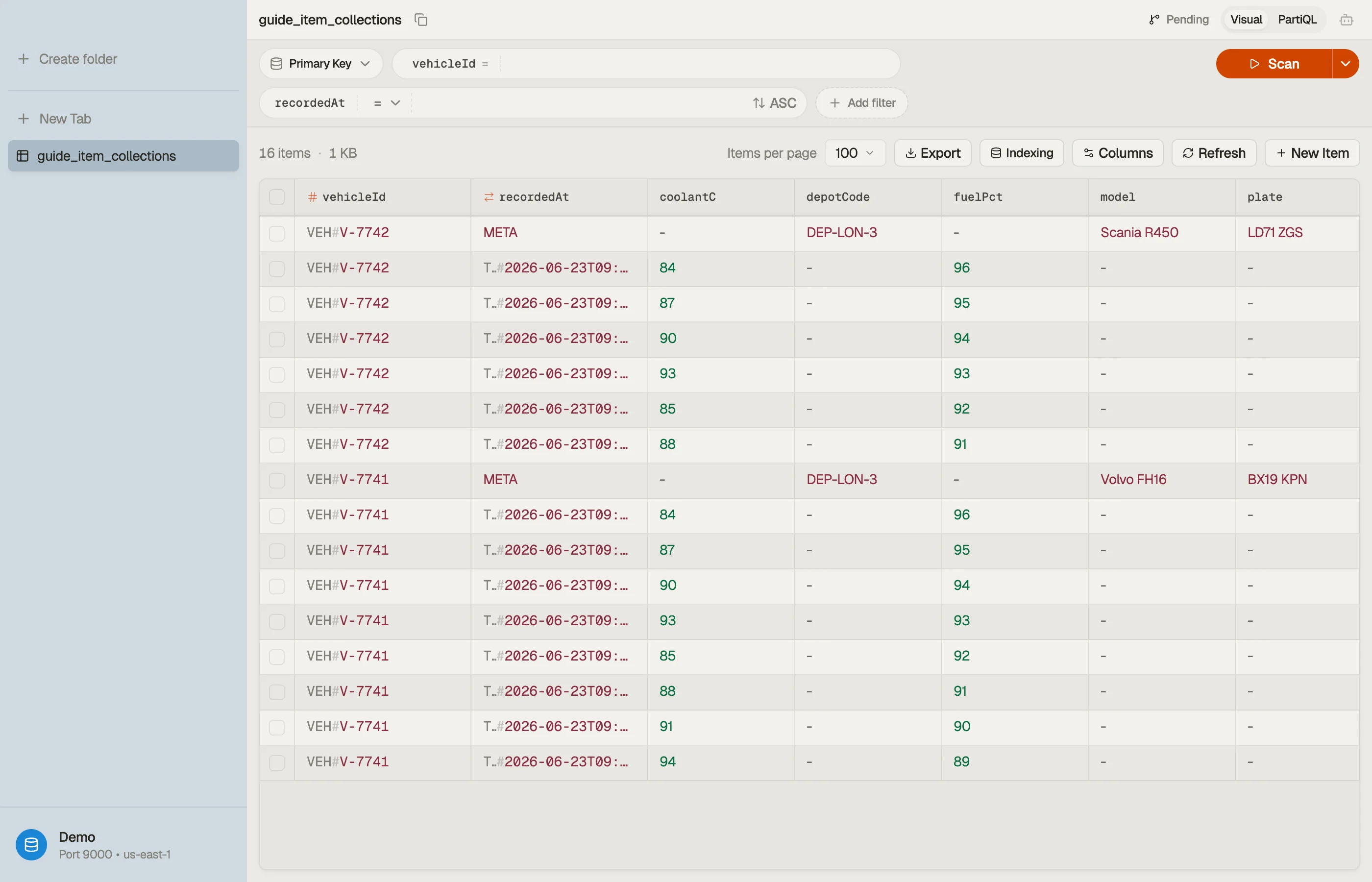
Already have a table? DynoTable connects to your data directly, so you can test the signals below against your real items.
The signals that favor DynamoDB
DynamoDB shines when most of these hold:
- You know your access patterns in advance. You can list the exact queries the app makes ("get a user by id", "list a user's orders newest-first") and they don't change on a whim. DynamoDB is modeled around those queries.
- Access is key-based. You look items up by a known partition key, not by scanning for arbitrary attribute combinations.
- Scale and predictable latency matter. DynamoDB delivers consistent single-digit-millisecond performance whether the table holds a thousand items or a billion.
- You want zero operational overhead. No instances, no failover, no vacuuming — it's fully managed and scales to zero on-demand.
- Write throughput is high and spiky. Event logs, IoT telemetry, session/cart state, leaderboards — append-heavy workloads with a clear key.
The signals against it
Reach for a relational database (or a search/analytics engine) instead when:
- Your queries are ad-hoc. Analysts slice the data by arbitrary columns, or requirements change weekly. SQL's flexibility wins; DynamoDB would need a new index per pattern.
- You need real joins and aggregations across the whole dataset. Reporting,
business intelligence, "sum revenue by region by month" — that's an OLAP/relational
job. (The one-off question against a live table is a different case —
DynoTable's SQL Workbench runs
JOIN,GROUP BY, and aggregates over DynamoDB client-side; it's the standing BI workload that belongs elsewhere.) - The dataset is small and low-traffic. A few thousand rows on a quiet admin app gets no benefit from DynamoDB's scale and loses SQL's convenience.
- You can't predict access patterns yet. Early-stage product still finding its shape? A relational schema you can re-query freely is more forgiving until the patterns settle.
How DynamoDB compares to other databases
"Should I use DynamoDB or X?" is usually the same question in different clothes: does X let me postpone the access-pattern decision, and what do I pay for that? DynamoDB is the option that refuses to let you postpone it. Every comparison below turns on that one trade, not on feature checklists.
Relational: PostgreSQL, RDS, and Aurora
This is the real fork, and the one most teams get wrong. A relational database lets you write the query after you have the data. DynamoDB does not — the table is shaped by the queries before a single item is written.
Pick relational when the query shapes are still moving, when you need joins or aggregates across the whole dataset, or when the data is small enough that scale is not the problem you have. Pick DynamoDB when the patterns are settled and key-based and you want them to cost the same at a billion items as at a thousand.
RDS and Aurora do not change that calculus — they are managed relational engines, so they inherit SQL's flexibility and its scaling model. What they change is the operational comparison: with Aurora Serverless the "no servers to manage" argument for DynamoDB gets much weaker, and the decision falls back cleanly onto access patterns. Aurora scales compute; DynamoDB removes the concept.
Document: MongoDB and DocumentDB
Both store JSON-ish documents, so they look interchangeable with DynamoDB from a distance. They are not. MongoDB indexes any field and runs ad-hoc queries against it; DynamoDB gives you the partition key, the sort key, and the indexes you declared in advance.
That makes MongoDB the better fit for evolving query shapes, and DynamoDB the better fit for known ones at high volume. DocumentDB sits on the AWS side of the same line — it speaks the MongoDB API, so treat it as "MongoDB's flexibility, AWS's operational model", and compare it to DynamoDB on exactly the flexibility-versus-predictability axis above.
Wide-column: Cassandra
Cassandra is DynamoDB's closest architectural relative: partition key, clustering key, and the same hard truth that a bad partition key is a design bug you cannot index your way out of. If you are choosing between them, the deciding factors are rarely the data model — they are who runs it and how you pay. Cassandra you operate (or buy managed); DynamoDB you consume. Amazon Keyspaces is the managed-Cassandra middle ground.
Because the models are so close, the modeling guidance on this site mostly transfers: the single-table design reasoning about partition keys and access patterns applies to Cassandra almost line for line.
In-memory: Redis
Redis and DynamoDB solve different problems. Redis is memory-first and optimized for sub-millisecond access to data you can afford to lose or rebuild; DynamoDB is durable by default. The common production answer is both — DynamoDB as the system of record, Redis (or DAX, which is DynamoDB's own read-through cache) in front of the hot keys.
Reach for Redis alone only when the data is genuinely ephemeral: rate-limit counters, short-lived sessions, leaderboards you can recompute.
Search: Elasticsearch and OpenSearch
Search and DynamoDB solve different problems too — for a sharper reason than Redis: DynamoDB has no full-text
search at all. Query matches on key equality and a narrow set of sort-key conditions.
Scan with a FilterExpression reads every item and then discards most of them — it is a
table walk with a filter bolted on, not a search, and you pay for the items read rather than
the items returned. There is no relevance ranking, no analyzers, no fuzzy matching, no
faceting.
So the question is never "DynamoDB or a search engine". It is "does this workload need search, and if so, what feeds the index?" The standard shape is both: DynamoDB as the system of record, a search cluster alongside it, and DynamoDB Streams carrying every change into the index. That buys real search and costs you a second system to run and an index that is eventually consistent with the table.
OpenSearch and Elasticsearch are the same decision. OpenSearch is AWS's fork of Elasticsearch, split at 7.10 in 2021 over Elastic's licence change, and the two have drifted apart since. None of that drift touches this question — for "should the search live outside DynamoDB", they behave identically. Choose between them on licensing, hosting and which managed service you want to operate, not on anything to do with DynamoDB.
Reach for a search engine as the primary store only when search genuinely is the product — log analytics, a catalogue whose main access pattern is free-text. Even then, most teams keep a durable store behind it, because a search index is a derived view you need to be able to rebuild.
The cost axis, which the model comparison hides
Every comparison above is about data models, but the surprise on the bill is usually structural: relational engines bill for capacity you provision, DynamoDB bills for operations you perform. That makes DynamoDB cheap for spiky and idle workloads and expensive for sustained scanning — the same workload can win on one engine and lose badly on the other with no code change between them.
The multiplier people miss is indexes. On a relational engine an extra index costs storage and some write latency; on DynamoDB every secondary index is a full extra write of the projected attributes. We worked the arithmetic out at three write volumes in the indexes guide — one GSI doubles the write bill, two triple it. Model your real read/write mix in the pricing calculator before you commit to either side.
Counting the cost before you commit
DynamoDB pricing follows reads, writes, and storage — not instance hours — so it's cheap for spiky and serverless workloads and can be pricey for sustained heavy scans. Model your real read/write mix with the DynamoDB pricing calculator before committing; a workload that looks like a fit technically should also pencil out on cost.
Once you've decided it fits
The work shifts to modeling. DynamoDB rewards designing the table around your queries — see how to model data in DynamoDB and single-table design — and explicitly when not to reach for single-table.



Pitfalls + next steps
- Don't model DynamoDB like a relational database — normalized tables you join at read time is the anti-pattern it punishes hardest.
- Don't pick it for analytics — pair it with an analytics store (or export to one) for reporting instead of scanning.
- Unsure about access patterns? Wait. Adopting DynamoDB before you know your queries is choosing the one database that demands you know them.
- Related: query vs scan shows what "key-based access" actually buys you.
Want to explore a DynamoDB table before betting your app on it?
Download DynoTable and connect to your data directly — its
SQL Workbench runs the ad-hoc JOINs and aggregates
DynamoDB itself won't.