NoSQL Workbench vs DynoTable
AWS NoSQL Workbench is a free design tool for DynamoDB: you shape a table, define access patterns, validate them against sample data, and commit the result. DynoTable is a desktop client for the work that starts once that table is live. Every AWS claim below is quoted from AWS's own pages, fetched on the date shown; this page covers the seam between the two jobs and what crosses it.
Two different jobs
NoSQL Workbench is built for data modeling: designing a single-table schema, visualizing access patterns, and committing the model to a table. It is the right tool when you are deciding how your keys and GSIs should be shaped.
DynoTable is built for the day-to-day work after the model exists: browsing and editing items, building key and filter conditions, and querying live data. Many teams design in NoSQL Workbench and operate in DynoTable. Our own decision table:
| Your task | Use |
|---|---|
| Design a table, keys, GSIs from access patterns | NoSQL Workbench |
| Deploy the model as CloudFormation | NoSQL Workbench export |
| Quick schema sketch in the browser, no install | our free Single-Table Design tool |
| Browse, filter, edit live items daily | DynoTable |
JOIN / GROUP BY / aggregates over live tables | DynoTable (SQL Workbench) |
| One-off sample-code snippet for an operation | either — both generate code |
Download NoSQL Workbench — free on Windows, macOS and Linux
There is no price: AWS lists no cost for NoSQL Workbench anywhere on its product page (checked 2026-08-06), and the download covers Windows, macOS and Linux. The installer can also install DynamoDB Local alongside it (a built-in option since version 3.4.0, per the release history), so offline modeling works without an AWS account.
Worth knowing before you download: the current release is 3.20.2 (April 6, 2026), and the release history shows roughly one burst of releases per year — the 3.20.x run of February–April 2026 rebuilt the Data Modeler around access patterns, and the release before it was 3.13.5 in February 2025 (release history, fetched 2026-08-06). It is maintained, on an annual rhythm.
What survives the commit button
A NoSQL Workbench model is three different kinds of thing at once, and they cross into production very differently.
The keys and indexes cross as code. Export offers "NoSQL Workbench model format" or "AWS CloudFormation JSON template format", and the second one deploys or drops into an existing infrastructure-as-code stack. Commit does it directly: "This action creates server-side resources in AWS for the tables and global secondary indexes represented in the data model", and "NoSQL Workbench creates tables and indexes with on-demand capacity by default" (committing a data model, fetched 2026-07-28). That default is worth reading twice before you click it against a production account.
The explanations cross as pictures. The aggregate view renders every table and index side by side, and exporting it produces "an archive with PNG images of all tables and indexes" (aggregate view, fetched 2026-07-28). A teammate without the app receives screenshots.
Facets do not cross at all, and AWS says so plainly: "Facets are considered a visual data modeling tool, and don't exist as a usable construct in DynamoDB, as they are purely an aid to modeling of access patterns." The same page steers you away from them, recommending that you validate access patterns instead, "while facets are non-functional visualizations" (facets, fetched 2026-08-06). If you learned single-table design by drawing facets, note that the entity views you reasoned with exist only inside the modeler.
After the commit: 50 saved operations, one table at a time
NoSQL Workbench does query live data. The operation builder "supports projection expression, condition expression, and generates sample code in multiple languages", and "you can save as many as 50 DynamoDB data operations in the operation builder" (operation builder, fetched 2026-08-06).
Each saved item is one DynamoDB operation, which is the constraint that
matters. "Worst and average rating per product category" over a reviews table
and a products table is not an operation. It is a Query for the reviews, a
lookup per product, and a rollup you write somewhere else, because DynamoDB has
no join and PartiQL adds none: its SELECT takes a single FROM with no
JOIN, no GROUP BY and no aggregate functions
(AWS PartiQL SELECT reference).
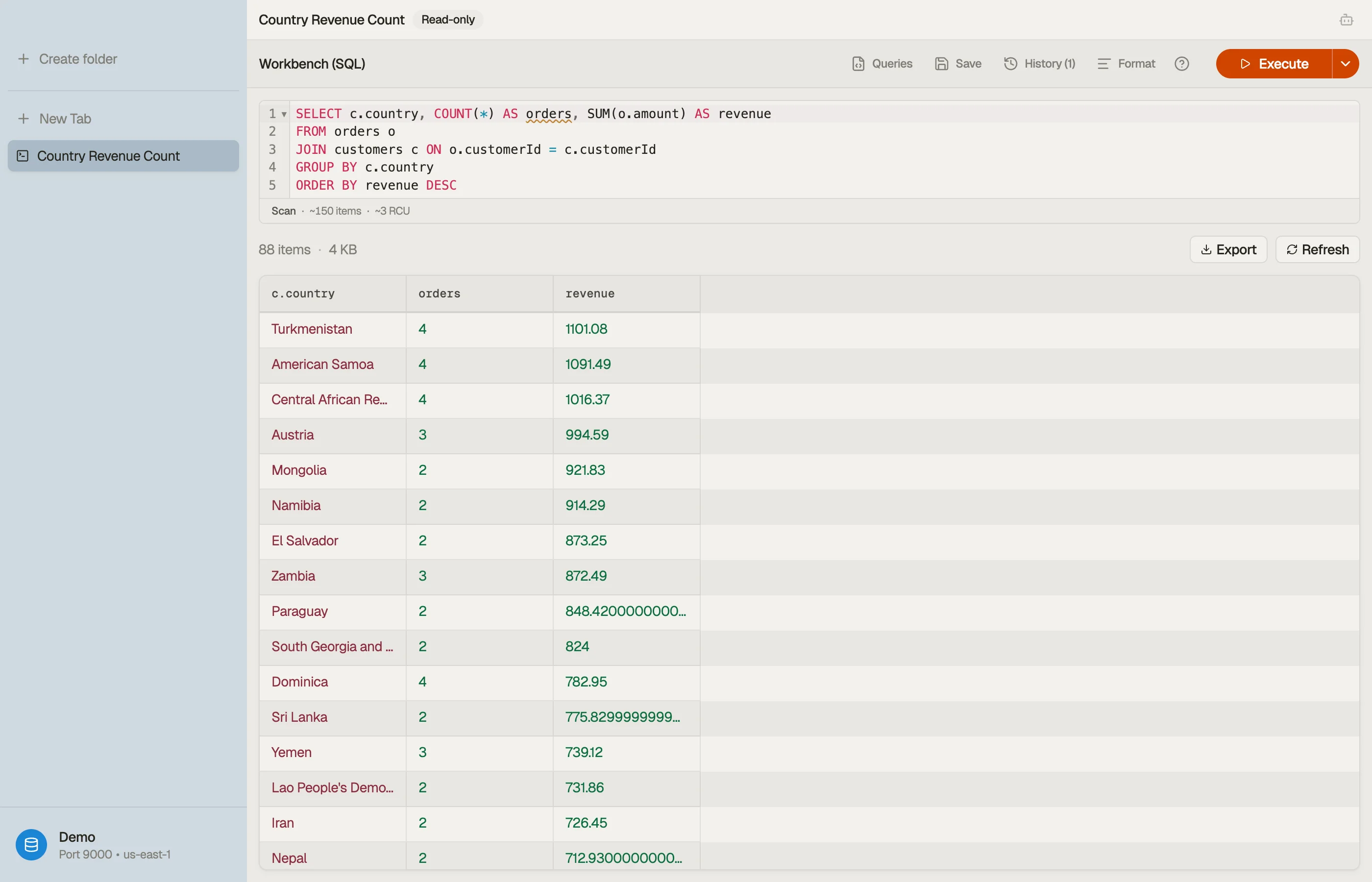
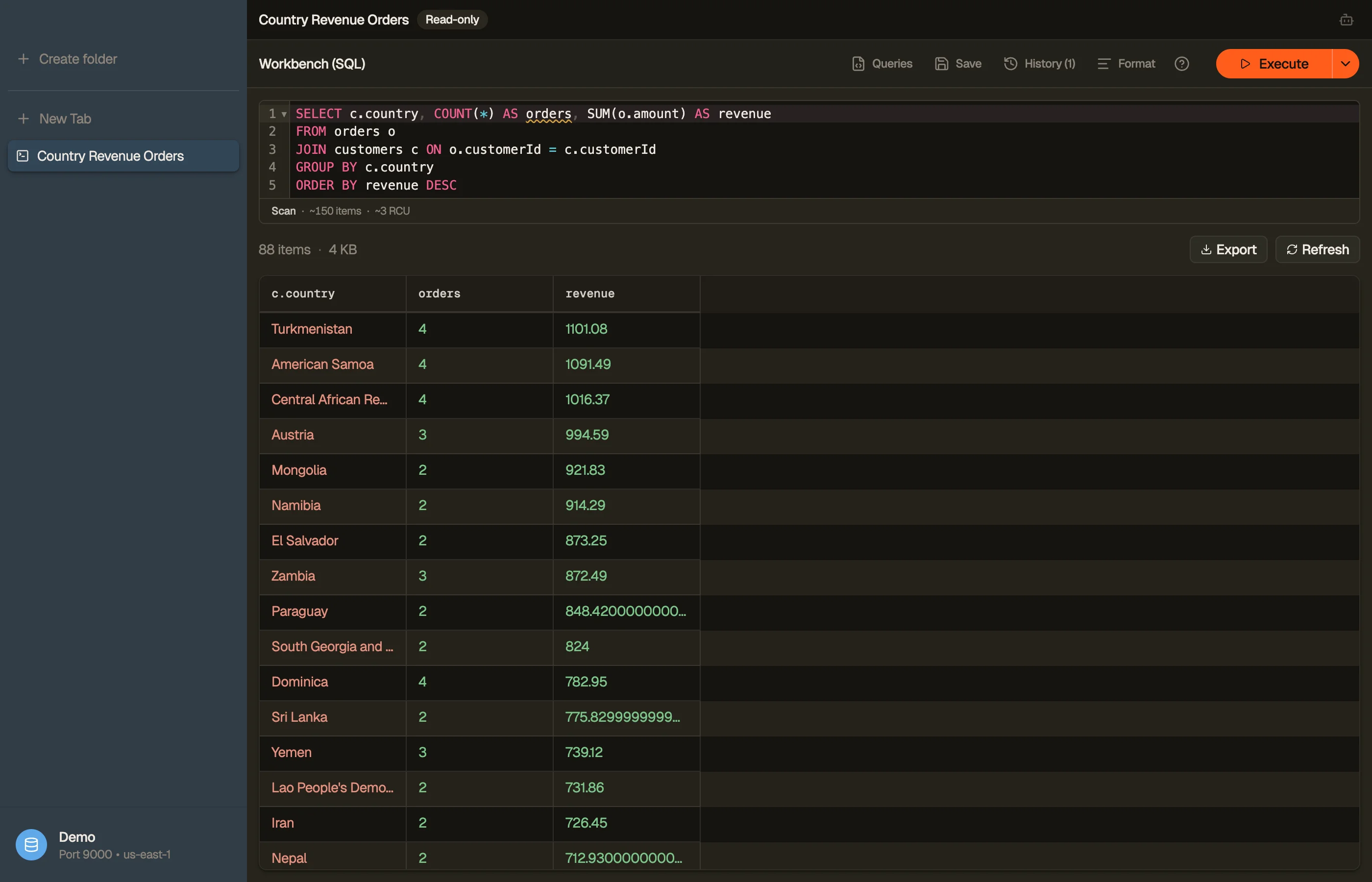
DynoTable's SQL Workbench states it once instead:
SELECT p.category, MIN(r.rating) AS worst, AVG(r.rating) AS avgRating
FROM reviews r
JOIN products p ON r.productId = p.productId
WHERE r.locale = 'en'
GROUP BY p.categoryIt plans that against the keys and indexes you just committed, so the access patterns you designed are the ones it reads through, and the join and the two aggregates happen on the client because DynamoDB exposes no server-side join to call. SQL for DynamoDB covers how the compilation works. NoSQL Workbench has no querying assistant at all; DynoTable's runs on your own AWS Bedrock credentials and stages every write for approval, as the AI chat docs describe.
The seam shows again on vector indexes, DynamoDB's third index kind since August 2026. Workbench's data modeler still models tables and global secondary indexes; its release history ends at 3.20.2 on 6 April 2026 (document history, checked 2026-09-15), four months before vector search shipped, so there is nothing yet to model or commit. DynoTable creates and deletes a vector index from the table's Table indexes pane, binds a Bedrock embedding model and its source attributes to it, rewrites each item's embedding on save, and searches by a typed sentence, a pasted vector, or Find similar on a row. Vector search covers it.


What DynoTable does not do
The seam runs both ways, and DynoTable stays on its side of it:
- No data modeling. There is no design canvas, no facets, no sample-data generation, and no CloudFormation export. Model in Workbench (or the free Single-Table Design tool).
- No model-driven commit. Workbench's commit button deploys a whole data model — every table and index in it — in one action. DynoTable creates one table at a time: name, partition key, optional sort key, capacity mode, then add each GSI from the table's Secondary indexes section. There is no CloudFormation template to hand to a stack.
- No backups, no streams configuration, and no CloudWatch monitoring — those stay in the AWS console.
- Writes and SQL are paid. NoSQL Workbench is wholly free; DynoTable's Free plan is read-only (account required), and the SQL Workbench, Smart Tables, writes, and AI need a paid seat or the 30-day trial.
How to switch (or add) DynoTable
Keep modeling in NoSQL Workbench if it fits your workflow; this is an addition,
not a replacement. One practical difference at connection time: the Workbench
commit dialog asks for an account alias, a region, an access key ID and a
secret access key, with a session token or role ARN as options. DynoTable reads
the profiles already in your ~/.aws directory instead, including IAM Identity
Center sessions, so there are no keys to paste. Download DynoTable
for macOS, Windows or Linux, pick a profile, and run a JOIN or GROUP BY
against the tables you just committed.
The trial is free for 30 days on the plan you pick, no credit card required,
and DynoTable stays on the Free plan after that — from $9/month billed annually
when you upgrade. Free includes browsing, PartiQL SELECT, data, code, and
schema exports, and MCP schema/item reads; paid seats add the SQL Workbench,
Smart Tables, writes, and AI. See pricing for the current plans.
FAQ
Is DynoTable a NoSQL Workbench alternative?
Yes. NoSQL Workbench focuses on data modeling; DynoTable focuses on day-to-day querying and editing, with a SQL Workbench for JOINs, GROUP BY and aggregates.
Can DynoTable run SQL against DynamoDB?
Yes. DynoTable's SQL Workbench compiles SQL — including INNER/LEFT JOIN, GROUP BY and aggregates — down to DynamoDB's real Query/Scan operations, so it stays within DynamoDB's access-pattern rules.
Are NoSQL Workbench facets a real DynamoDB feature?
No. AWS's own documentation says facets "don't exist as a usable construct in DynamoDB, as they are purely an aid to modeling of access patterns", and recommends validating access patterns instead, calling facets "non-functional visualizations" (facets, fetched 2026-08-06). The table you commit has keys, indexes and items; it has no facets.
Related
- Browse the full comparison hub for every DynoTable alternative.
- See also the Dynobase comparison and the hands-on best DynamoDB GUI clients roundup.
- Plan a schema from access patterns with the free Single-Table Design tool.
- Size items and plan capacity with the free DynamoDB Item Size Calculator.
Last verified 2026-08-06. NoSQL Workbench is a tool from Amazon Web Services; referenced here for identification only.