Dynomate Alternative: DynoTable vs Dynomate
Dynomate is a fast, actively maintained DynamoDB client built around request files you keep in Git and run from the app or a CLI.
DynoTable is the Dynomate alternative when you need JOIN and GROUP BY on live tables or an AI agent inside the client. Its SQL Workbench plans those queries within DynamoDB's access-pattern rules (see SQL for DynamoDB).
What Dynomate does well
Dynomate ships often. Version 2.0 (24 September 2026) made a request a DNML file, a TOML format that the desktop app and a new command-line tool both run. A request step can be any of 23 DynamoDB and Athena operation types, up from four in 1.19.
Version 2.1 (6 October 2026) added Amazon Aurora DSQL: a SQL console, row edits, and
DSQL operations in requests and in the CLI. The table operations cover create (with
keys, GSIs and capacity), delete, truncate and a TTL switch. Dynomate also supports
AWS SSO and aws login profiles, DynamoDB Local, and import from JSON, CSV, S3 or
another table.
Pricing is a subscription. Community is free, and the paid tiers run $10, $18 and $29 a month billed annually, with a 14-day trial. Request collections (marked Beta) and AWS SSO profiles start at the $18 Professional tier.
What Dynomate has that DynoTable doesn't
- An Intel Mac build: Dynomate 2.0 added a native one. DynoTable's macOS build runs on Apple Silicon only.
- Several accounts and regions in one session: Dynomate finds tables across connected accounts and regions, and each tab keeps its own profile and region. A DynoTable profile pins one region, and ⌘P switches profiles.
- Athena and Aurora DSQL: Dynomate queries both next to your DynamoDB tabs. DynoTable works with DynamoDB only.
- A CLI for CI:
dynomate-cli requests runexecutes the same request files in a pipeline. The CLI installs from npm as@dynomate/cli(0.1.0 since 2.1) and needs no license. DynoTable has no CLI. - Request files you share through Git: a collection is a folder of DNML files that diffs in a pull request. DynoTable's saved queries are per user and stay in the app.
- A free tier with no sign-in: Community runs without a Dynomate account, limited to two work tabs. DynoTable's Free plan needs a free account sign-in.
What a Dynomate request does instead of a JOIN
Dynomate's answer to a multi-table question is the request: a list of operations
where a later one reads an earlier one's result through a ${…} template. 2.0
widened what a step can be and kept the execution model. Its documentation says "A
request runs its operations one at a time", and when it builds the run order "It
adds each operation one time only" (dynomate.io/docs/dnml/execution).
Each operation runs once, so a request is a fixed sequence of calls. It expresses "look up this user, then write that order" well. For "average transit time by warehouse region", a batch get can take its key list from an earlier result, but a template copies values as they are, so it can't project or de-duplicate the warehouse ids a shipments scan returns.
No step runs once per item of an earlier result, and no step aggregates, so the join back to the shipments and the average by region go to a script. Dynomate's SQL can average one table's snapshot but not join it to a second.
Dynomate's SQL runs on a snapshot
Dynomate's second answer is Local SQL. It "can scan a complete DynamoDB table, build
a local Parquet snapshot, and query that snapshot with DuckDB SQL", and "Local SQL
requires a completed full-table export" (dynomate.io/docs/local-sql). DuckDB handles
GROUP BY and aggregates over that snapshot.
The editor exposes two views, snapshot and history, and both read the open
table, so a query covers one table's rows and never a second live table.
Each snapshot costs a full read. In Dynomate's words, "A full-table export uses DynamoDB Scan. It consumes read capacity and can be throttled."
AWS adds that "A Scan
operation in Amazon DynamoDB reads every item in a table or a secondary index", and
bills read capacity "based on the number of items and the size of those items, not
on the amount of data that is returned to an application"
(AWS Scan reference).
You pay for a full read of the table every time you take a new snapshot.
Results are as old as the snapshot. That suits the use case Dynomate names, comparing a table across two points in time while debugging a deployment. A question about production right now needs a new snapshot first.
DynoTable's SQL Workbench on live tables
DynoTable's SQL Workbench answers the same question against live tables, with no export step:
SELECT w.region, AVG(s.transitHours) AS avgTransit, COUNT(*) AS shipments
FROM shipments s
JOIN warehouses w ON s.warehouseId = w.warehouseId
WHERE s.status = 'delivered'
GROUP BY w.region
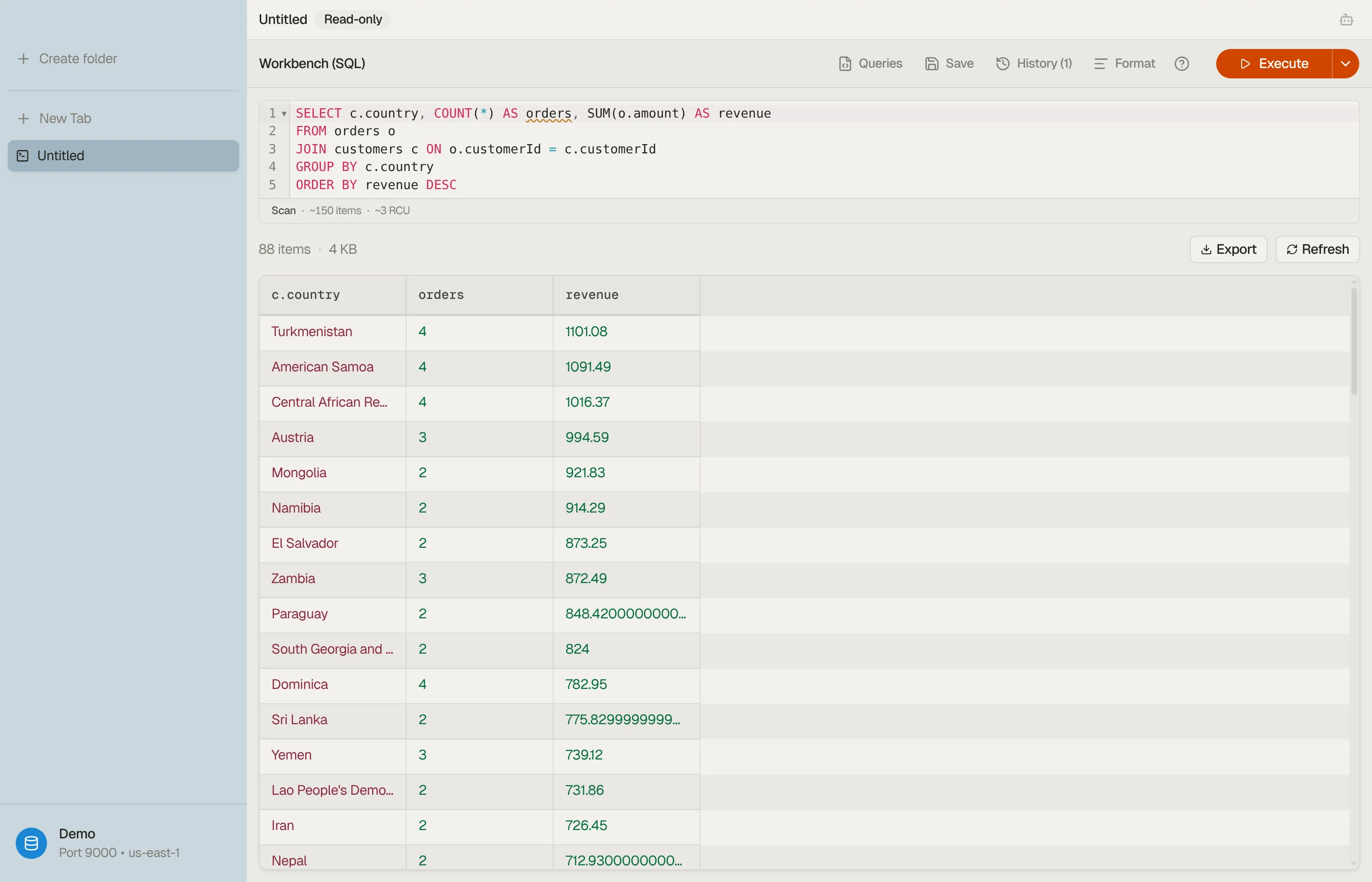

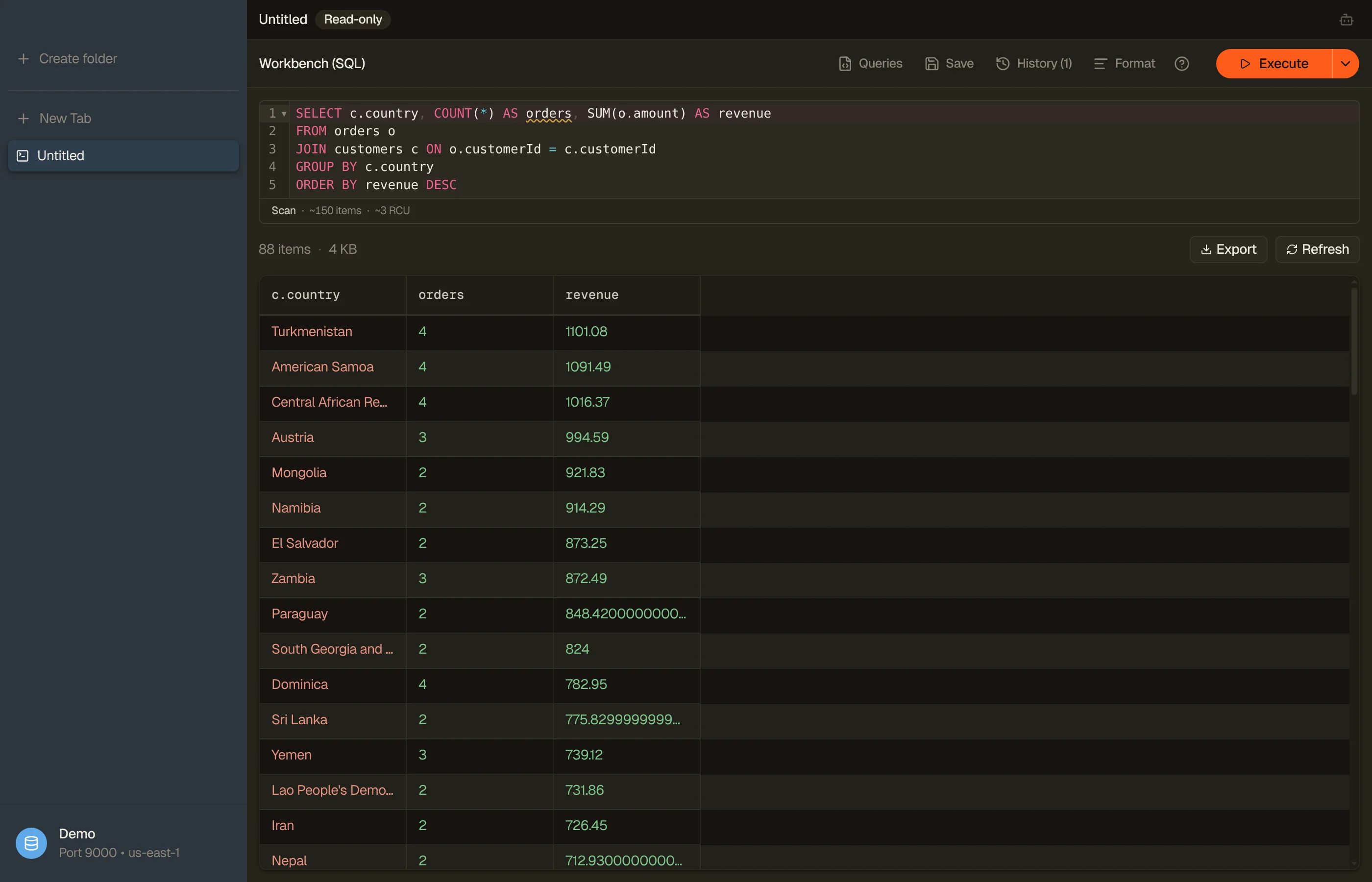
The statement compiles to native Query and Scan calls planned against your
keys and indexes, and the join and the AVG run on the client. The join works
because warehouses is keyed by warehouseId. A joined table needs the join
attribute as the partition key of a table with no sort key, or as the partition key
of exactly one GSI.
Skipping the export does not skip the read cost. status is not a key, so this
example plans a Scan of shipments, and DynamoDB bills every item it reads on
every run. The join adds key lookups on warehouses, batched and de-duplicated.
When a plan is available, the Workbench preview identifies Scan versus Query
and the index before the query runs. The RCU estimate appears only when table
metadata supports it, and for a JOIN it sizes the base-table read only. Reads on
the joined table are flagged inline and not priced. An ordinary partition Query
shows no RCU.
The Workbench supports INNER and LEFT JOIN only, self-joins included, with no subqueries, CTEs, UNION or window functions. Aggregate columns show (partial) until every page is read. DynamoDB gains no server-side join from any of this. DynamoDB GROUP BY walks through the plan.
Dynomate has no AI agent, MCP server or vector search
Dynomate's site and docs describe no AI assistant, agent or MCP server. DynoTable has an AI agent that operates the app itself. It reads your key schema, runs queries, filters tables and drafts item edits. Inference runs on Amazon Bedrock in your own AWS account, and no DynoTable server sees your prompts or rows.
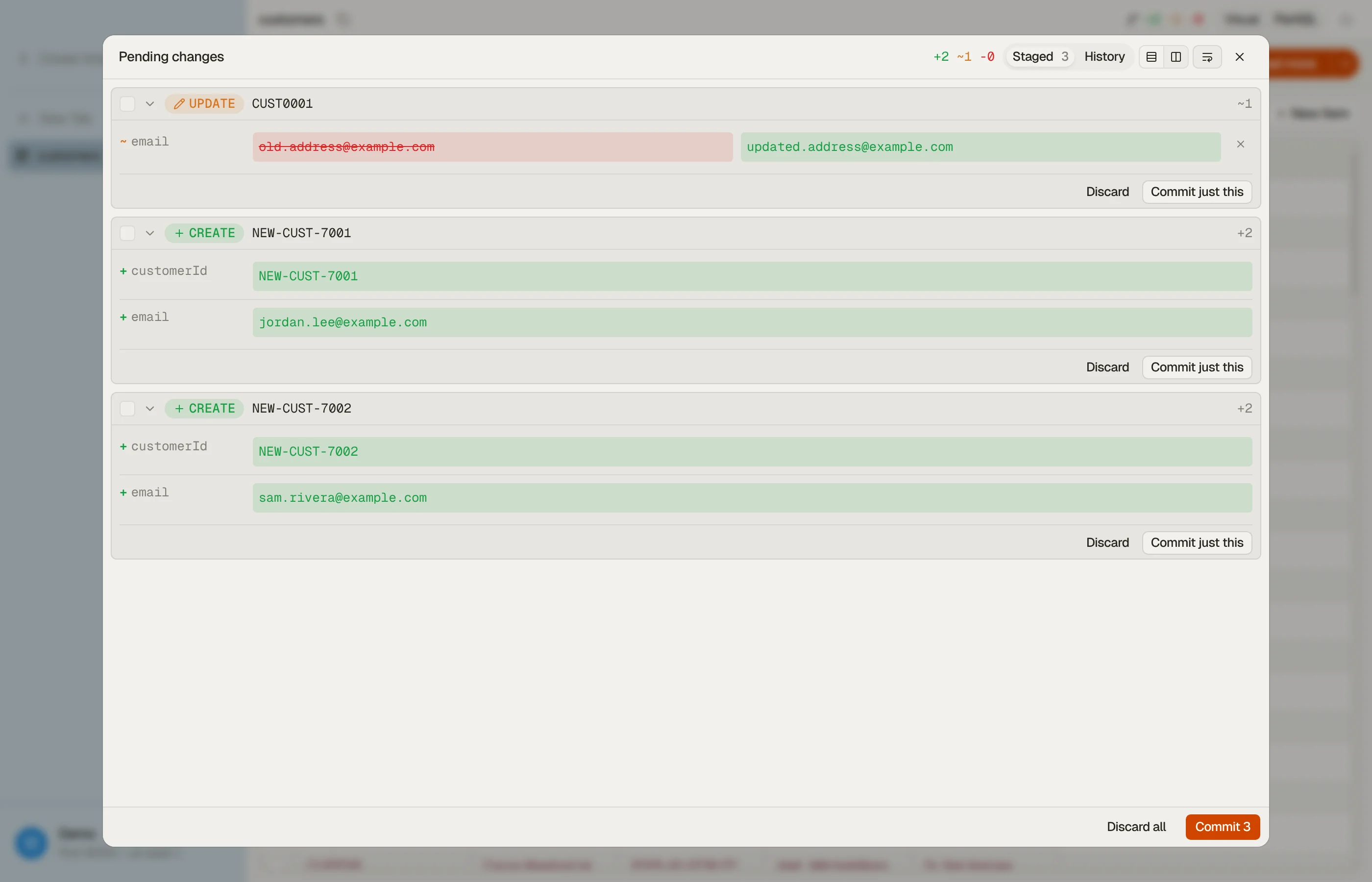
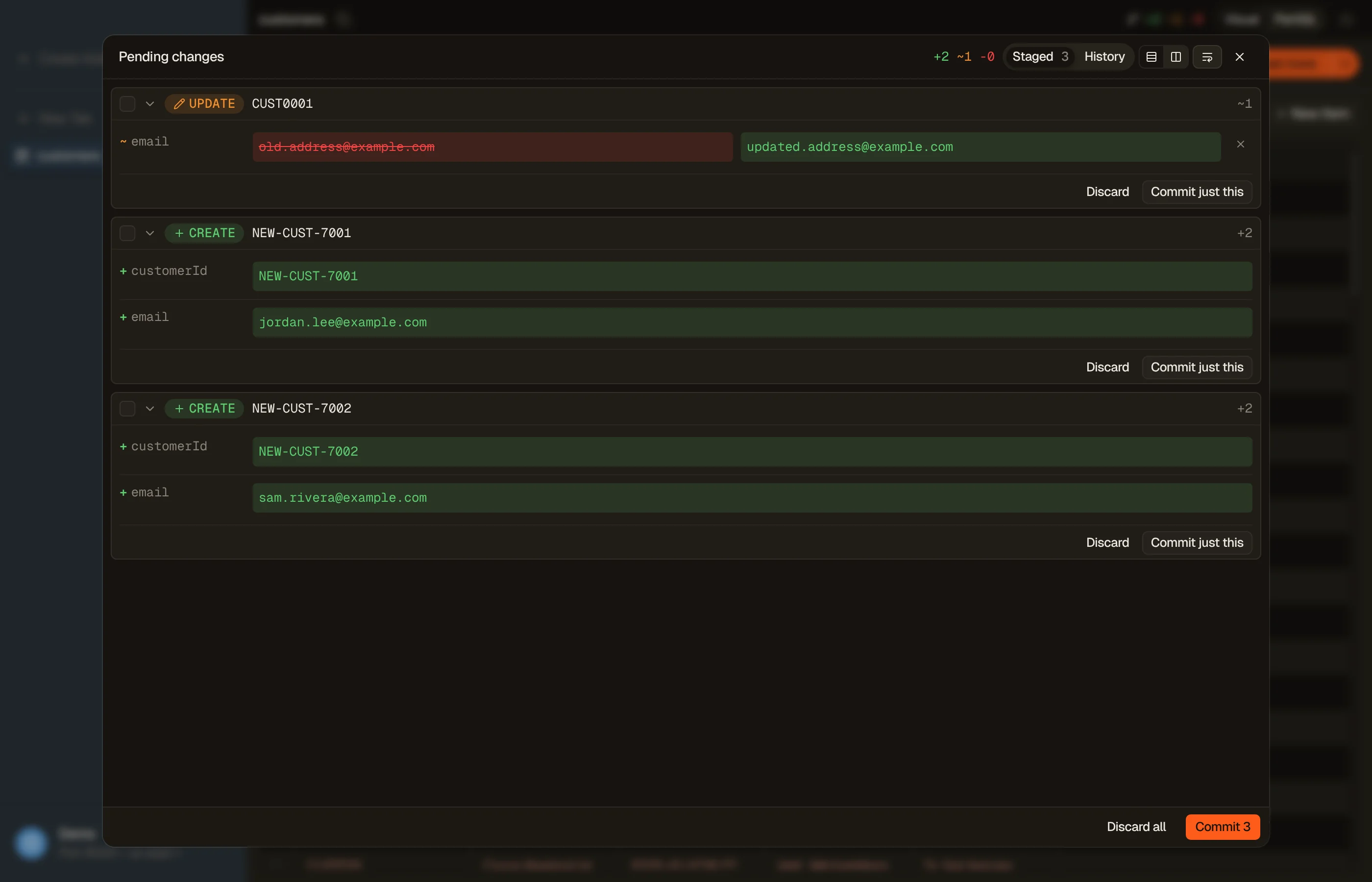
The agent cannot write to DynamoDB directly. Its edits can only stage, as a per-attribute diff you review and commit. The AI chat docs cover the setup. If you already work in Claude Code, Cursor or Codex, DynoTable also runs an MCP server so those tools can read your tables, and their writes stage the same way.


None of Dynomate's operations is a vector search. DynoTable creates and deletes a vector index from the table's Table indexes pane and binds a Bedrock embedding model and source attributes to it. It searches by a typed sentence, a pasted vector, or Find similar on a row, each in one request where a scan would page through the table.
Vector indexes need an on-demand table, don't work on DynamoDB Local, need a paid seat to create, and take minutes to build. Typed-sentence search and embed-on-save need AI set up (a license and a Bedrock profile) and spend Bedrock tokens on your account; a pasted vector and Find similar need neither.
An item-editor save that changes the source text re-embeds the item. Bulk edits, PartiQL writes and writes from outside DynoTable don't, so your application needs its own embedding step. Vector search covers it.
Which one should you pick?
- Pick Dynomate if a Git-native library of saved, chained requests is the core of how you and your team work with DynamoDB, if those requests should also run in CI, or if you want Athena, Aurora DSQL and DynamoDB in the same window. It is also the pick on an Intel Mac, or for browsing several accounts and regions side by side.
- Pick DynoTable if the questions you keep failing to ask are relational ones:
a
JOIN, aGROUP BYor an aggregate across tables, answered against live data rather than an export. Pick it too if you want an AI agent that works inside the client on your own AWS account, or vector search that covers the index and the embeddings.
Both are maintained and both read your AWS credential chain. The deciding question is whether your bottleneck is sharing queries or asking relational ones.
How to try DynoTable
Nothing about trying DynoTable disturbs a Dynomate setup: your collections stay
where they are on disk, and both apps read the same ~/.aws profiles.
Download DynoTable for macOS (Apple Silicon), Windows or Linux, connect
the profile you already use, and run the query above against two of your live
tables.
The trial is free for 30 days, no credit card required. After that, DynoTable stays on the Free plan with no time limit, which covers browsing, PartiQL SELECT, in-app data, code and schema exports, and read-only MCP. See pricing for the current plans.
FAQ
Is DynoTable a Dynomate alternative?
Yes. Dynomate is an actively maintained DynamoDB client built around request files you share through Git and run from its CLI; DynoTable adds a SQL Workbench that runs JOINs, GROUP BY and aggregates across your live tables, plus an AI agent whose inference runs on Amazon Bedrock in your own AWS account. Dynomate has no AI agent.
Can DynoTable run SQL against DynamoDB?
Yes. DynoTable's SQL Workbench compiles SQL, including INNER/LEFT JOIN, GROUP BY and aggregates, down to DynamoDB's Query and Scan operations, so it stays within DynamoDB's access-pattern rules.
Does Dynomate's SQL console query live DynamoDB tables?
No. Its Local SQL queries a snapshot: a full-table scan exports the table, Dynomate builds a local Parquet file from it, and DuckDB SQL runs against that file (dynomate.io/docs/local-sql). That suits comparing a table across points in time. Each new snapshot reads and bills the whole table, and results are as fresh as the last snapshot.
Related
- Browse the full comparison hub for every DynoTable alternative.
- Weighing the incumbent too? See the Dynobase comparison.
- See also DynoTable as a DynamoDB GUI and the NoSQL Workbench comparison.
- Build queries fast with the free DynamoDB Expression Builder.
Last verified 2026-10-09. Dynomate is a trademark of its respective owner; referenced here for identification only.