DynoTable vs TablePlus
TablePlus shipped a DynamoDB driver in September 2025. Its documentation site doesn't mention the driver, its changelogs name DynamoDB in two macOS entries and one Windows entry, and it documents no PartiQL or SQL editor for DynamoDB. DynoTable is built for DynamoDB alone, around a SQL Workbench that plans joins and aggregates against your keys and GSIs. Both vendors' sources were checked in October 2026.
Which one fits your workflow
| Your workflow | Choose |
|---|---|
| One native client for Postgres, MySQL, Redis, and DynamoDB together | TablePlus |
| Pay once instead of subscribing | TablePlus |
JOIN, GROUP BY, or aggregates over live DynamoDB tables | DynoTable |
| Pick the index and see Query or Scan before a filter runs | DynoTable |
| Staged, reviewable edits from a coding agent over MCP | DynoTable |
Is DynoTable a TablePlus alternative for DynamoDB?
It is when most of your queries go to DynamoDB. TablePlus is a native client built around relational engines, and DynamoDB arrived in it as a beta in 2025. Keep TablePlus if one window over Postgres, MySQL and DynamoDB matters most to you. DynoTable goes further on the DynamoDB side: index-aware filters, joins and aggregates, edits you can stage and review, and table settings.
What TablePlus documents about its DynamoDB driver
The changelog is the only source, because nothing else documents it. Two entries, eight months apart:
- macOS 6.7.0 (634), 5 September 2025: "[DynamoDB] Added DynamoDB - Beta."
- macOS 6.9.1 (670), 2 May 2026: "[DynamoDB] Fixed a bug where TablePlus could not fetch the item list."
Windows got its own line in 6.7.0 build 324 on 30 September 2025: "[DynamoDB] Added DynamoDB driver." TablePlus's documentation site names thirteen database engines, and DynamoDB is not one of them, so nothing about the driver's feature set is written down where you can check it.
The changelog doesn't say what the driver exposes. TablePlus's filter docs
describe a row filter that generates SELECT … WHERE queries, with no driver
named and no index picker. No PartiQL surface for DynamoDB is documented.
What a grid filter costs on a DynamoDB table
DynamoDB gives a client two ways to read many items. Query needs an equality
on the partition key. Scan reads everything. A filter on status, email or
createdAt is not a key condition, so it can't be a Query; it becomes a
Scan with a FilterExpression. The
Scan reference
says the filter is applied after the scan finishes, so consumption is the same
whether a filter is present or not.
Put a number on it. Eventually-consistent reads bill half a unit per 4 KB, so one pass over a 5 GB table is:
5 GB / 4 KB x 0.5 = 655,360 read unitsOn-demand in us-east-1 that is roughly $0.08, which is why it never shows up in
development. On a table provisioned at 500 RCU the same filter is 4,000 KB/s of
read capacity for about 22 minutes, and other readers on that table can get
throttled while it runs. Your grid shows twelve rows; DynamoDB read every item
in the table to find them, and the raw response shows it, with ScannedCount
counting everything it evaluated and Count saying twelve.
The 1 MB page limit makes it worse in a way that is easy to misread. That limit
applies before the filter runs, so a page can come back with zero matching items
and a LastEvaluatedKey telling you there is more. A client that treats the
first empty page as the end of the results will show no rows for a table that
has matches.
A filter builder with no index picker can't fix this, because the fix is
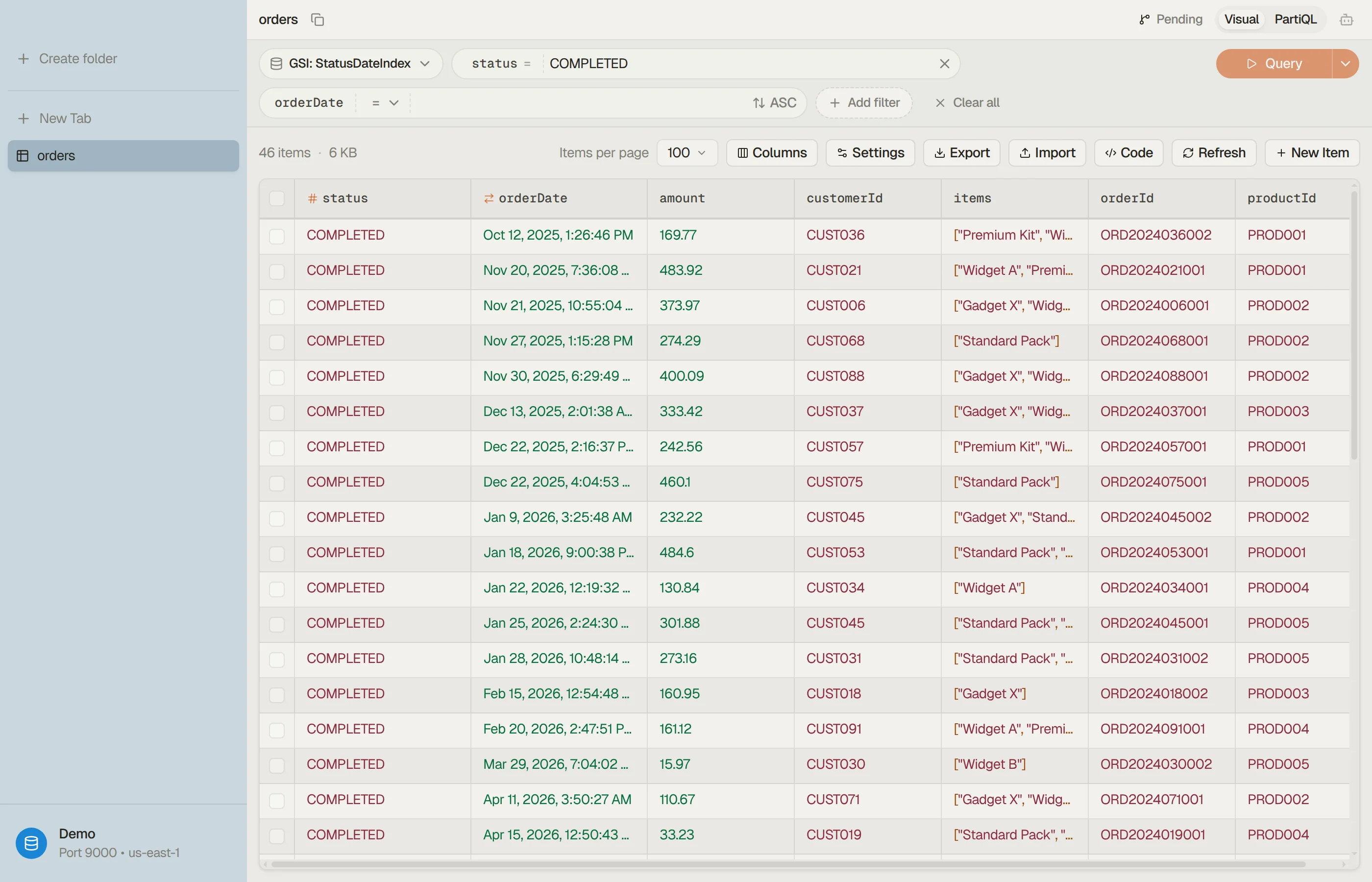
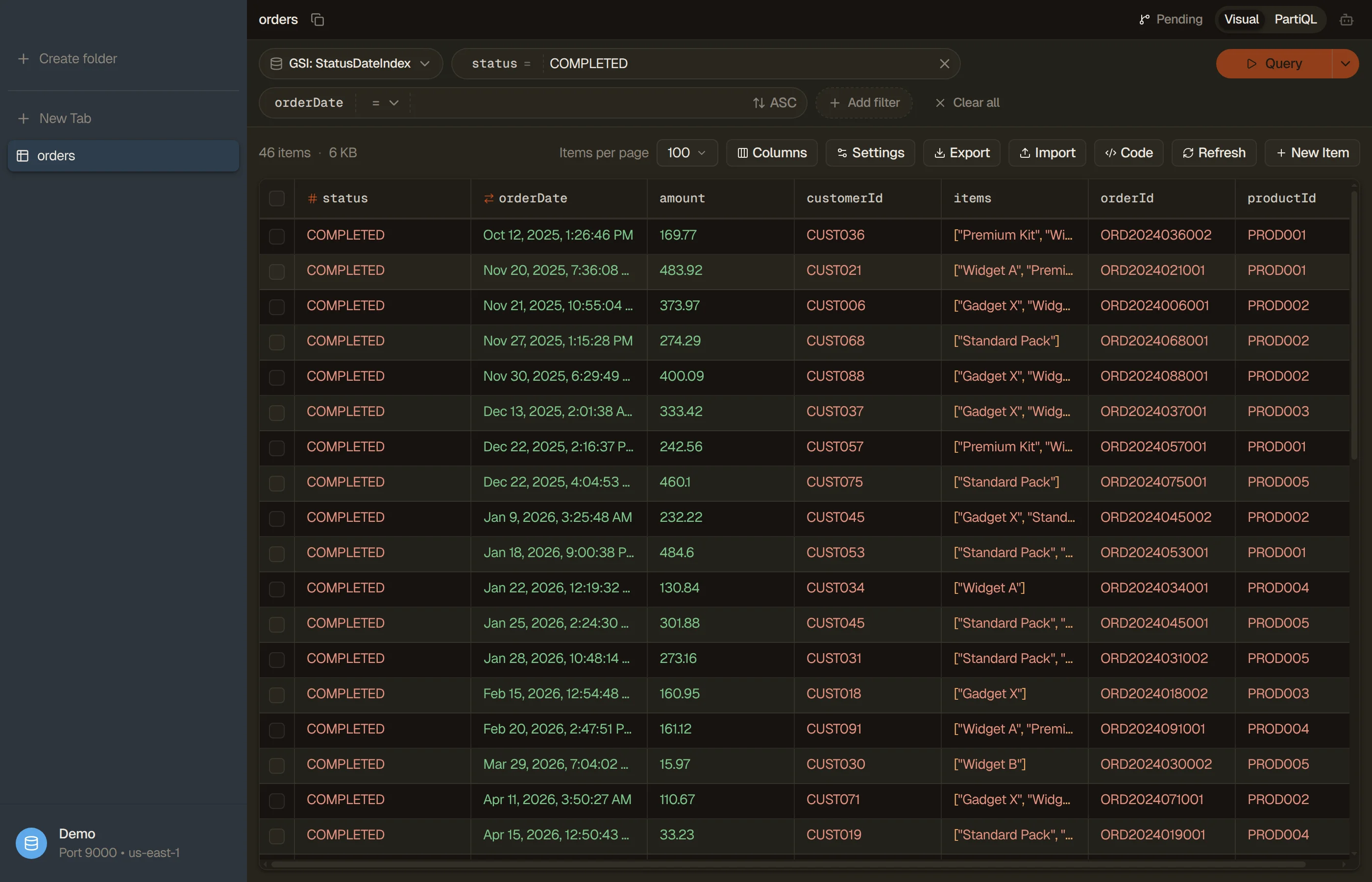
choosing the right key or index before the read. DynoTable's visual filter
starts from an index picker. Choose a GSI keyed on status and the same filter
becomes a Query; the run button reads Query or Scan before anything is
sent.
With no such index, a status filter is a full Scan in DynoTable too, billed
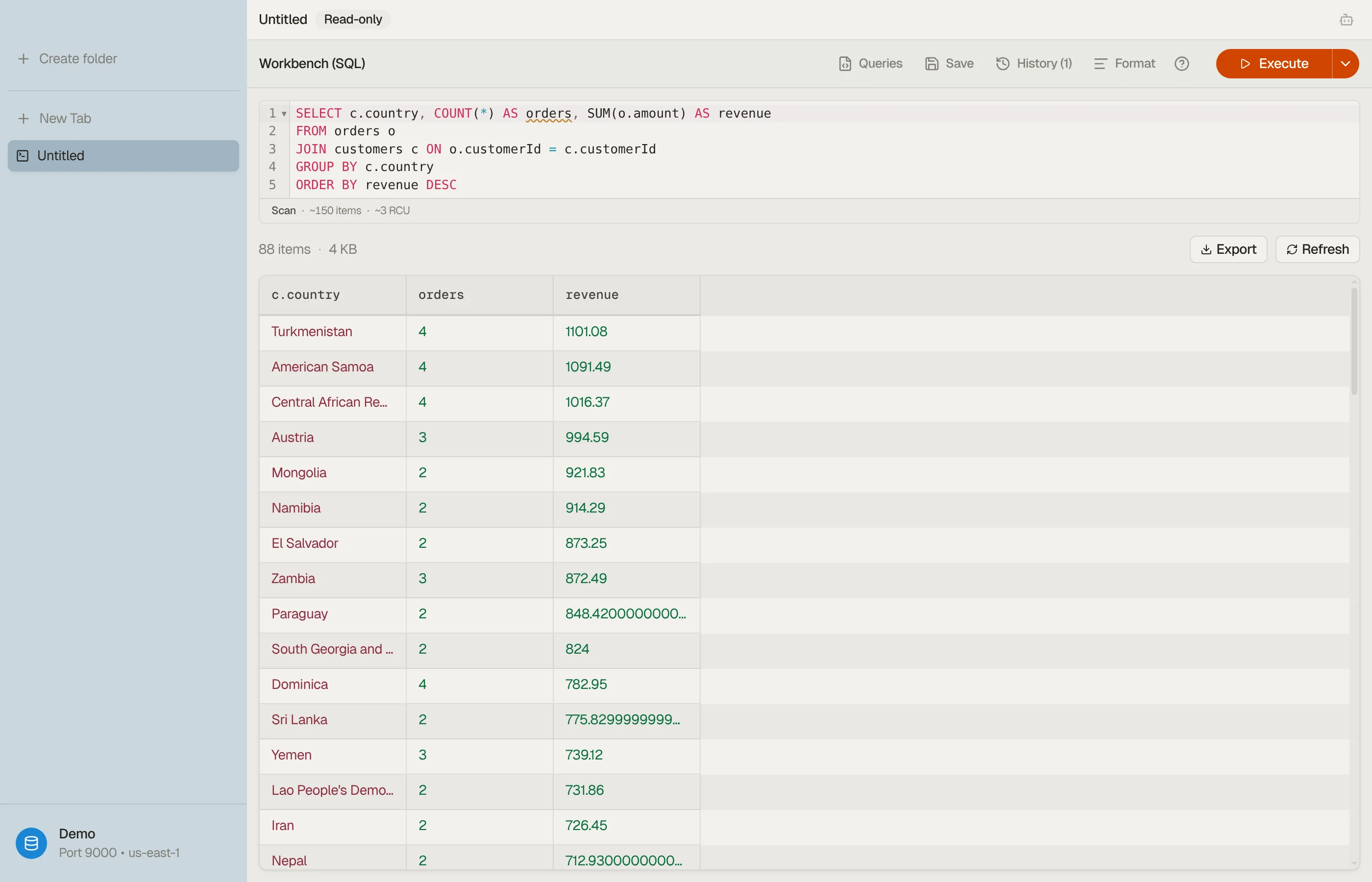
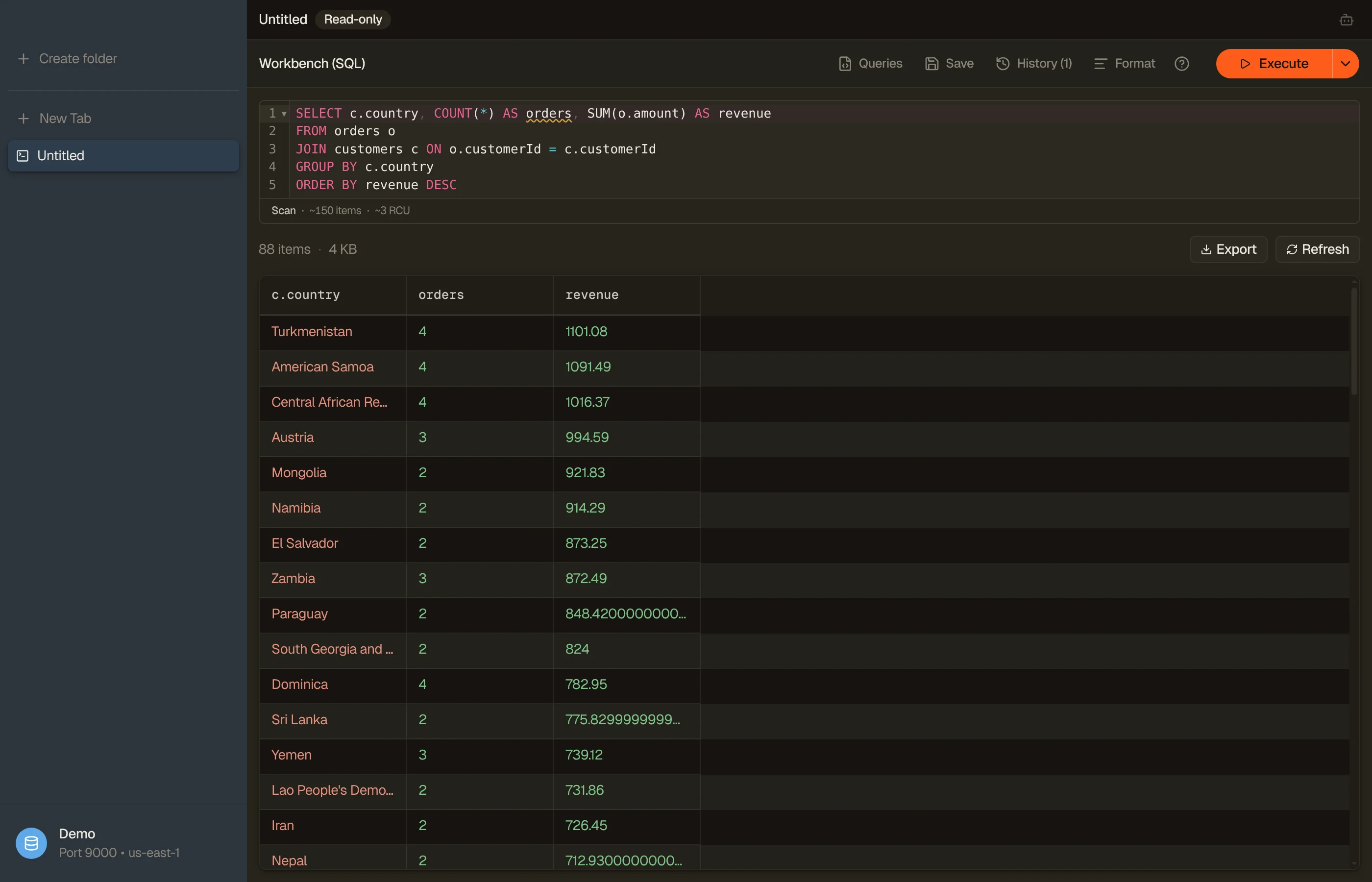
for every item. The SQL Workbench compiles
INNER/LEFT JOIN, GROUP BY and aggregates into native Query and Scan
calls planned against your keys and GSIs. See
SQL for DynamoDB, and
why Scans get slow and expensive for the
cost side.




AI chat, MCP and vector search
TablePlus enabled an LLM chat in June 2025 (macOS 6.6.4; Windows 6.6.2 in July), on a provider you bring. Its LLM plugin docs, which predate its 2026 MCP and custom-agent releases, say it sends table structure only, never rows. DynoTable's AI agent runs on Amazon Bedrock in your own AWS account and works on items, staging any edit for you to commit.
TablePlus has also shipped an MCP server since macOS 7.1.8 (June 2026), with no documented DynamoDB behavior. DynoTable's MCP server lets a coding agent read your tables and, on a paid seat, stage changes for review.
AWS launched DynamoDB vector search in August 2026, and nothing TablePlus has published mentions it. On a paid seat, DynoTable builds the vector index for an on-demand table. Searching by a typed sentence spends Bedrock tokens on your account, while a pasted vector or Find similar needs no AI setup. Vector search lists the limits, DynamoDB Local among them.
How to switch from TablePlus
- Install DynoTable from the download page. Builds cover macOS (Apple Silicon), Windows and Linux.
- Add a profile for the AWS profile your TablePlus connection uses. DynoTable
reads
~/.awsand never stores keys, so if you typed access keys into TablePlus's connection form, save them as a named profile in~/.aws/credentialsfirst. Each profile pins its region; ⌘P switches profiles. Your data stays in DynamoDB, so there's nothing to migrate. - Rebuild each TablePlus filter. In the visual filter, pick the index first: an
=on its partition key makes the button read Query, anything else Scan. Or write it as aWHEREin the PartiQL editor. - Open the SQL Workbench for the queries TablePlus documents no way to run:
JOIN,GROUP BYand aggregates.
TablePlus Basic is a $99 one-time license for one device, with a year of updates included. DynoTable is sold by subscription. An Individual seat is $9/mo billed annually ($108/yr), and the pricing page lists monthly and Team rates. The 30-day trial asks for no card.
When the trial ends, signing in with a free DynoTable account keeps browsing, the visual filter, PartiQL SELECT, in-app exports and read-only MCP open indefinitely.
FAQ
Does TablePlus support DynamoDB?
Yes, as a beta driver. TablePlus 6.7.0 added it on 5 September 2025 (macOS) and 30 September 2025 (Windows). Since then the macOS changelog carries one further DynamoDB entry, a May 2026 fix for fetching the item list, and DynamoDB is not listed among the thirteen engines on TablePlus's documentation site.
Can you write a query in TablePlus for DynamoDB?
Not that TablePlus documents. Neither its changelogs nor its documentation site describe a PartiQL or SQL editor for DynamoDB, and DynamoDB's own PartiQL has no JOIN or GROUP BY. DynoTable's SQL Workbench compiles those client-side against your keys and GSIs.
Why is filtering a DynamoDB table in a GUI slow?
Because a filter on a non-key attribute cannot be a Query. It becomes a Scan
with a FilterExpression, and DynamoDB applies that filter after reading the
data, so you pay for the whole table however few rows come back. One pass over a
5 GB table is 655,360 eventually-consistent read units, which is about 22 minutes
of a 500 RCU table's entire read budget. That is true in every client.
DynoTable's visual filter shows Query or Scan before it runs. In the SQL
Workbench and PartiQL editors the preview also names the index and, when table
metadata supports it, estimates RCU. An ordinary partition Query shows no RCU.
Related
- Browse the full comparison hub for every DynoTable alternative.
- Prefer a client with an official DynamoDB PartiQL editor? See the DataGrip comparison.
- Rebuilding TablePlus filters?
Query vs Scan in DynamoDB explains which ones
can become a
Query. - See also DynoTable as a DynamoDB GUI.
- Build queries fast with the free DynamoDB Expression Builder.
Last verified 2026-10-09 against the TablePlus macOS changelog (27.0.2) and
Windows changelog (26.10.2), the TablePlus documentation and pricing pages, and
the AWS Scan reference. The capacity figures are computed from AWS's 4 KB
read-rounding rule and the current us-east-1 on-demand read price. TablePlus is
a trademark of its respective owner; referenced here for identification only.