DynoTable vs DataGrip
DataGrip is JetBrains' IDE for relational
and NoSQL databases, and DynamoDB is one of the 26 named on its home page. Since
version 2023.3 you point a jdbc:dynamodb:// data source at a table, browse and
edit items in the data editor, and write PartiQL in the code editor.
DynoTable is a DataGrip alternative for the DynamoDB half of that job. As a DynamoDB-only client, it runs the JOIN, GROUP BY and aggregates that PartiQL refuses, planning them client-side against your keys and GSIs. Facts below are as of October 2026.
When to keep DataGrip vs switch to DynoTable
| Your workflow | Choose |
|---|---|
| SQL across Postgres, MySQL, and DynamoDB in one JetBrains IDE | DataGrip |
| You already license DataGrip and touch DynamoDB occasionally | DataGrip |
JOIN, GROUP BY, or aggregates over live DynamoDB tables | DynoTable |
| Stage DynamoDB edits and review a per-attribute diff before commit | DynoTable |
| AI agent on your own AWS Bedrock keys with staged writes | DynoTable |
What DataGrip gives you on a DynamoDB connection
Three things, per JetBrains' release note for 2023.3: the data viewer, PartiQL in
the code editor, and "Tables with keys and indexes are now introspected."
Connections take three documented forms: jdbc:dynamodb://localhost:8000 for a
local instance, jdbc:dynamodb:// for a named AWS profile, and
jdbc:dynamodb://?region=eu-west-1 to pin a region
(DataGrip docs). The same
help page names the viewer the Data editor and viewer; JetBrains' tracker has open bugs on
editing nested list and map values and on deleting rows (DBE-20629, DBE-21471).
That introspection line covers all the schema DynamoDB publishes. DescribeTable
returns key attributes only. Here it is for a table whose items also carry plan,
seats, active, tags and meta:
"AttributeDefinitions": [
  {"AttributeName": "pk", "AttributeType": "S"},
  {"AttributeName": "sk", "AttributeType": "S"}
]Five attributes are missing because DynamoDB never recorded them. Anything else a client knows about your table, it learned by reading items and inferring.
Where a SQL habit stops
What you buy an IDE like DataGrip for is that it understands your SQL. Against
DynamoDB it can only pass on the PartiQL grammar, which is small. Each statement
below went to DynamoDB Local 3.3 through ExecuteStatement; the responses are
verbatim.
| Statement | Response |
|---|---|
SELECT * FROM orders o JOIN customers c ON o.customerId = c.customerId | ValidationException: Only select from a single table or index is supported. |
SELECT status, SUM(amount) FROM orders GROUP BY status | ValidationException: Unsupported clause: GROUP BY |
SELECT COUNT(*) FROM orders | ValidationException: Unexpected path component at 1:8:5 |
SELECT DISTINCT status FROM orders | ValidationException: Unsupported token in expression: DISTINCT |
SELECT * FROM orders ORDER BY amount DESC | ValidationException: Must have WHERE clause in the statement when using ORDER BY clause. |
SELECT * FROM orders WHERE orderId = '1' ORDER BY amount DESC | ValidationException: Variable reference amount in ORDER BY clause must be part of the primary key |
DynamoDB cannot sort a result set by a non-key attribute. AWS's published SELECT
grammar allows one FROM table or index, an optional WHERE, and an ORDER BY
restricted to a hash or sort key
(PartiQL SELECT reference).
DataGrip hands your statement to that grammar rather than compiling around it.
Closing that gap yourself means writing the join, the grouping and the sort in
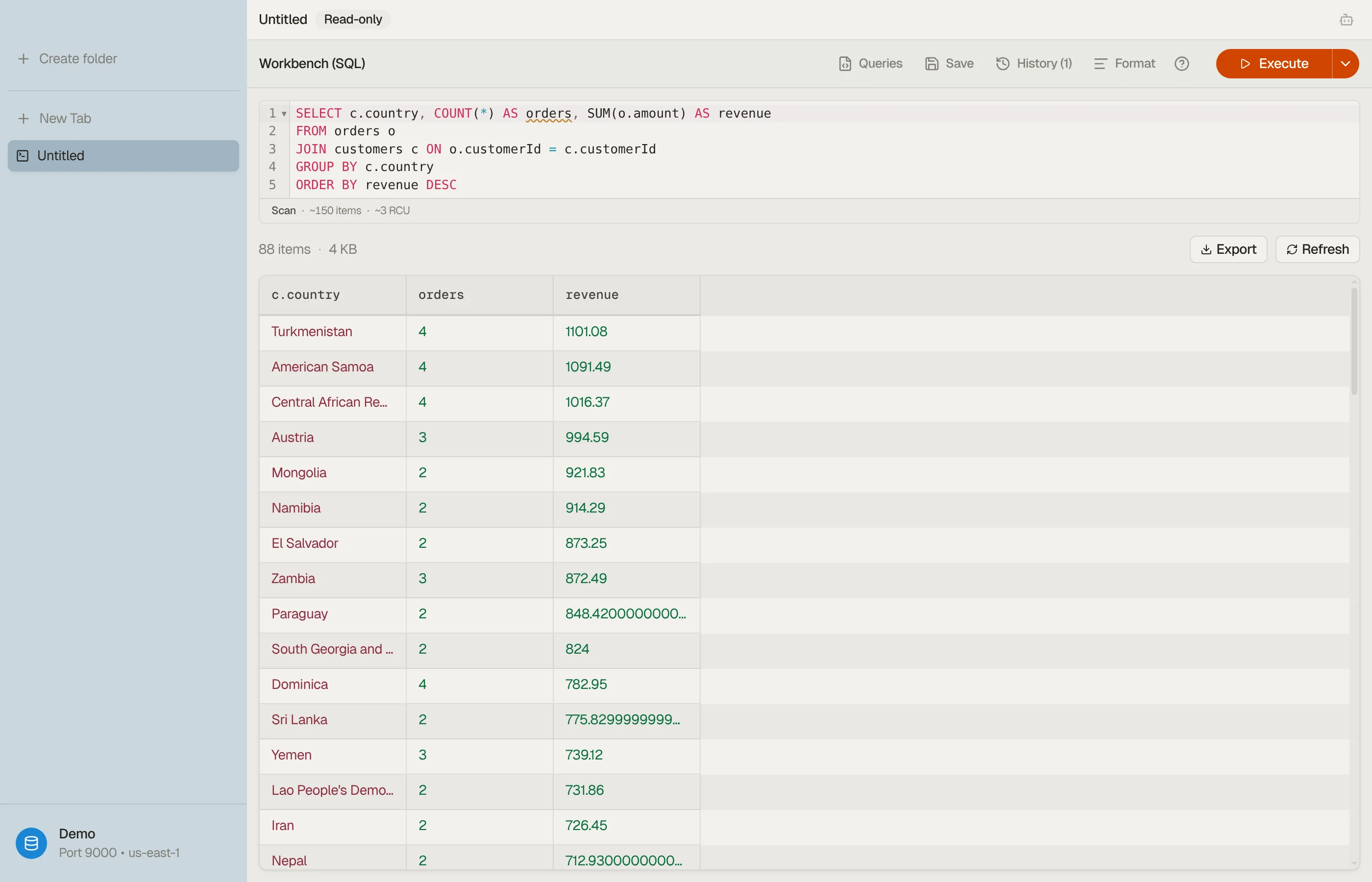
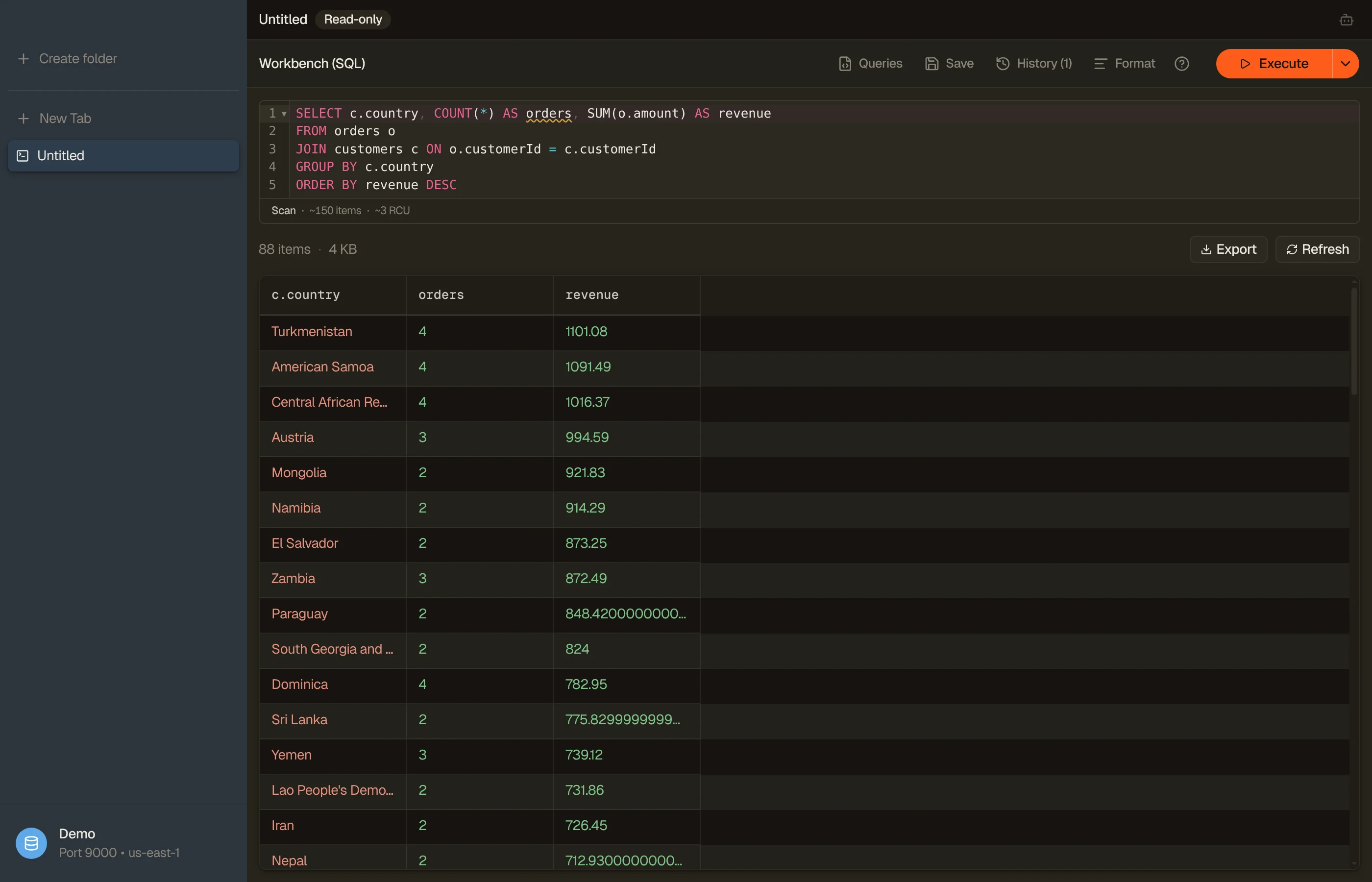
application code. DynoTable's SQL Workbench compiles them instead, down to native
Query and Scan calls planned against your table's key schema.
A join needs the joined table keyed by the join attribute: the partition key of a table with no sort key, or the partition key of exactly one GSI. The Workbench rejects any other join rather than quietly scanning the joined table.
The cost model stays DynamoDB's. A GROUP BY with no partition-key equality, like
the second row, is still a full Scan billed for every item, and aggregate columns
show (partial) until every page is read.
SQL for DynamoDB covers what it emits.


AI agents and vector search
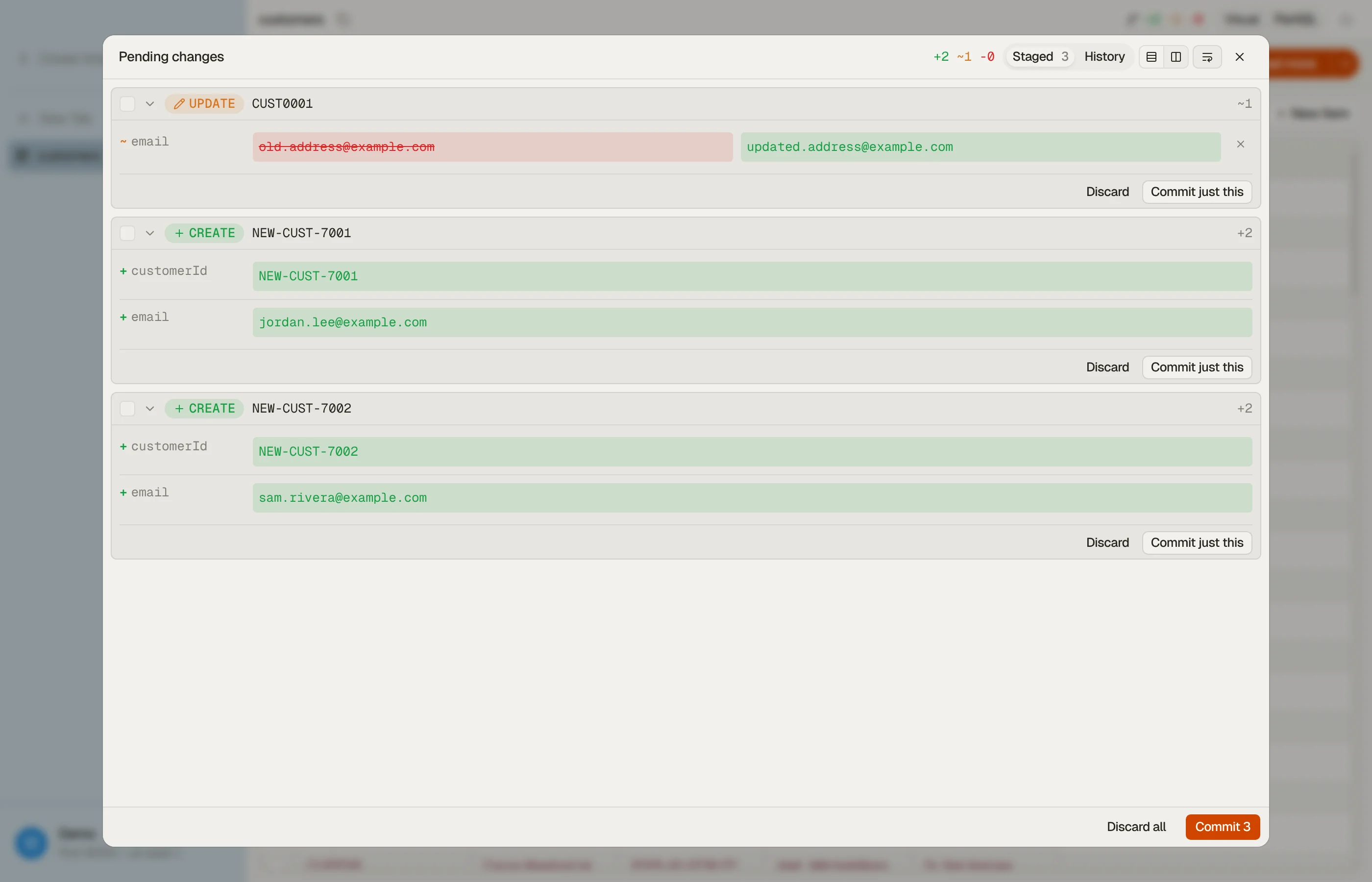
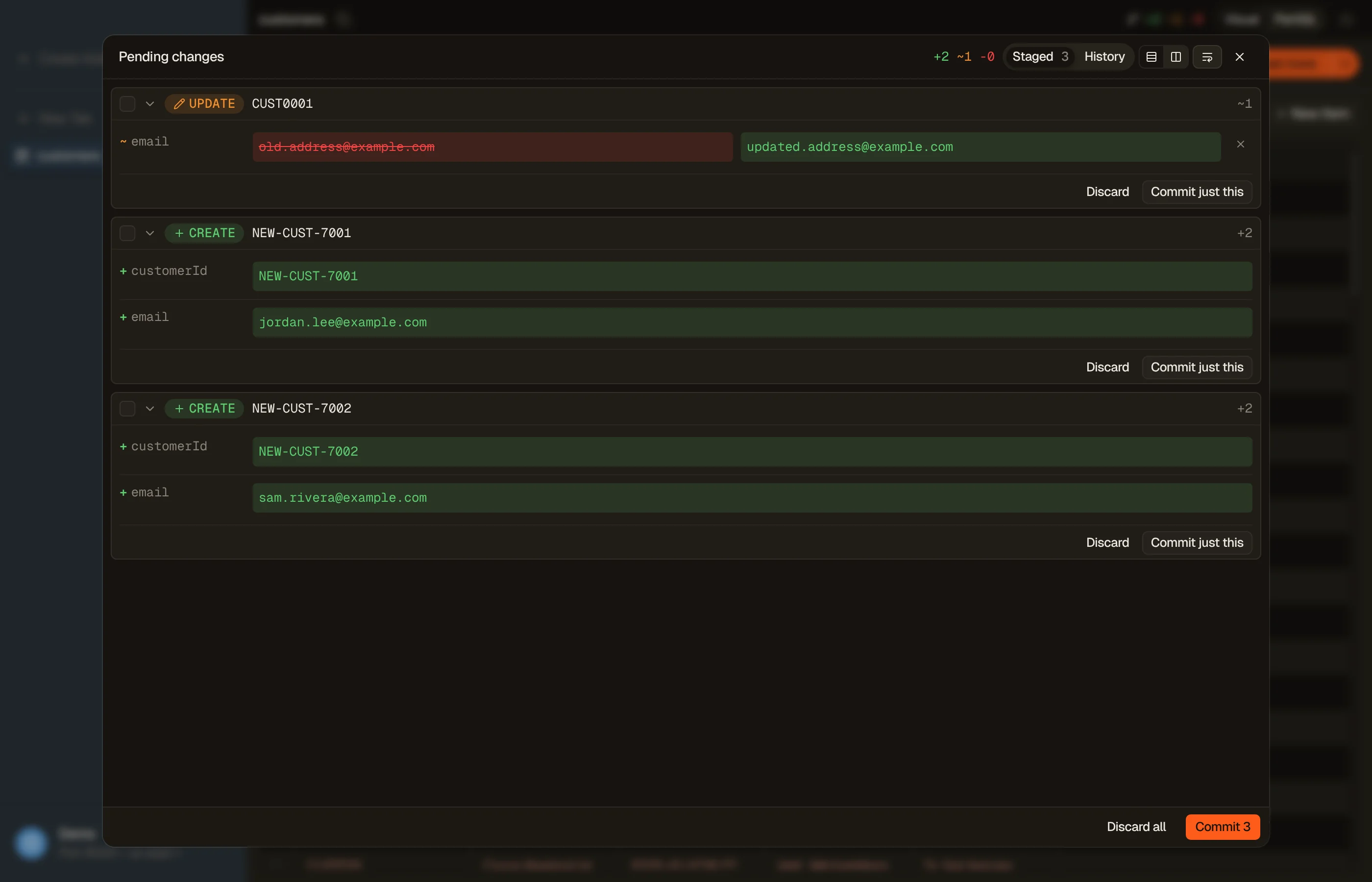
DataGrip 2026.1 added AI agents (Claude Agent, Codex) that reach databases through its MCP server, with consent prompts before they read or change data (What's New in DataGrip 2026.1). DynoTable's agent runs on Amazon Bedrock in your own AWS account and can only stage DynamoDB writes for you to review (AI chat docs).


AWS states that "Vector indexes are not accessible through PartiQL" (vector search requirements), and DataGrip's DynamoDB docs document no other vector surface. DynoTable creates the index (paid, on-demand tables only, not on DynamoDB Local) and searches it by a pasted vector, Find similar, or a typed sentence that spends Bedrock tokens on your account; see Vector search.
How to switch from DataGrip
- Download DynoTable for macOS (Apple Silicon), Windows or Linux and install it.
- For each
jdbc:dynamodb://data source, create a DynoTable profile on the same AWS profile and pick the region it used (its?region=value, if it had one). Each profile pins its region; ⌘P switches profiles. - A
jdbc:dynamodb://localhost:8000data source becomes a DynamoDB Local profile on port 8000. Your tables stay where they are, so there's nothing to migrate. - Paste the PartiQL from a DataGrip query console into DynoTable's PartiQL editor.
It is the same DynamoDB PartiQL, so it runs as written; an
UPDATE,INSERTorDELETEgets a Commit changes or Stage changes button. - Open the SQL Workbench and run the statements from the table above. The JOIN
compiles when
customersis keyed bycustomerIdalone or has one GSI keyed on it; otherwise the Workbench says why before it runs.
DataGrip is free for non-commercial use. For commercial use by an individual, a license is $109 for the first year ($87 the second, $65 from the third) or $10.90 month-to-month, and an organization seat is $259 a year.
DynoTable's trial is free for 30 days, no credit card required. A paid seat is $9/mo billed annually ($108/yr) or $12 month-to-month; see pricing for Team rates. After the trial you stay on the Free plan, which needs a free DynoTable account and covers browsing, PartiQL SELECT, in-app exports and read-only MCP, with no time limit.
FAQ
Does DataGrip support DynamoDB?
Yes, since DataGrip 2023.3. You connect a jdbc:dynamodb:// data source, browse
and edit items in the data editor, and run the subset of PartiQL DynamoDB supports. JOIN,
GROUP BY, DISTINCT and aggregate functions are outside that subset, so DynamoDB
returns a ValidationException for them.
Can you run a JOIN in DataGrip against DynamoDB?
No. A two-table SELECT comes back as
ValidationException: Only select from a single table or index is supported.
DynamoDB itself returns that error, so no PartiQL client can work around it.
DynoTable's SQL Workbench compiles the join client-side against your keys and GSIs.
Can you sort a DynamoDB query by a non-key attribute?
Not in PartiQL. ORDER BY on an ordinary attribute returns
ValidationException: Variable reference amount in ORDER BY clause must be part of the primary key,
and omitting WHERE entirely fails first. Sorting on anything but a key has to
happen after the rows arrive, in your client or your code.
Related
- Other desktop clients: the TablePlus comparison and the Dynobase comparison.
- Every client side by side: the best DynamoDB GUI clients, or the full comparison hub.
- What DynoTable's PartiQL editor does with reads and writes: the PartiQL docs.
- Write a key condition by hand with the free DynamoDB Expression Builder.
Last verified 2026-10-09 against JetBrains' DataGrip documentation, pricing and
What's New pages, and the AWS PartiQL reference. The ValidationException
responses were reproduced 2026-07-28 against DynamoDB Local 3.3.0 and re-run
2026-10-09 against DynamoDB Local 3.3.1 via ExecuteStatement; the strings are
quoted verbatim. DataGrip is a trademark of JetBrains s.r.o.; referenced here for
identification only.