Export
DynoTable exports query results to CSV, JSON, and NDJSON, from a single selected row up to an entire filtered result set, and can send a filtered export of a table straight to Amazon S3. Large exports run in the background and keep going even if you switch tabs, change profiles, or reload the app.
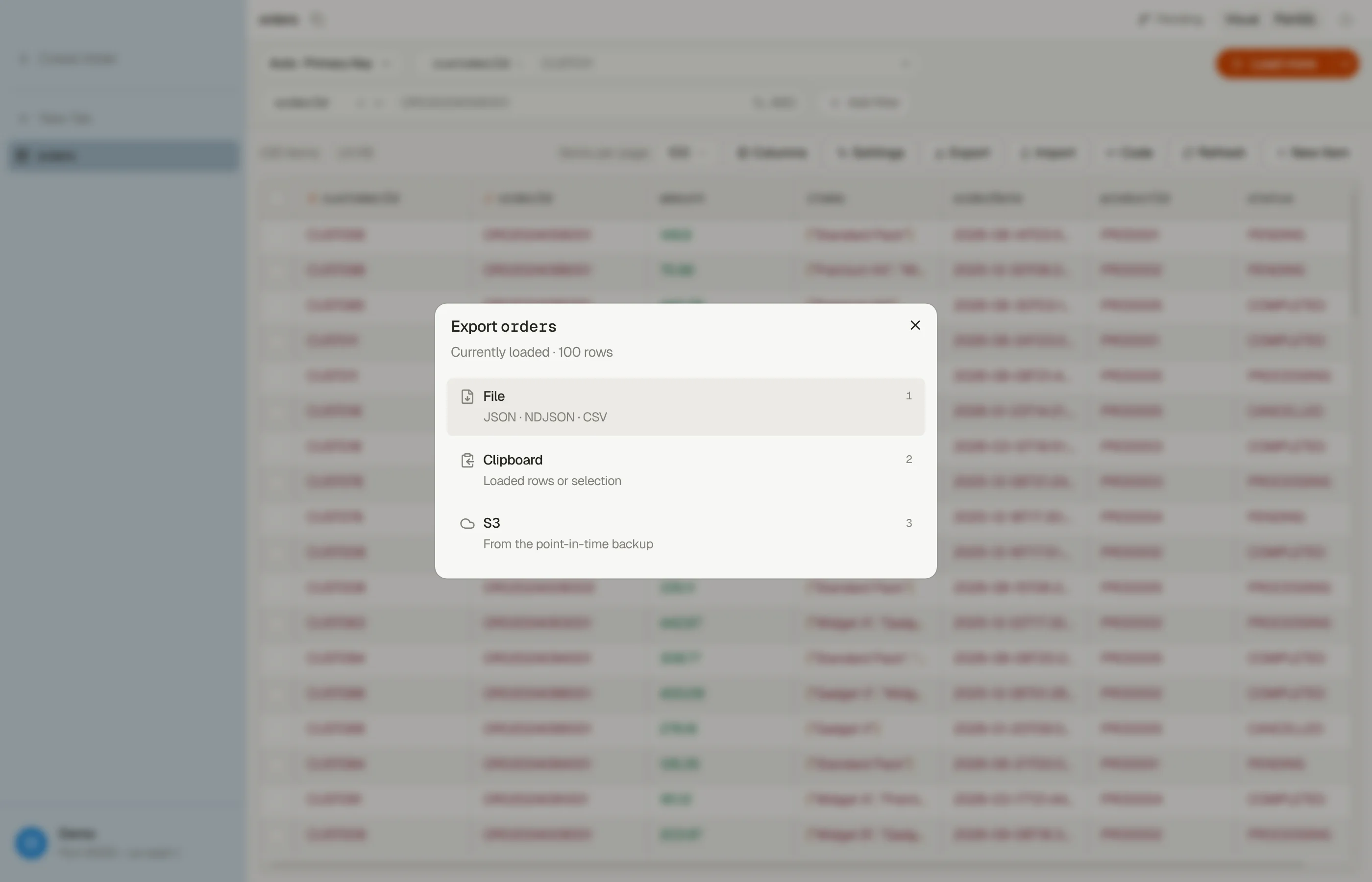
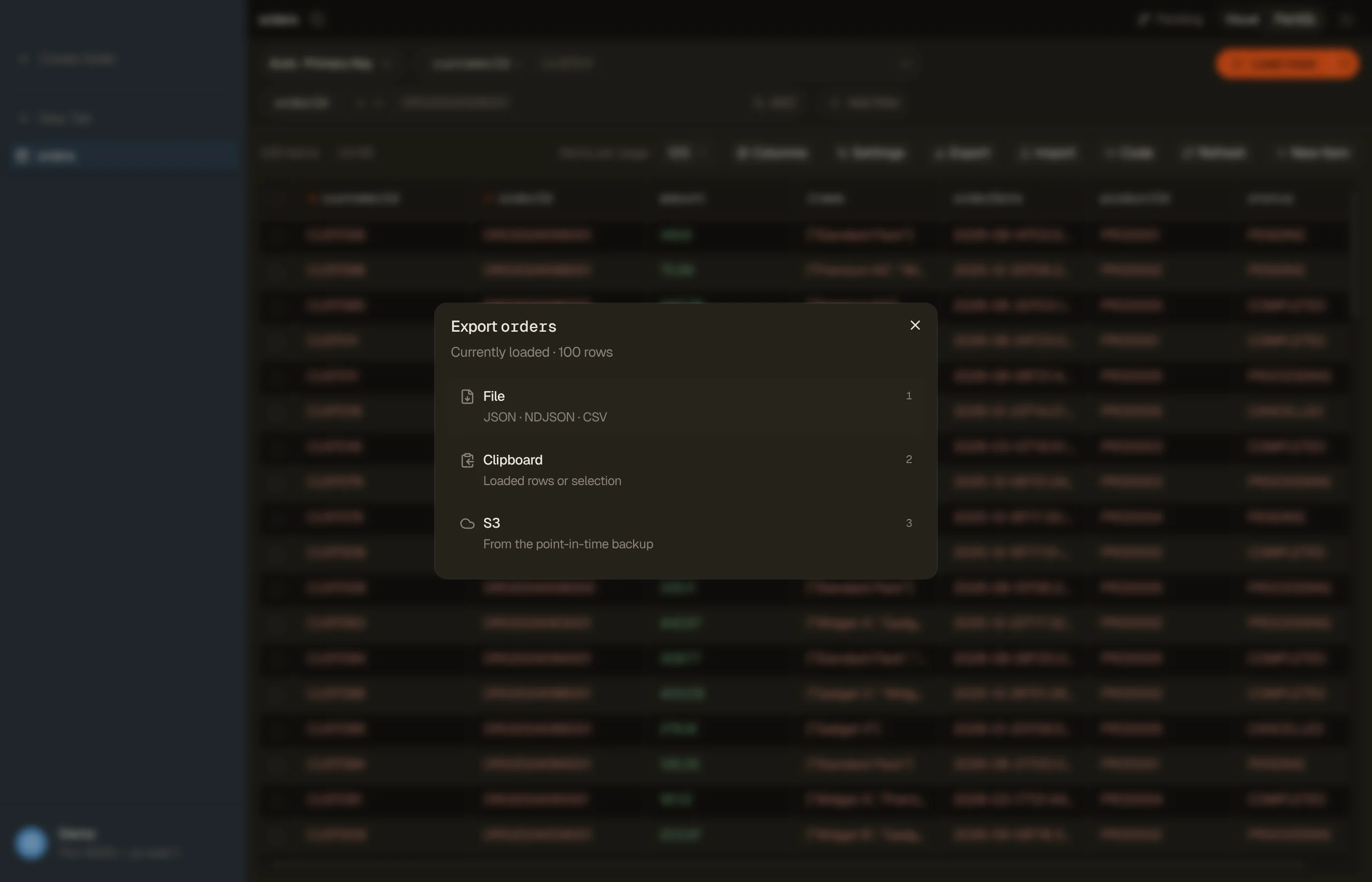
Open the export dialog with ⌘⇧E, or the Export button in the tab toolbar. The dialog has two steps:
- Pick a destination: File, Clipboard, or S3. Press 1, 2 or 3, or move with ↑ / ↓ and press ↩. A destination that can't take this tab's rows is greyed out and says why.
- Set the options: for a file or the clipboard, Scope and Format, with everything else behind Options. Its collapsed line sums up the current choices, such as all columns · plain values. The button reads Export or Copy, and ⌘↩ presses it from anywhere in the dialog.
Esc on the options step takes you back to the destinations; a second Esc closes the dialog. Every open starts on the destination step.
An OpenSearch index exports to a file or the clipboard, not to S3: see Bulk edit, export, and import.


Formats
- CSV: one row per item, with headers. Sets serialize as JSON arrays inside a cell (lossy for set semantics, but readable in spreadsheets).
- JSON: a JSON array of items.
- NDJSON: newline-delimited JSON, one item per line; ideal for streaming into other tools.
For JSON and NDJSON, Values under Options picks how each value is written:
- Plain values: plain, readable JSON (
"count": 3). - DynamoDB-JSON: the marshalled, type-wrapped wire form. Use this when you need a lossless round-trip: it preserves large numbers (> 2⁵³) that plain values corrupt, and binary values. Only available for the full-match scope.
For CSV, Options holds the column picker instead.
An S3 export writes DynamoDB JSON or Amazon Ion instead.
Scopes
- Currently loaded: the rows currently loaded in the grid.
- Selection: only the rows you've selected.
- Full filter match: every item your filter / query matches, streamed straight from DynamoDB (not just what's loaded). A large full-match export bills read capacity for every item the query or scan reads, including items the filter then drops. Exports read with eventual consistency, so on-demand bills half a read request unit per 4 KB read, summed per page. Use the pricing calculator to ballpark the cost before you stream millions of rows.
Under an all-matching selection, Selection is unavailable. The selection bar's Export opens Full filter match for the same query.
The clipboard is chosen up front, on the destination step, and takes only the Currently loaded and Selection scopes: Full filter match is not offered there, and always writes to a file (or to S3).
A Smart Table or Workbench result exports as Full filter match only, so the clipboard is not offered for it, and DynamoDB-JSON values are not offered for Smart Table, Workbench, or PartiQL results. Running those exports needs an active license or trial, like running the queries themselves.
Renamed columns
If you've renamed columns in a tab (or you're exporting a Smart Table with relationship labels), the renamed names flow through to the export. CSV headers and JSON / NDJSON keys use your labels; the underlying data lookup is unaffected. (DynamoDB-JSON values keeps original attribute names for round-trip integrity.)
Background exports
A full-match export of a large table can take a while. Once bytes start flowing, the dialog closes and the export detaches: it shows up in the Activity panel at the bottom of the sidebar with live progress, and it survives closing the tab, switching profiles, and reloading the app (⌘R).
- Watch progress and cancel from the Activity panel. It shows the rows and bytes written, and the time on the right. An export that scans the table fills a progress bar and, after a few seconds, shows the time left. The estimate comes from DynamoDB's item count for the table, which DynamoDB refreshes about every six hours, so treat it as approximate. A query export shows the time so far.
- An export that finishes while you watch it in the Activity popup stays there with Reveal and Done. One that finishes in the background raises a toast; click it to reveal the file.
- Cancelled exports are silent; failed ones stick around with the error message and a Dismiss button. Re-run the export to try again.
- An S3 export cannot be cancelled. Its X is Stop tracking, which asks first: DynoTable forgets the export, but it keeps running, and billing, in AWS. A finished S3 export offers Copy S3 URI and Open in AWS console.
Export to S3
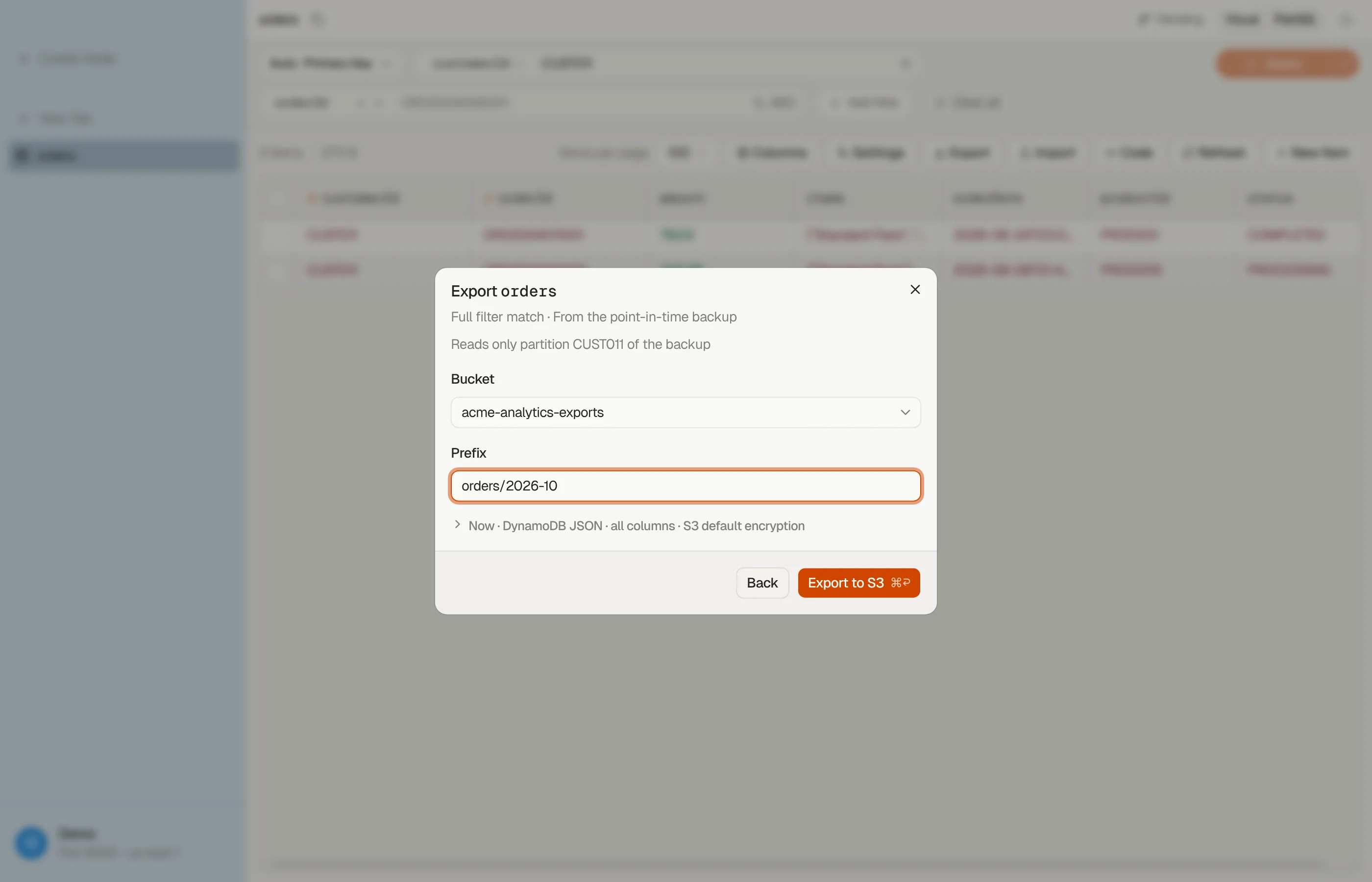
Pick S3 on the destination step to have DynamoDB itself write the tab's
query to your S3 bucket. DynoTable starts an ExportTableToPointInTime with a
filter built from the tab's visual query, so only the items your query matches
are exported. AWS does the work and bills it; DynoTable starts the export,
tracks it in the Activity panel, and points you at the result.
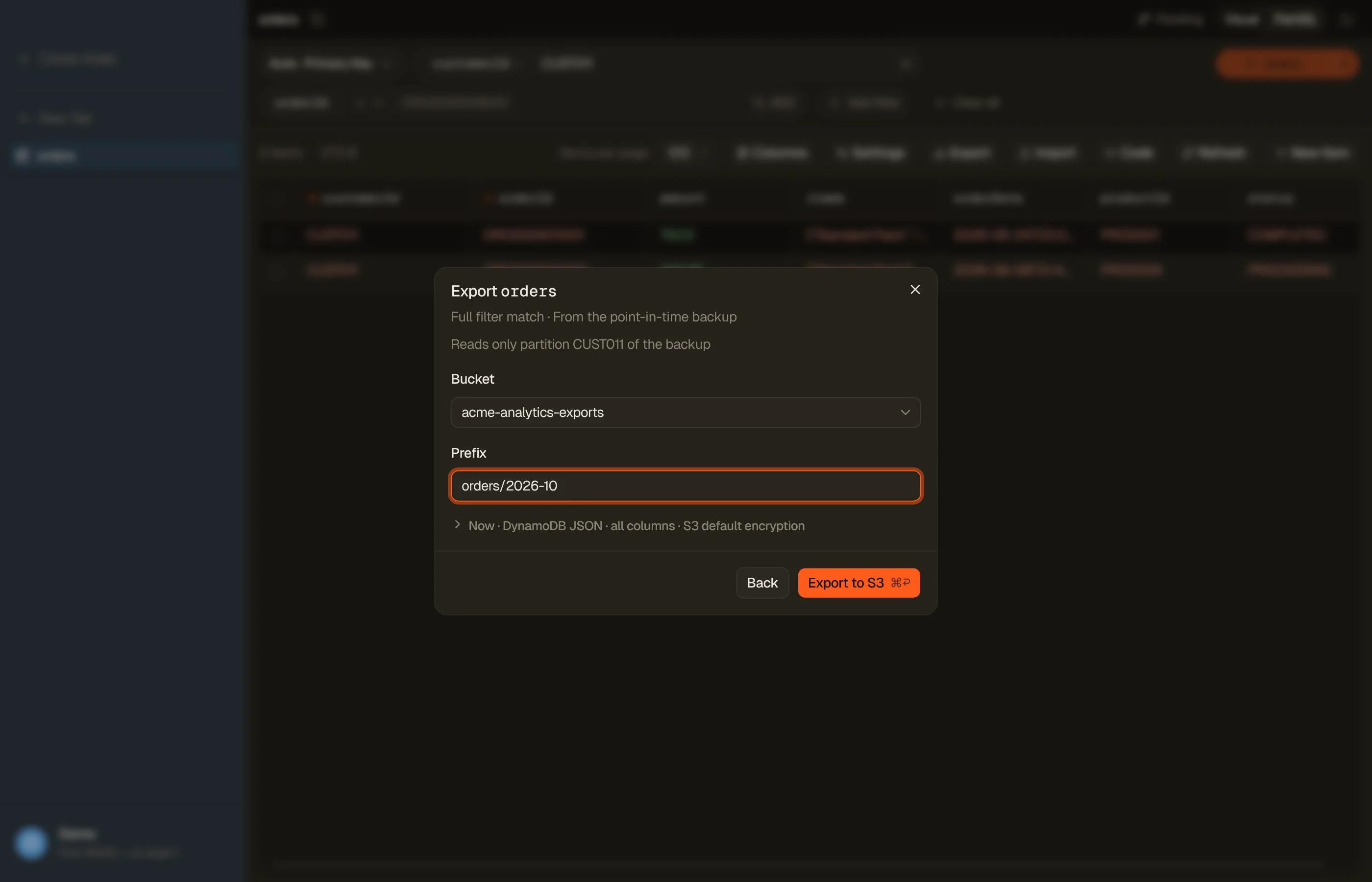
The export reads the table's point-in-time recovery backup, not the live table, so it uses no read capacity and is safe to run against a busy production table. A note at the top of the step says what it reads: only one partition for a key query on the table or a local secondary index, or the whole table backup for a scan or a global secondary index query.
Fill in:
- Bucket: pick one of your account's buckets, or type a name.
- Prefix: where the files go in the bucket. It defaults to
dynotable/<table>/, and DynoTable remembers the last bucket and prefix per profile and region.
Behind Options:
- Format: DynamoDB JSON (one item per line, every value tagged with its type) or Amazon Ion (JSON plus native numbers, binary and sets). S3 export has no CSV.
- As of: Now, or a point in time inside the table's restore window.
- Columns: All columns, or Visible columns only. The key attributes are always exported.
- Encryption: S3 default, or a KMS key by ARN.
- Bucket owner account: the 12-digit account ID when the bucket belongs to another account.
Export to S3 (or ⌘↩) starts it and opens the Activity popup on it, like a file export. Closing the popup doesn't stop the export. Exports take minutes to hours; when one finishes, its Activity popup shows the item count and billed size.


A few requirements:
- Point-in-time recovery must be on. When it's off, the step says so and offers Open table settings, which opens the Table settings dialog where you can switch it on.
- A table tab's visual query only. S3 is greyed out for PartiQL, vector search, Smart Table and Workbench tabs, and the scope is always the full filter match. A global secondary index query exports whole items, not the index's projection.
- Not on DynamoDB Local or other offline profiles, where S3 is not offered.
- Starting an S3 export needs an active license or trial.
Export as code
The query you built with the visual filter can leave DynoTable as a program. From a table tab in Visual mode, choose Code in the tab toolbar and DynoTable turns the exact request it just ran — the index, the key condition, the filter expression, and the expression attribute names and values — into ready-to-run code for the target you pick:
- JavaScript / TypeScript: SDK v3 (
QueryCommand/ScanCommand), DocumentClient, and a DynamoDB Toolbox program. - AWS CLI: an
aws dynamodb queryorscancommand. - Python: boto3.
- Java, Go, .NET, Rust, Kotlin, PHP, Ruby: the
typed
AttributeValueshapes each SDK expects. - PartiQL: the equivalent
SELECTstatement.
Turn on pagination to wrap the request in a loop that follows
LastEvaluatedKey until the result set is exhausted; leave it off for a single
page.

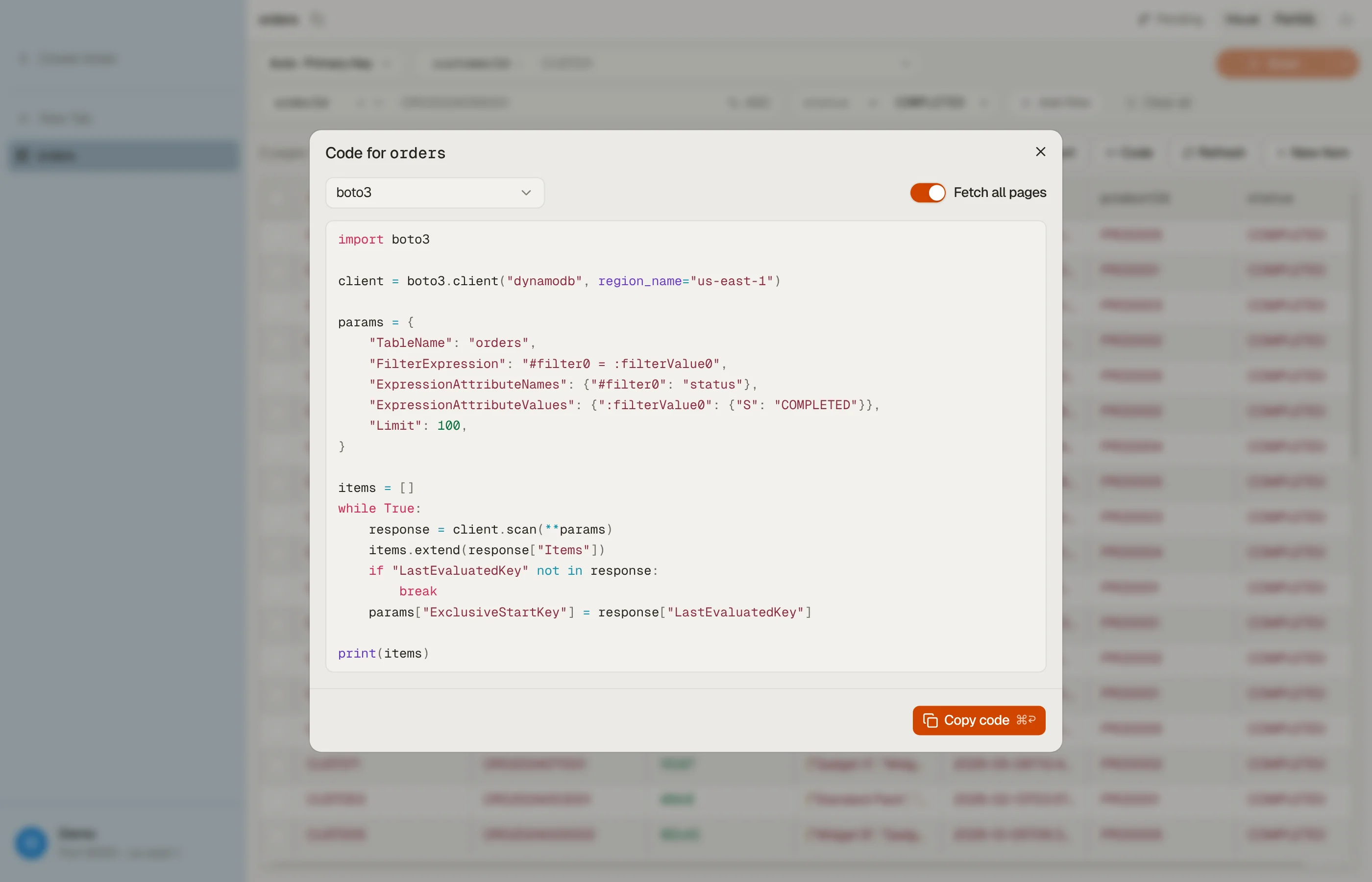

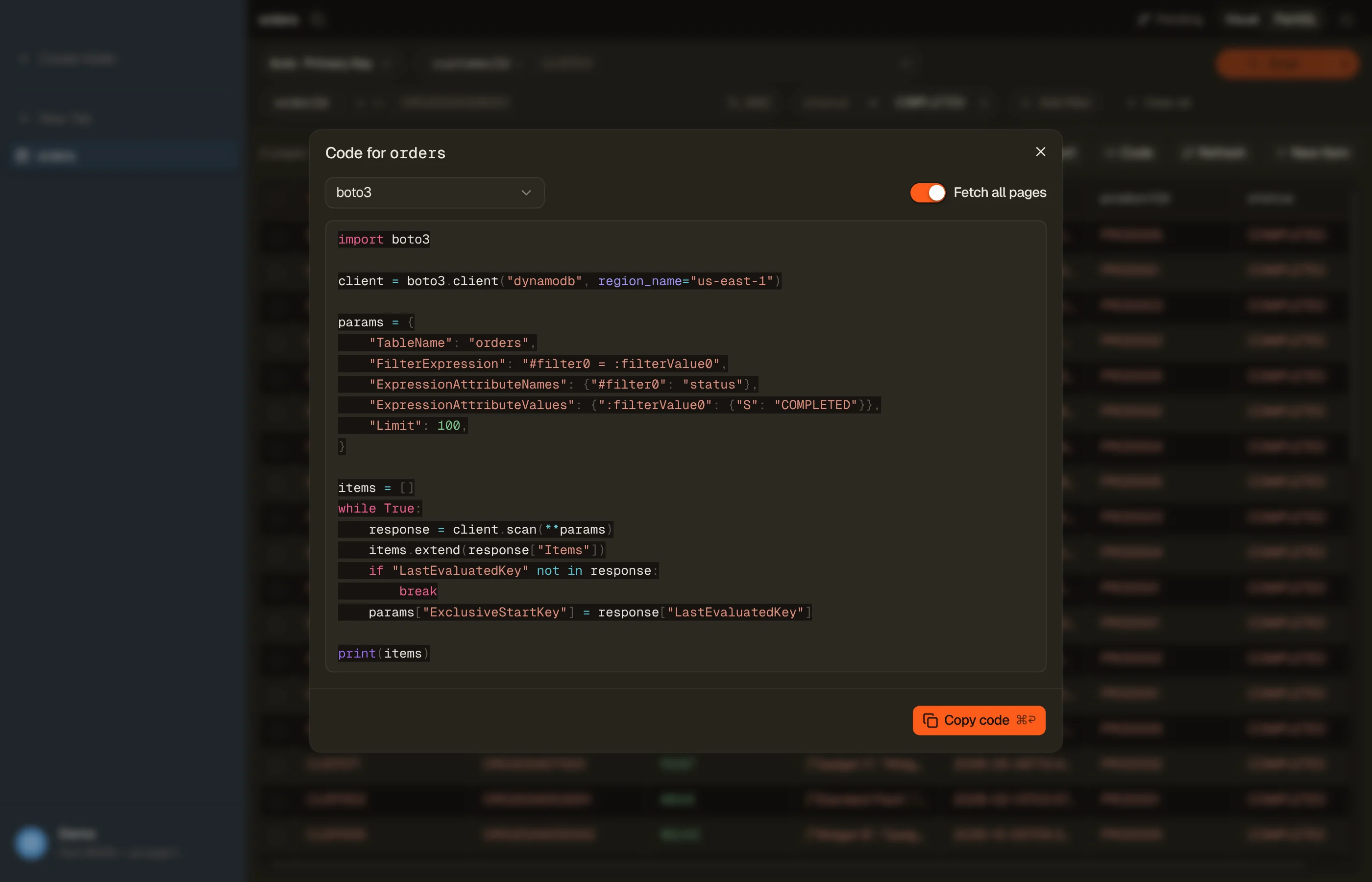
The code comes from the same open-source emitters that power the query builder on this site, so a request that a target cannot express is reported as such rather than rendered as code that looks right and is not.
The query formats cover a visual key query or scan. In PartiQL mode and during a vector search they are disabled, and only the table definition below is offered. A Smart Table and a Workbench query have no single table to export, so Code is not offered there.
Table definition
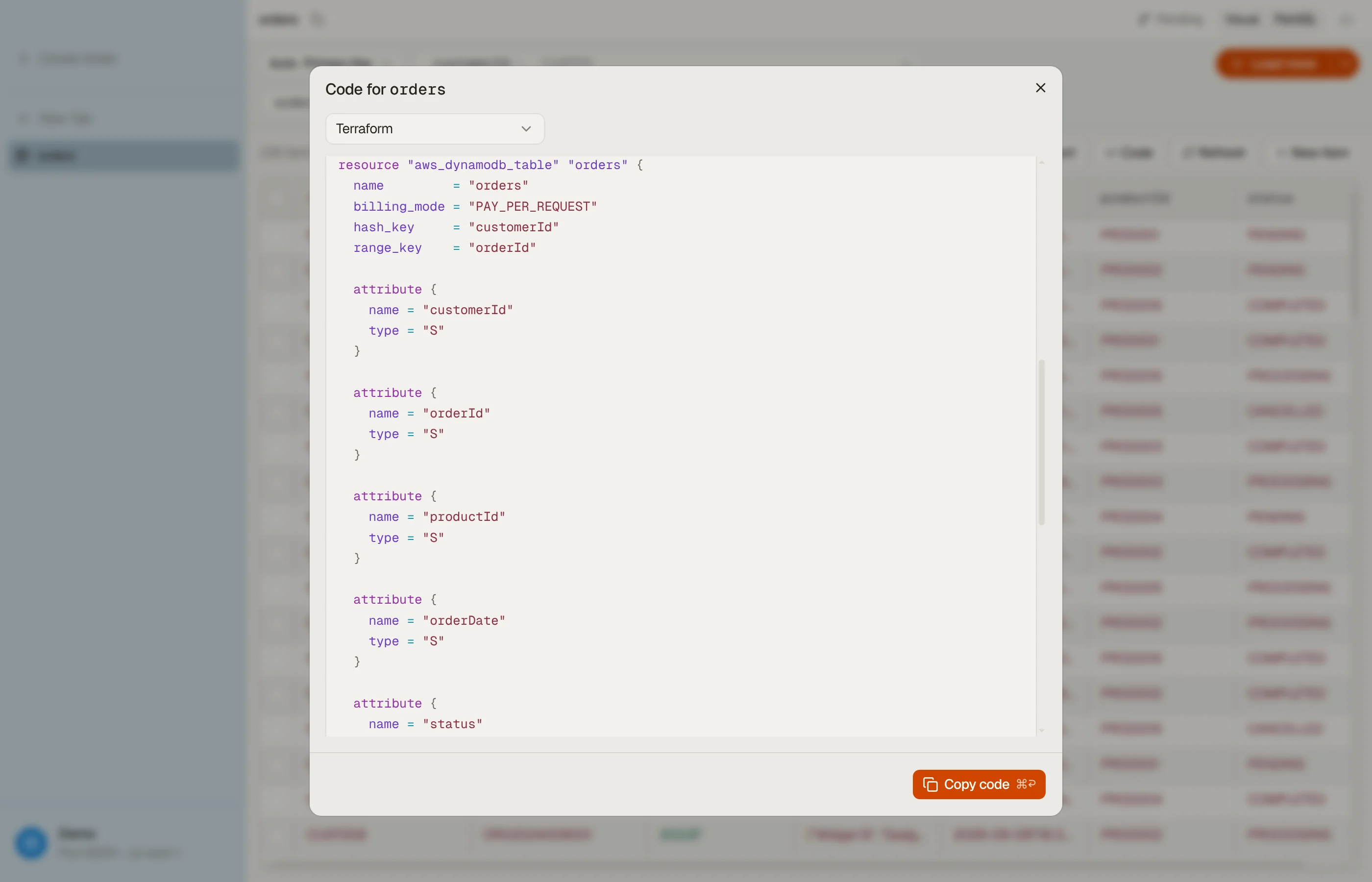
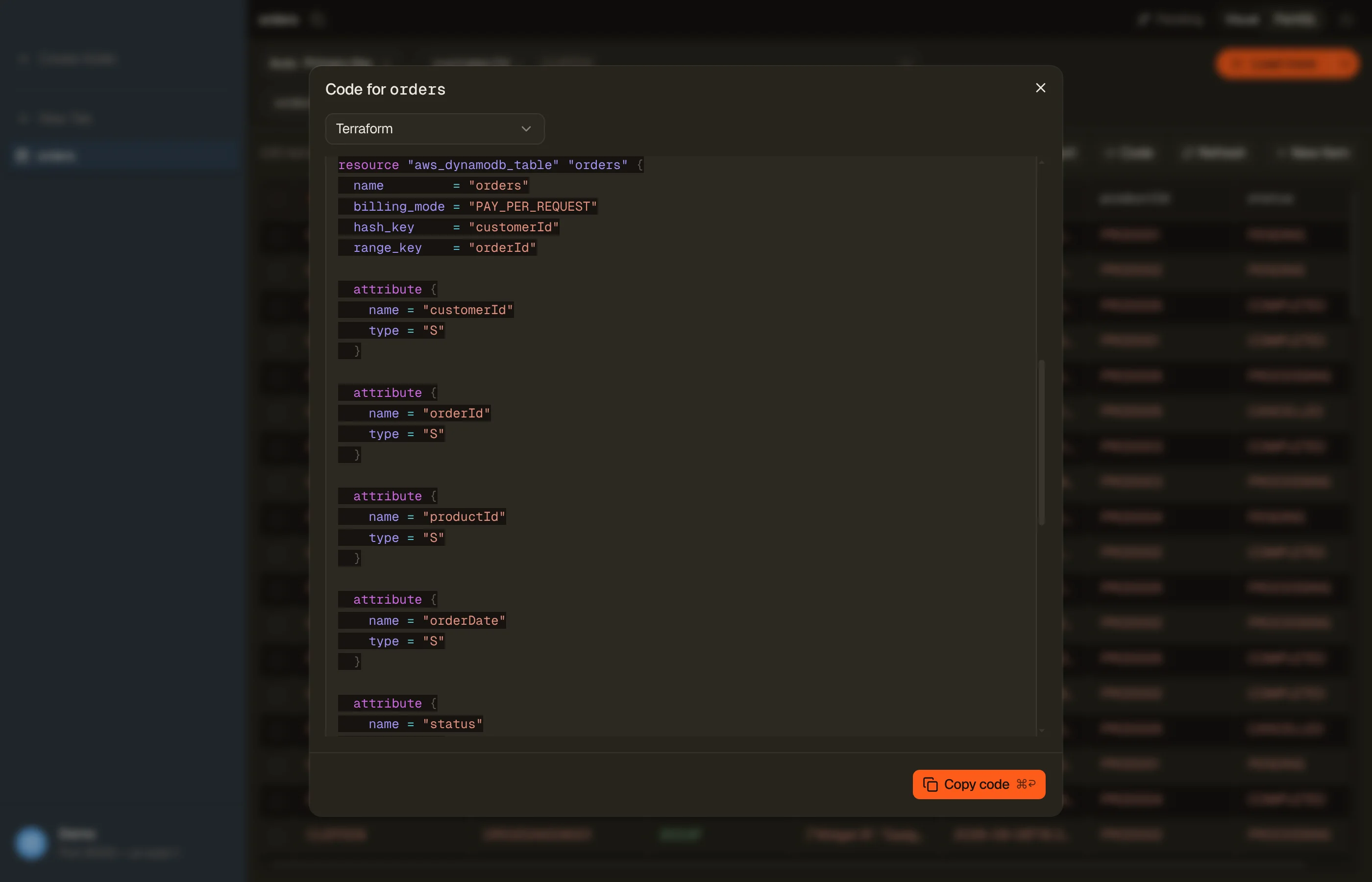
The same dialog exports the table itself. Under Table definition, pick
Terraform (aws_dynamodb_table), AWS CDK (TableV2), or
CloudFormation as YAML or JSON (AWS::DynamoDB::GlobalTable).
DynoTable reads the live definition with your own credentials (DescribeTable,
plus DescribeTimeToLive for TTL) and writes out the keys and their attribute
definitions, the billing mode and capacity, GSIs and LSIs, TTL, deletion
protection, streams, encryption, the table class, on-demand maximum throughput,
global-table replicas, and vector indexes where the target supports them. If
your credentials cannot read TTL, the export still works and says the TTL
setting is unknown. Take the result with Copy; there is no save to file.
Point-in-time recovery, tags, auto scaling policies, warm throughput, and
per-replica settings are not in what DescribeTable returns, so they are not in
the output. Add them to the generated code yourself. The same emitters run the
free infrastructure code generator
on this site.
Exporting a table definition is a read, so it works on the free plan.


Quick copy
For one-off grabs, right-click a row (or selection) and use Copy as… to put CSV, JSON, NDJSON, or DynamoDB-JSON straight on the clipboard, no dialog. Copy as… is not available on a row in an all-matching selection; use Export instead.
The AI chat can also start an export for you. Ask it to export a table or a query and it produces a downloadable file via the same engine. It can export a table tab to S3 too, but it asks you every time, with only Deny and Allow, even in Full Auto.