DynamoDB JSON & Marshalling
The first time you read raw data from the DynamoDB API, it doesn't look like the JSON
you put in. A plain object like {"status": "open", "priority": 3} comes back as
{"status": {"S": "open"}, "priority": {"N": "3"}}. Every value is wrapped in a
one-key object naming its type. That wrapping is DynamoDB JSON, and converting to
and from it is called marshalling.
That wrapping is how DynamoDB keeps types unambiguous on the wire. But it trips up anyone expecting plain JSON, and hand-writing it is error-prone.
What is DynamoDB JSON?
DynamoDB JSON is the type-tagged wire format DynamoDB uses, where every value is wrapped in a one-key object naming its type — {"S": "open"} for a string, {"N": "3"} for a number. Converting plain JSON to it (and back) is called marshalling. It keeps types unambiguous, since plain JSON can't express sets or binary, and because DynamoDB numbers ride the wire as strings an untagged 3 would be ambiguous.
- DynamoDB JSON tags every value with its type —
{"S": "..."}for a string,{"N": "..."}for a number, and so on. - Marshalling = plain JSON → DynamoDB JSON. Unmarshalling = the reverse.
- Numbers are strings on the wire —
{"N": "3"}, not{"N": 3}— to preserve precision. - The type tags are the data-type system you already model with: S, N, B, BOOL, NULL, L, M, SS, NS, BS.
- Don't write it by hand. The SDK's document client (or a converter) marshals for you; do it manually only when debugging or building expressions.
The problem: plain JSON isn't enough
JSON has exactly three scalar kinds — string, number, boolean — plus null, arrays, and
objects. DynamoDB has more: binary, and three set types (string set, number set,
binary set) that JSON can't express at all. And because DynamoDB numbers ride the wire
as strings, an untagged 3 would be ambiguous — plus JSON can't tell a list from a
set.
So DynamoDB can't just store your JSON as-is — it needs each value's exact type stated explicitly. The type descriptor is how it does that, losslessly, on every request and response.
How the encoding works
Every attribute value becomes a single-key object whose key is a type descriptor:
| Descriptor | Type | Example |
|---|---|---|
S | String | {"S": "open"} |
N | Number (as a string) | {"N": "3"} |
B | Binary | {"B": "dGV4dA=="} |
BOOL | Boolean | {"BOOL": true} |
NULL | Null | {"NULL": true} |
L | List | {"L": [{"S": "a"}, {"N": "1"}]} |
M | Map | {"M": {"k": {"S": "v"}}} |
SS / NS / BS | String / Number / Binary set | {"SS": ["a", "b"]} |
Lists and maps nest the same descriptors all the way down, so a deeply structured item becomes deeply wrapped. Numbers ride the wire as strings on purpose — it lets DynamoDB preserve its full 38 digits of numeric precision that a JSON number (an IEEE-754 double, ~15–17 significant digits) would quietly round. These are the same data types you model with; DynamoDB JSON is just their explicit on-the-wire form, defined in the AWS low-level API reference.
Worked example: an audit-log entry
Plain JSON you'd write in your app:
{
  "actor": "u-204",
  "action": "ticket.close",
  "ticketId": 8842,
  "tags": ["billing", "urgent"],
  "redacted": false
}Marshalled to DynamoDB JSON for the API:
{
  "actor": {"S": "u-204"},
  "action": {"S": "ticket.close"},
  "ticketId": {"N": "8842"},
  "tags": {"SS": ["billing", "urgent"]},
  "redacted": {"BOOL": false}
}Note the choices behind this item: ticketId became N with a string value;
tags as a string set (SS), not a list, is a hand-made modeling choice — a
generic converter fed plain JSON emits L, because a JSON array is ordered and can
repeat, while SS dedupes and is unordered. Whether tags should be SS or L is a
modeling call the converter can't make for you, which is exactly why understanding the
encoding matters.
Converting in DynoTable
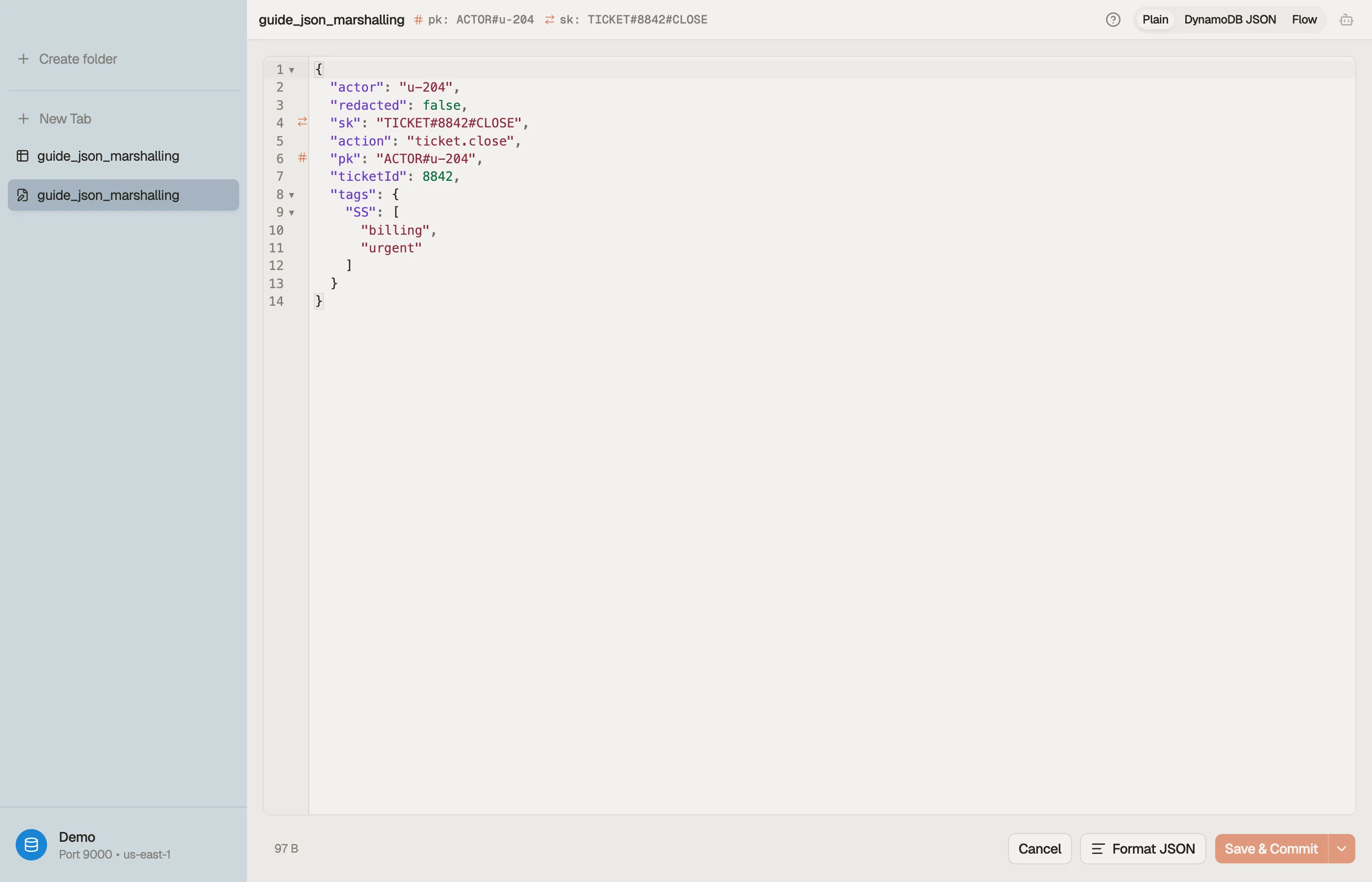
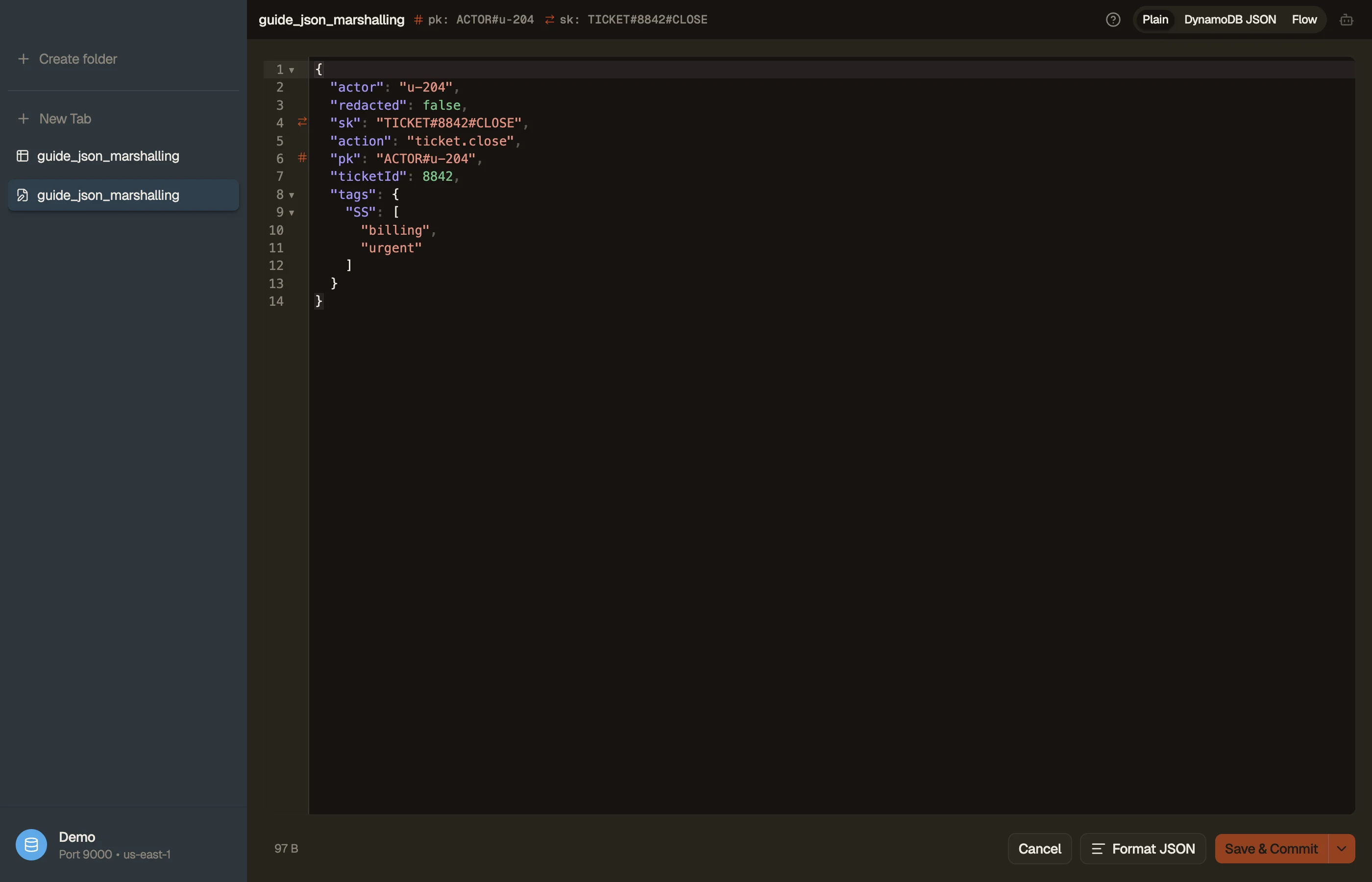
You rarely need to read or write this by hand. Paste plain JSON into the DynamoDB JSON converter to marshal it (and back), and when you're assembling a request, the DynamoDB expression builder emits the correctly marshalled attribute-value map alongside the expression. In the app itself, DynoTable shows items as plain, readable values and marshals them for you on write.


Pitfalls + next steps
- Numbers are strings in DynamoDB JSON —
{"N": "3"}. Quoting matters; don't emit a bare number. - Sets vs lists is a modeling decision the encoding makes visible — pick deliberately (see data types).
- Prefer the SDK document client over hand-marshalling in app code; reserve manual DynamoDB JSON for debugging and expressions.
- Empty strings are allowed for non-key attributes (since 2020) but still rejected for table and index keys, and have historically tripped tooling — validate edge cases.
Want to browse items as plain values instead of decoding type tags by eye? Download DynoTable and work with your data directly.
Low-level client vs document client
The AWS SDK offers two layers:
| Layer | Input shape | Who marshals |
|---|---|---|
@aws-sdk/client-dynamodb (low-level) | DynamoDB JSON AttributeValue maps | Your code or helper |
@aws-sdk/lib-dynamodb (document) | Plain JS objects | SDK on send/receive |
Application code should default to the document client for PutItem/GetItem.
Reach for low-level maps when you hand-author
update expressions or when a library expects
typed attribute values.
Expression attribute values are marshalled too
ConditionExpression, UpdateExpression, and FilterExpression placeholders
(:val, :inc) map to marshalled values in ExpressionAttributeValues:
":status": {"S": "open"}
":count": {"N": "1"}A mismatch — sending "open" without the S wrapper on the low-level client —
returns ValidationException. The
expression builder emits the map alongside
the expression string so placeholders and types stay aligned.
Attribute names that collide with
reserved words use
ExpressionAttributeNames (#st) instead; the checker tool outputs the alias
map ready to paste.
Unmarshal surprises in tests
Common test failures from marshalling:
- Empty sets — DynamoDB rejects empty
SS/NS/BS; omit the attribute instead. - Floats in
N— send"3.14"as a string, not a JSON number, on the wire. - Binary in Node —
Uint8Arrayin the document client; base64 in raw JSON. - Undefined attributes — document client strips
undefined; low-level client may send invalid payloads.
When a Lambda logs raw API responses, paste one item into the DynamoDB JSON converter to readable plain JSON before diffing against fixtures.
Size impact of tagging
Every type wrapper adds bytes. A flat JSON object marshalled field-by-field grows
roughly 30–40% on the wire depending on attribute names — that inflation feeds
item size and RCU/WCU rounding. Large maps
with short attribute names amortize overhead; tiny boolean flags still pay for
their key names plus {"BOOL":true}.
Before bulk-loading marshalled items, check total bytes in the item-size calculator so a batch write does not unexpectedly cross the 16 MB request limit.
DynoTable's two views
The item editor keeps marshalling invisible day to day — you edit plain values, and commits marshal on send. When debugging a production item copied from CloudWatch logs, switch to DynamoDB JSON view to see exact tags, then toggle back to Plain JSON for edits. Export actions copy either representation for tickets and test cases.