How to Delete Multiple Items in DynamoDB
There is no DELETE FROM table WHERE … in DynamoDB. Every delete targets one
item by its full primary key: the API has no bulk-delete operation and no
truncate, and PartiQL's DELETE removes exactly one item per
statement.
So "delete multiple items" is always a two-step job: find the keys, then issue one delete per key, batched for throughput.
How do I delete multiple items in DynamoDB?
Collect the primary keys of the items you want gone (via Query or Scan),
then delete them in batches: BatchWriteItem takes up to 25 DeleteRequests
per call, TransactWriteItems deletes up to 100 items atomically, and PartiQL
DELETE statements can be batched 25 at a time with BatchExecuteStatement.
- Bulk, best-effort:
BatchWriteItem, 25 deletes per call; you retry the leftovers. - All-or-nothing:
TransactWriteItems, up to 100 actions that succeed or fail together, at twice the write cost. - SQL-ish syntax: PartiQL
DELETE+BatchExecuteStatement, the same per-key rule in a familiar spelling. - Everything in the table: truncate strategies. Dropping and recreating the table is usually cheapest.
- In a GUI: DynoTable deletes a selection or every item a query matches, staged for review or written directly.
Step 0: collect the keys
A delete needs the entire primary key. On a composite-key table that's
the partition key and the sort key
(AWS:
"For each primary key, you must provide all of the key attributes"). You
can't delete by an arbitrary attribute, so "delete every item where
status = 'archived'" starts with a read:
- If the condition lives on a key (or a GSI key), a
targeted
Querycollects the keys cheaply. - Otherwise it's a
Scanwith a filter, which reads (and bills) the whole table, filter or not; see query vs scan.
Use a ProjectionExpression that returns only the key attributes, and follow
LastEvaluatedKey to the end (pagination). Stop
early and you delete only the first 1 MB page's worth.
Method 1: BatchWriteItem (up to 25 deletes per call)
BatchWriteItem bundles up to 25 put/delete requests or 16 MB per call
(AWS API reference:
"A single call to BatchWriteItem can transmit up to 16MB of data over the
network, consisting of up to 25 item put or delete operations").
aws dynamodb batch-write-item --return-consumed-capacity TOTAL --request-items '{
  "Tickets": [
    {"DeleteRequest": {"Key": {"PK": {"S": "TICKET#1001"}, "SK": {"S": "META"}}}},
    {"DeleteRequest": {"Key": {"PK": {"S": "TICKET#1002"}, "SK": {"S": "META"}}}},
    {"DeleteRequest": {"Key": {"PK": {"S": "TICKET#1003"}, "SK": {"S": "META"}}}}
  ]
}'Four properties of the batch trip people up, all from the API reference:
- Not atomic: "The individual
PutItemandDeleteItemoperations specified inBatchWriteItemare atomic; howeverBatchWriteItemas a whole is not." Some deletes can land while others don't. - You must retry
UnprocessedItems. Throttled requests come back in theUnprocessedItemsresponse map, in the same shape as the request. "Typically, you would callBatchWriteItemin a loop", and AWS "strongly recommend[s] that you use an exponential backoff algorithm" between retries. - No conditions. "You cannot specify conditions on individual put and
delete requests". A conditional delete goes through
DeleteItemor a transaction instead. - No duplicate keys. Two operations on the same key in one call fail the
whole call with a
ValidationException. De-duplicate your key list (aSetofPK + SKstrings) before you chunk it.
The loop shape (chunk by 25, send, re-queue the leftovers with backoff) is written out in batch operations.
Method 2: TransactWriteItems (atomic deletes)
When deletes must succeed or fail together (a parent item and its
item-collection children, say), use TransactWriteItems: up to
100 actions (deletes, puts, updates, condition checks) applied atomically,
with per-item condition expressions allowed.
The trade: a transactional write costs double the write capacity of a plain
write. The full mechanics (idempotency tokens, TransactionCanceledException,
cost math) are in DynamoDB transactions.
Method 3: PartiQL DELETE, batched
PartiQL keeps the per-key rule and only changes the spelling.
The developer guide is explicit
(PartiQL DELETE):
"You can only delete one item at a time. You cannot issue a single DynamoDB
PartiQL statement that deletes multiple items", and the WHERE condition
"must resolve to a single primary key value".
To delete several items you batch single-item statements.
BatchExecuteStatement
runs up to 25 statements per batch (all reads or all writes, never mixed):
[
  {"Statement": "DELETE FROM \"Tickets\" WHERE PK = 'TICKET#1001' AND SK = 'META'"},
  {"Statement": "DELETE FROM \"Tickets\" WHERE PK = 'TICKET#1002' AND SK = 'META'"}
]aws dynamodb batch-execute-statement --statements file://statements.jsonA WHERE that doesn't pin the full key fails, so there is no
DELETE FROM Tickets WHERE status = 'archived'. More PartiQL patterns (and the
limits behind them) in PartiQL examples and
PartiQL vs SQL.
Deleting ALL items (truncate)
DynamoDB has no truncate. Your options, in order of preference:
- Delete and recreate the table.
DeleteTable+CreateTableskips the per-item write bill. The settings don't come back on their own (see below). - Expire items with TTL. For "delete everything older than X", if your items already carry a Number expiry in epoch seconds, TTL deletes them without consuming write throughput, "within a few days" of expiry. Filter expired items out of reads meanwhile.
- Scan + batch-delete (Method 1)
when the table must stay live and only a subset goes. You pay for every byte
the
Scanreads plus a write per item deleted.
Recreating, step by step: turn deletion protection off first, or DeleteTable
fails. Re-declare keys, indexes, streams, capacity mode and tags in
CreateTable.
Once the new table is ACTIVE, re-enable TTL (UpdateTimeToLive; it isn't a
CreateTable field), point-in-time recovery and auto scaling.
The new table has a new stream ARN, so rewire Lambda triggers and other stream consumers. Infrastructure as code makes all of this one deploy.
TTL is free only when the attribute is already there. Stamping an expiry onto existing items is one write each, the same bill as deleting them. On a global table, each replica Region also pays for the replicated TTL delete.
The Scan cost is per 4 KB read, not per item: a million 200-byte items is
about 195 MB, or roughly 24,400 eventually consistent read units at half a unit
per 4 KB.
Delete multiple items in DynoTable
In DynoTable the find-the-keys, chunk and retry loop is a grid selection. Two cases:
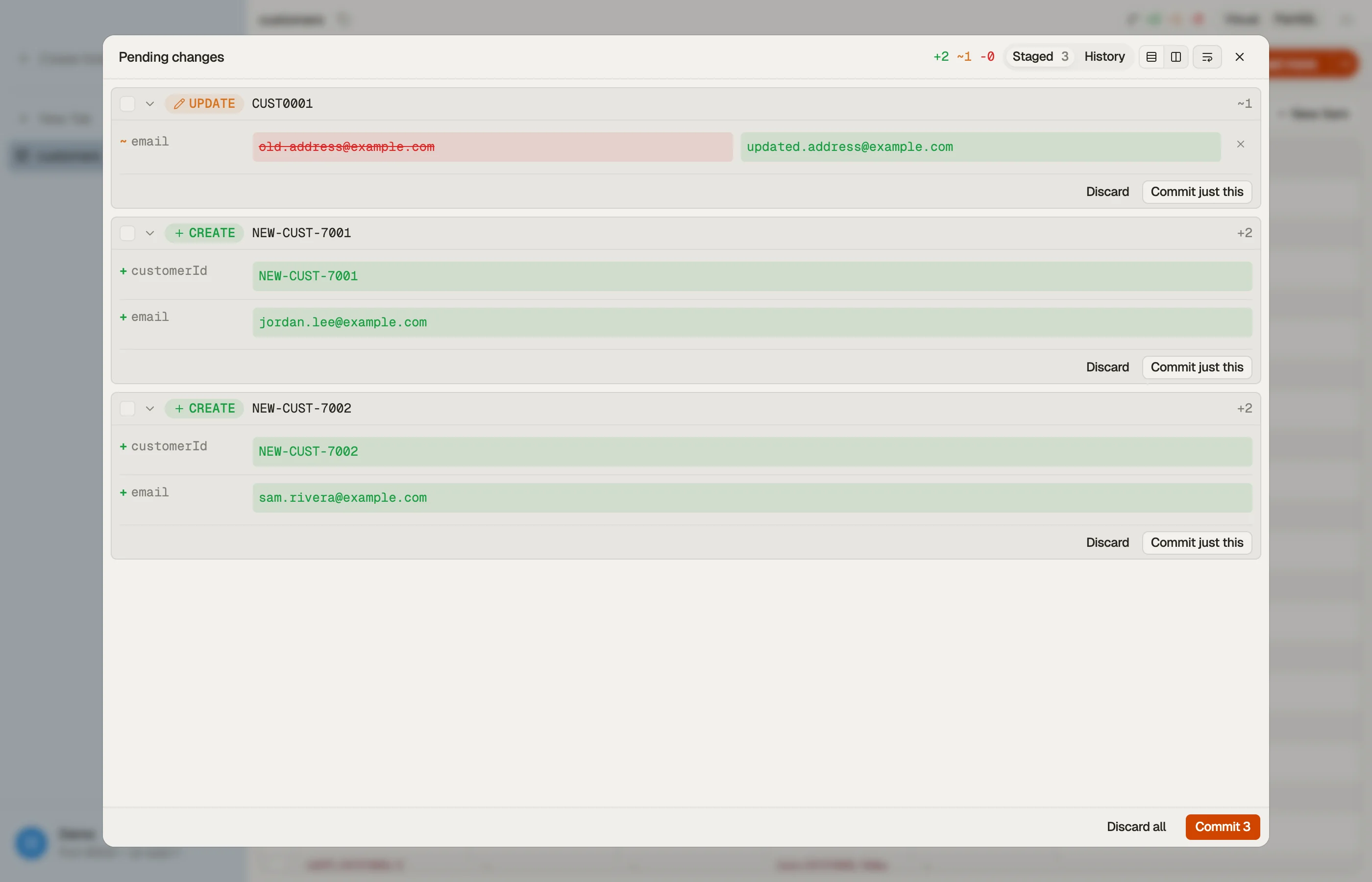
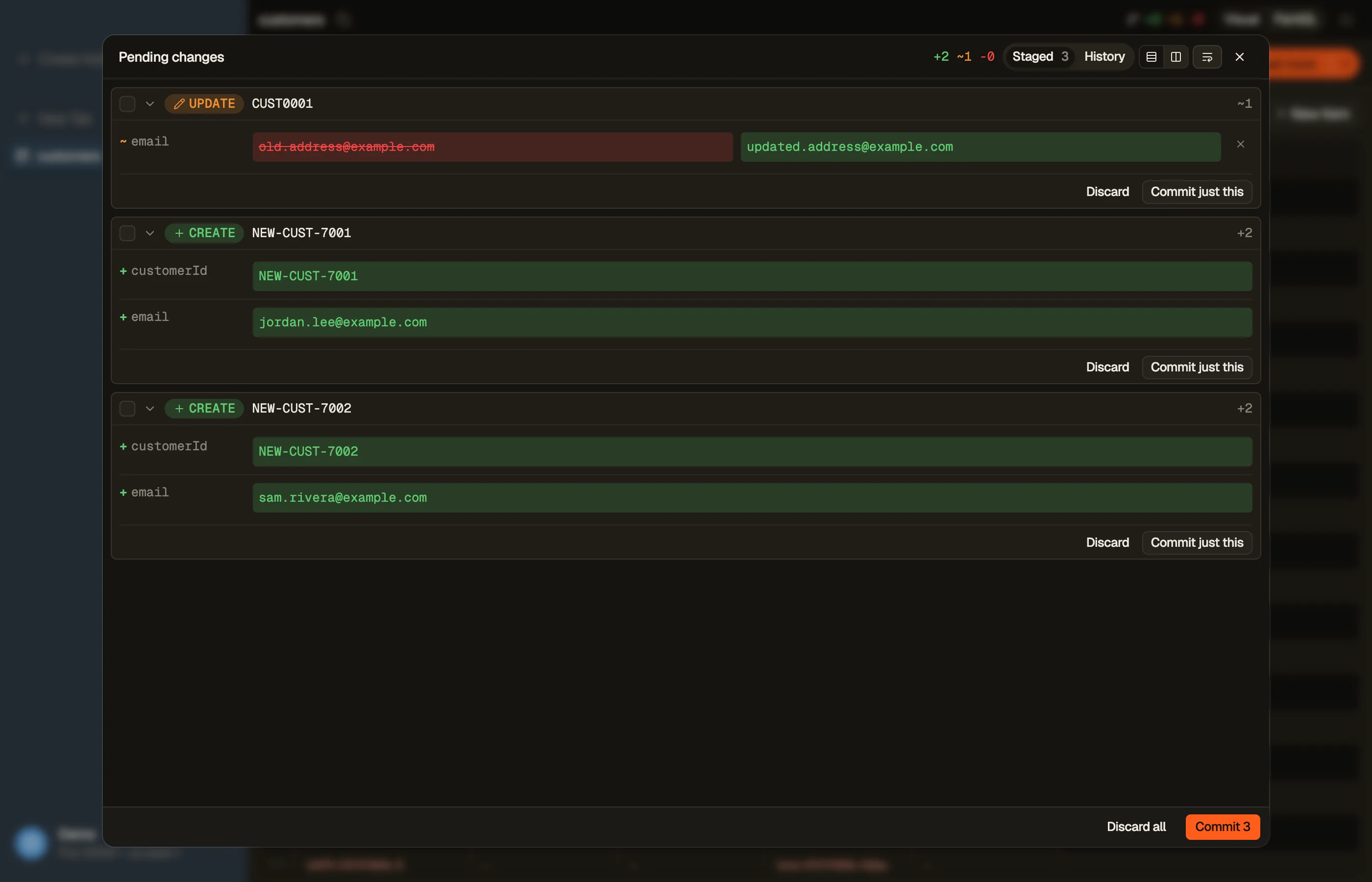
- Rows you selected. Run or filter a query, select the rows, and press ⌘⌫. Each row becomes a staged delete: it tints red in the grid and appears as a card in Pending changes. Nothing has touched DynamoDB yet.
- Every item the query matches. Press ⌘A (or tick the header checkbox) on a visual query or scan with unloaded pages. Delete then offers Stage delete or Commit delete for up to 10,000 items, or Delete directly for the whole match.
A Commit goes out as TransactWriteItems chunks of up to 100 items, each
delete conditional on the item still existing. If a chunk fails, the commit
stops and earlier chunks stay applied. You can revert them from History.
Delete directly writes as it reads, with no stage and no History, so it cannot be reverted. You type the table name to confirm.
Safe (the default) re-checks the filter on each delete; Fast batch-deletes without re-checking. Max writes/s caps the pace on a production table.
⌘⇧⌫ on selected rows skips the review: it deletes them directly as
unconditional BatchWriteItem calls of 25, retrying unprocessed items for you.


To wipe a whole table, export its definition as code first (Terraform, CDK or CloudFormation; it leaves out PITR, tags and auto scaling), then delete and recreate the table. The bulk delete docs cover the modes in detail.
If a delete needs a hand-written condition (attribute_exists, a version
check), build the exact ConditionExpression + placeholder maps in the
DynamoDB Expression Builder and attach it
to a DeleteItem or transaction instead.
FAQ
Can I delete multiple items in one DynamoDB call?
Yes. Up to 25 with BatchWriteItem (best-effort, retry UnprocessedItems)
or up to 100 atomically with TransactWriteItems. Both take a full primary
key per item; neither accepts a "where" condition to select the items.
Is there a DELETE WHERE in DynamoDB?
No. Neither the low-level API nor PartiQL can select the items to delete by a
condition: PartiQL's DELETE requires a WHERE that "resolve[s] to a single
primary key value". You query or scan for the keys first, then delete each one.
How do I delete all items in a DynamoDB table? For a full wipe, delete and recreate the table. It avoids paying one write per item. For age-based cleanup, use TTL, which deletes expired items without consuming write throughput, within a few days of expiry. Scan + batch-delete is the fallback when the table must stay live.
Why are some items still there after my batch delete?
Almost always unretried UnprocessedItems: a throttled BatchWriteItem
returns the failed deletes in the response, and code that doesn't loop over
them "finishes" with items still in the table. Retry with exponential backoff
until the map comes back empty.
How much does deleting items cost? Each delete is a write sized by the deleted item (one write unit per 1 KB, plus a write to each GSI that holds it, doubled inside a transaction), and finding the keys costs reads too. Estimate the cost with the pricing calculator.
Prefer to see what you're deleting first? Download DynoTable: select the rows, stage the deletes with ⌘⌫, review the diffs, and commit when you're sure.