DynamoDB Data Types
Every DynamoDB attribute is tagged with a one- or two-letter type code in the wire format. Knowing the set matters because the type drives both how a value is stored and how it counts toward an item's size.
At a glance
| Code | Type | Category | JSON / JS equivalent | Example (DynamoDB-JSON) |
|---|---|---|---|---|
S | String | Scalar | string | {"S": "Ada"} |
N | Number | Scalar | number | {"N": "37"} |
B | Binary | Scalar | Uint8Array / base64 | {"B": "ZGF0YQ=="} |
BOOL | Boolean | Scalar | boolean | {"BOOL": true} |
NULL | Null | Scalar | null | {"NULL": true} |
M | Map | Document | object | {"M": {"k": {"S": "v"}}} |
L | List | Document | array | {"L": [{"N": "1"}]} |
SS | String set | Set | — (no JSON type) | {"SS": ["a", "b"]} |
NS | Number set | Set | — | {"NS": ["1", "2"]} |
BS | Binary set | Set | — | {"BS": ["ZA=="]} |
Scalars
S— string (UTF-8; sized by its byte length, not character count).N— number, sent as a string for precision; up to 38 digits.B— binary, sent base64-encoded.BOOL—true/false.NULL— an explicit null marker.
Documents
M— map (object). Nested attributes each keep their own type tag.L— list. Elements may be mixed types.
{"profile": {"M": {"name": {"S": "Ada"}, "age": {"N": "37"}}}}Sets
SS— string set,NS— number set,BS— binary set.
Sets are unordered, homogeneous, and can't be empty. Crucially, plain JSON has
no set type — an array round-trips as a list (L), never an SS/NS. That's a
real conversion limitation, not a bug; see the
DynamoDB-JSON converter note.
Which types can be a key?
and keys — on the table and on any index — must be a scalar,
and only S, N, or B. You can't key on a boolean, set, map, or list. Model a
"composite" key by concatenating values into one S (e.g. ORDER#2026#42).
Limits worth knowing
- An item maxes out at 400 KB — every attribute name plus value, including nested ones.
- Numbers carry up to 38 digits of precision (positive or negative).
- Maps and lists nest up to 32 levels deep.
- Sets are non-empty and homogeneous — no empty set, no mixing
SandN.
Why the type affects cost
Item size is the sum of attribute-name bytes plus value bytes, and each type sizes differently — numbers are compacted, booleans and nulls are 1 byte, maps and lists add per-element overhead. That size rounds up to read/write capacity units. Measure a real item with the item-size calculator.
Do it in DynoTable
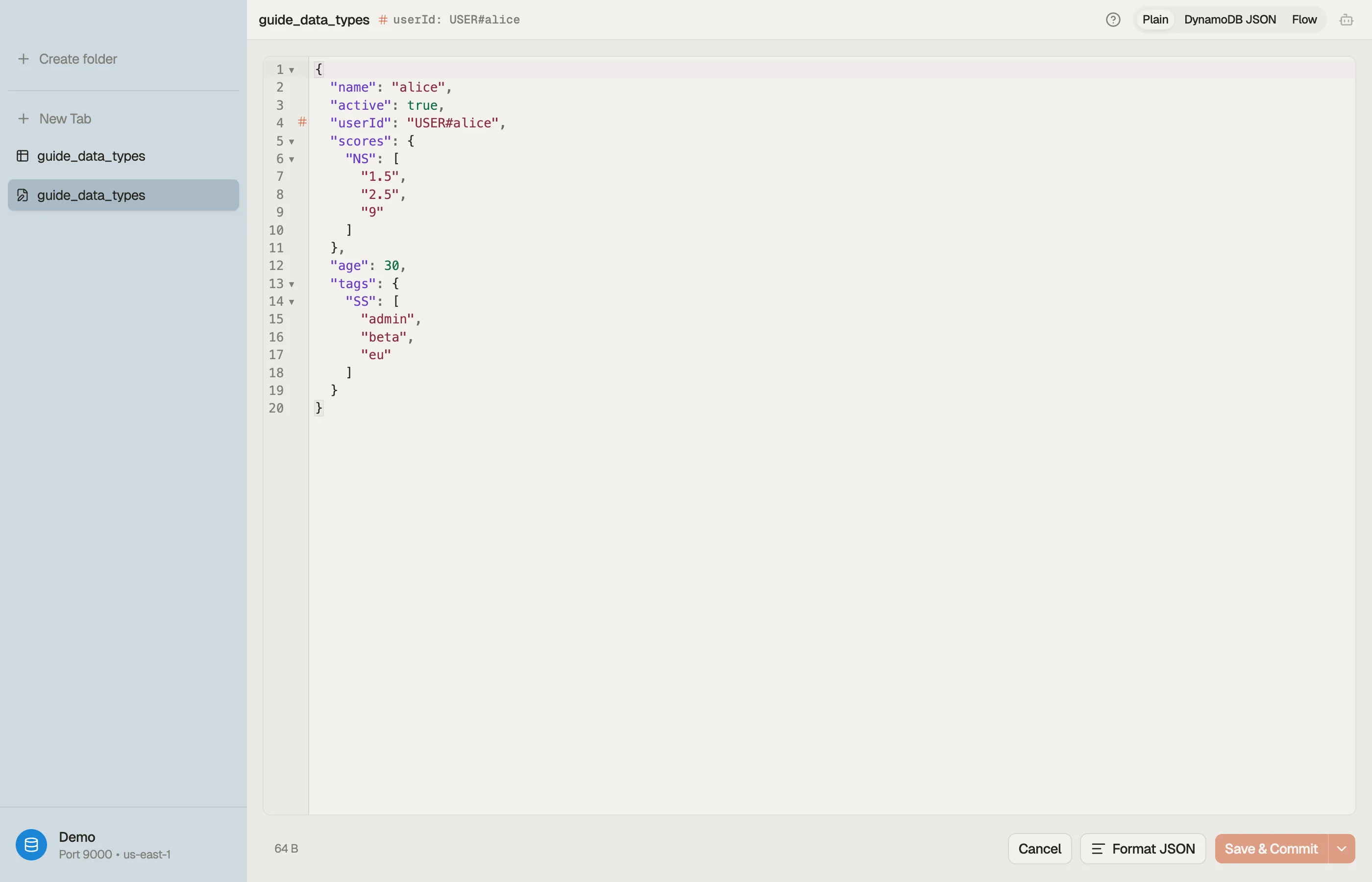
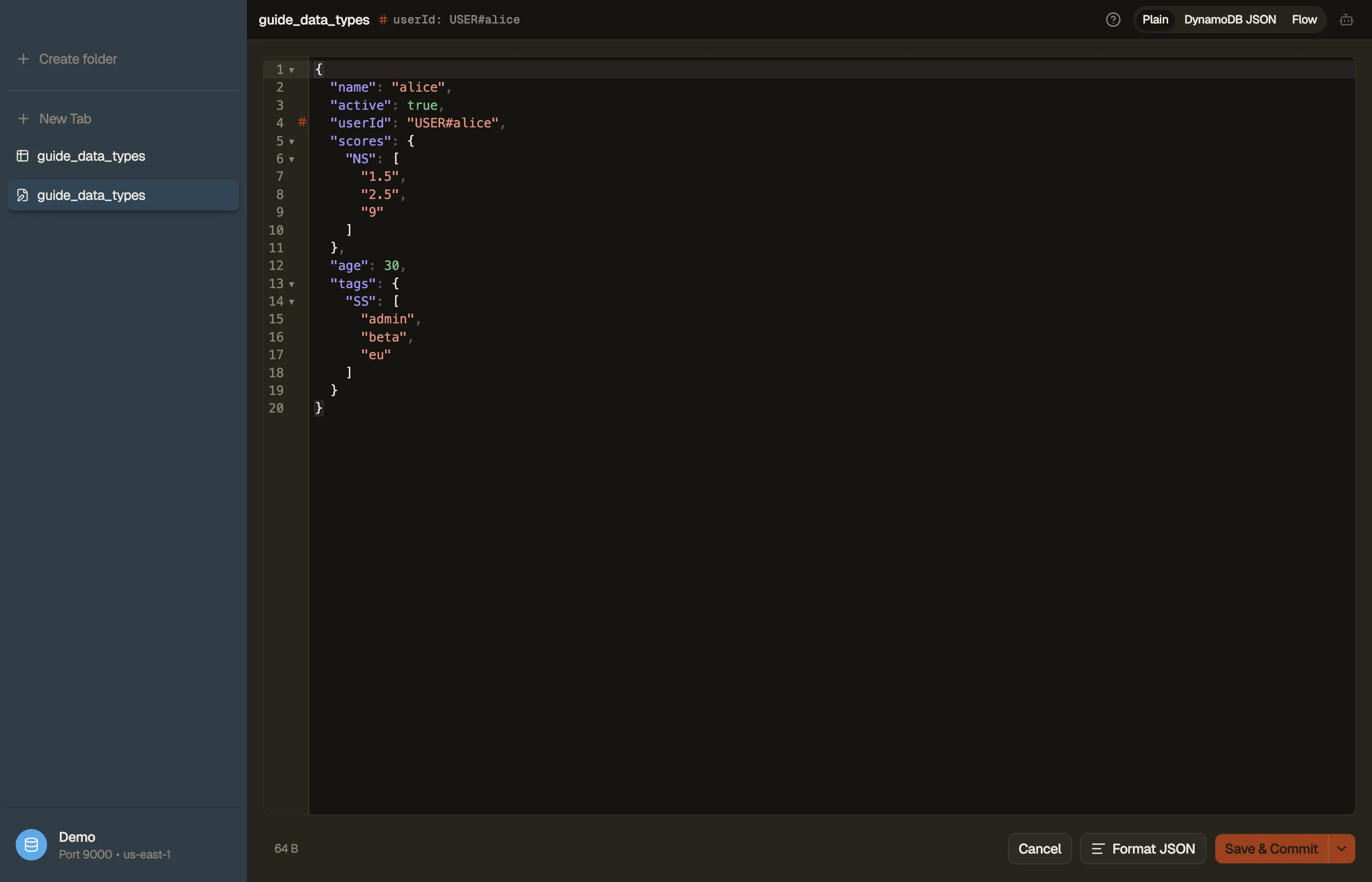
The set-vs-list distinction above is the thing tooling usually hides. DynoTable's item editor makes it explicit with a format toggle:
- Plain JSON — primitives stay plain (
"age": 30), but sets keep their type wrapper so they survive the round-trip:"tags": { "SS": ["a", "b"] },"scores": { "NS": ["1.5", "2.5"] }. This is the readable form for everyday editing. - DynamoDB JSON — the canonical AWS form, where every value
carries its type tag:
"age": { "N": "30" },"name": { "S": "alice" }.
Switching between them shows you exactly how each scalar, document, and set type
is represented on the wire — and because the set types have no plain-JSON
equivalent, the toggle is the only way to author an SS/NS/BS by hand without
hand-marshalling the whole item.


Try DynoTable to see every attribute's type and the live byte count as you edit an item — and to filter or aggregate across typed attributes in the SQL Workbench, which reads each type tag for you. To convert a marshalled blob without the app, the DynamoDB-JSON converter does the same round-trip in the browser.