DynamoDB Batch Operations
When you need to read or write many items at once, firing one GetItem or PutItem
per item means one network round trip per item — slow, and chatty. DynamoDB's batch
APIs fold many item operations into a single request: BatchGetItem for reads,
BatchWriteItem for writes.
They're a throughput-and-latency win, not a consistency guarantee — and that distinction is where people get burned. A batch is not a transaction.
What are DynamoDB batch operations?
DynamoDB batch operations fold many item reads or writes into a single request: BatchGetItem fetches up to 100 items, BatchWriteItem puts or deletes up to 25, each capped at 16 MB. They save round trips, not capacity. Critically, a batch is not a transaction — items succeed or fail independently, with no rollback.
BatchGetItem— fetch up to 100 items (or 16 MB) across one or more tables in one call.BatchWriteItem— up to 25 put/delete operations (or 16 MB) in one call. No updates — puts and deletes only.- Not atomic. Individual items can succeed while others fail. There's no rollback.
- Partial failure is normal. Throttled items come back in
UnprocessedItems/UnprocessedKeys— you must retry them yourself, with backoff. - Same capacity cost as the individual calls — batching saves round trips, not capacity units.
DynoTable stages bulk edits locally for review, then sends them as grouped requests rather than one API call each (how).
The problem: many items, one round trip
Say you run a support desk. A dashboard needs to load 50 tickets by ID to render a queue; an overnight job archives 1,000 resolved tickets. Doing that one item at a time is 50 (or 1,000) sequential round trips — latency stacks up and the job crawls.
Batching collapses those into a handful of calls. The 50-ticket read becomes a single
BatchGetItem; the archive job becomes a stream of BatchWriteItem calls of 25
deletes each. Far fewer round trips, the same data moved.
How the batch APIs work
BatchGetItem takes a set of primary keys (across one or more tables) and returns
the matching items. You can request strongly consistent reads per table. Anything it
couldn't read — usually because the request brushed a throughput limit — comes back in
UnprocessedKeys rather than failing the whole call.
BatchWriteItem takes a list of PutRequest / DeleteRequest operations. Note
what's missing: there is no update. A batch write either replaces a whole item
(put) or removes it (delete) — to modify specific attributes you still need
UpdateItem. Items it couldn't write come back in UnprocessedItems.
A batch is a bundle of independent operations, each succeeding or failing on its own — not one all-or-nothing unit.
Batches are not transactions
This is the trap. If your archive job's batch hits a throughput limit halfway, some tickets are deleted and some aren't — and DynamoDB does not undo the ones that went through. There's no rollback, no isolation, no "all 25 or none."
If you need all-or-nothing semantics — "move the ticket to archived and decrement
the open-tickets counter, or do neither" — that's
TransactWriteItems, not a batch. Transactions cost
more (each operation is billed double) and cap at 100 items, but they give you the
atomicity batches deliberately don't.
Handling unprocessed items
A correct batch caller always checks the unprocessed set and retries it. DynamoDB
returns UnprocessedItems/UnprocessedKeys whenever the request as a whole was
accepted but some items couldn't be served — typically transient throttling.
Re-submit only the unprocessed items, with exponential backoff and jitter. Treating a batch as fire-and-forget silently drops writes — the kind of bug that surfaces months later as missing data.
Batch writes in DynoTable
Estimate what a bulk job will cost first with the DynamoDB pricing calculator — a batch consumes the same capacity as the individual writes it bundles, just in fewer requests.
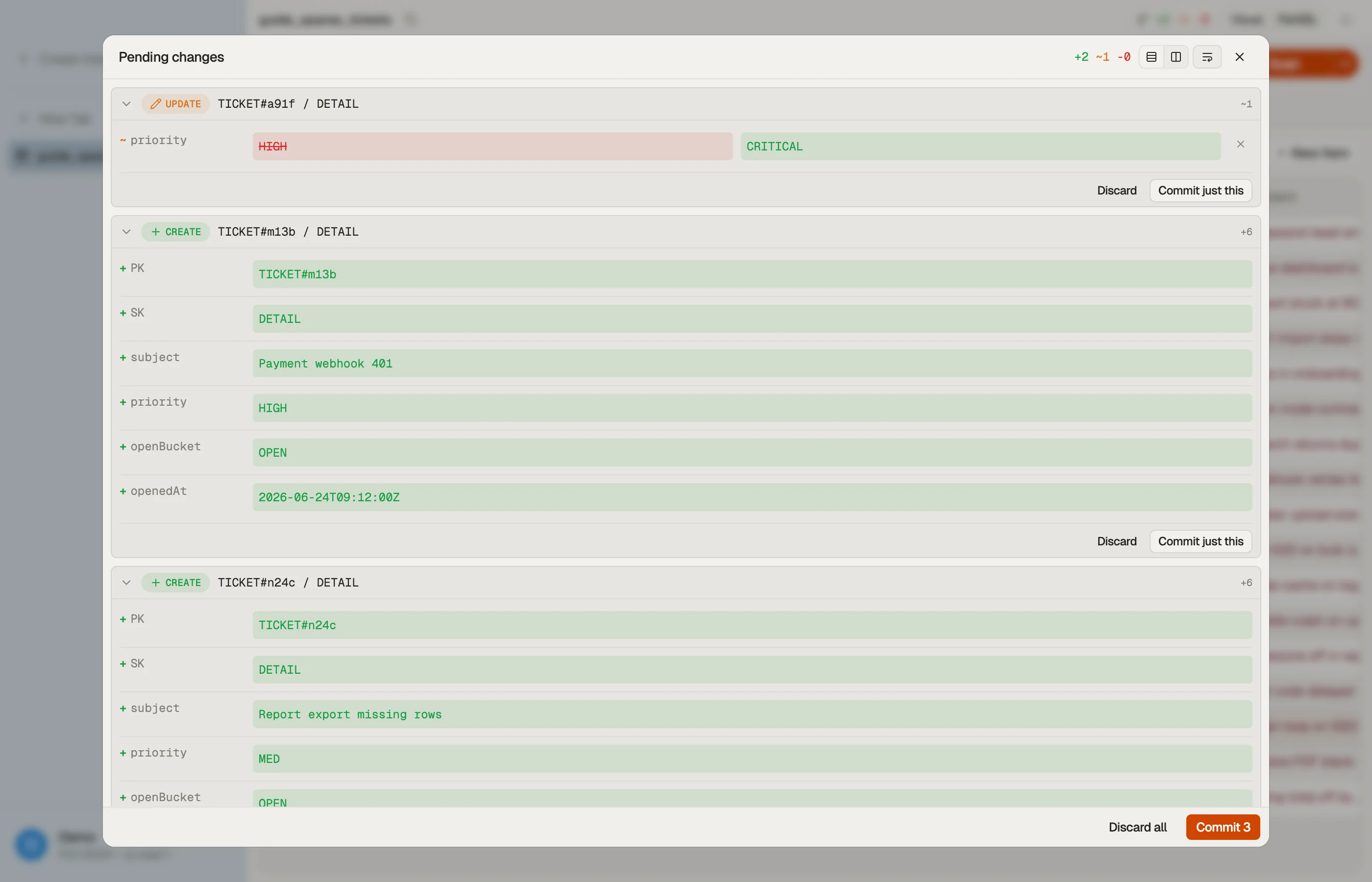
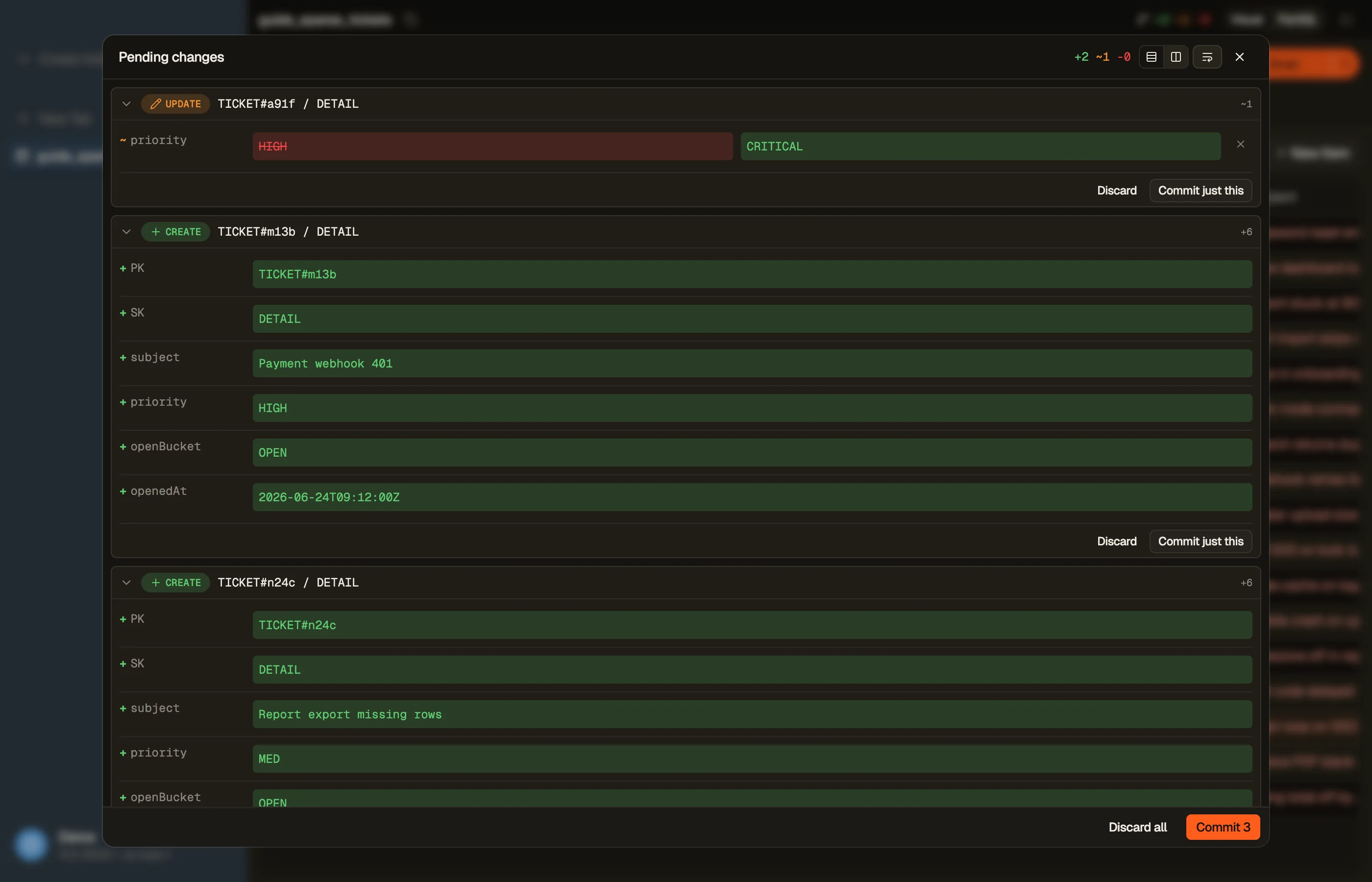
In DynoTable, you stage your edits locally and review them before committing them — bulk changes across many rows go out as grouped requests rather than one API call each. Bulk deletes go out as batched writes, with the unprocessed-item retry handled for you.


Pitfalls + next steps
- Always retry
UnprocessedItems/UnprocessedKeyswith backoff — they're expected, not exceptional. - No partial-failure rollback. Need atomicity? Use transactions.
- No updates in a batch write —
BatchWriteItemis put/delete only; reach forUpdateItemto change attributes. - Mind the per-call caps — 25 writes / 100 reads / 16 MB. Exceeding them fails
the whole call with a
ValidationException(too many items inBatchGetItem, inBatchWriteItem). Page through larger jobs; see pagination.
Want to run bulk reads and writes without scripting the retry loop? Download DynoTable and edit your tables directly.
Round-trip math
Serial GetItem calls pay latency per hop. BatchGetItem bundles up to 100
keys or 16 MB per request — whichever limit hits first.
| Pattern | Keys | Approx. round trips @ 50 keys | Notes |
|---|---|---|---|
Serial GetItem | 50 | 50 | Simplest code; worst tail latency |
One BatchGetItem | 50 | 1 | Same RCU total as 50 Gets |
| Two batches | 120 | 2 | Second batch carries 20 keys |
Capacity cost is unchanged — batching saves wall-clock time and client CPU, not
RCU. For writes, 1,000 deletes at 25 per batch is 40 BatchWriteItem calls
instead of 1,000 individual deletes.
Strongly consistent batch reads
BatchGetItem accepts ConsistentRead: true per table in the request map.
Strong reads still cost 2× the RCU of eventual reads for the same items. Mixing
consistent and eventual tables in one batch call is fine — each table entry
carries its own flag.
Chunking large jobs
When archiving 1,000 items averaging 3 KB each, a single batch read stays under the 100-item cap but may exceed 16 MB (100 × 3 KB = 300 KB — safe). Archive 50 KB items and you hit the megabyte cap around 320 items per call even though the count limit is 100.
Page writes with explicit loops:
for each chunk of 25 keys:
  BatchWriteItem
retry UnprocessedItems with backoff until emptyDynoTable's staged commit batches eligible writes and retries unprocessed items automatically — the pattern you would otherwise script with jittered sleep.
Batch vs transaction decision
| Need | API | Max items | On partial failure |
|---|---|---|---|
| Best-effort bulk load | BatchWriteItem | 25 ops | Retry unprocessed |
| All-or-nothing ledger move | TransactWriteItems | 100 ops | Entire txn rolls back |
| Read many known keys | BatchGetItem | 100 keys | Retry unprocessed keys |
| Read + write atomically | TransactWriteItems | 25 transact ops (documented limits apply) | All or none |
Generate put/delete payloads from plain JSON with the DynamoDB JSON converter when seeding batch loads from fixtures.
Inspect consumed capacity
Batch responses can include ConsumedCapacity per table when requested. Log it
during backfills — a rising throttle rate shows up as growing unprocessed sets
before jobs stall completely. Cross-check sustained WCU with the
pricing calculator if batches run on a
schedule.