DynamoDB Table Size and Item Count
There's no SELECT COUNT(*) you can cheaply point at a DynamoDB table.
DynamoDB gives you two very different answers to "how big is this table?": a
free estimate that can be up to six hours stale, and an exact count
that costs a full read of the table. A "wrong" item count usually means you
read the estimate while expecting the exact count.
How do I get the item count and size of a DynamoDB table?
Call DescribeTable: it returns ItemCount and TableSizeBytes for free, but
both refresh only about every six hours
(AWS API reference).
For an exact number, run a Scan with --select COUNT. It returns only the
count, but reads (and bills) every item.
| You want | Use | Cost | Freshness |
|---|---|---|---|
| Ballpark count + size, free | DescribeTable | none (metadata call) | ~6 h stale |
| Exact total count | Scan with Select COUNT | reads the whole table | live |
| Exact count for one key | Query with Select COUNT | reads the matching items | live |
| Count of a filtered subset | Scan/Query + filter + COUNT | reads everything scanned | live |
Method 1: DescribeTable (free, ~6 h stale)
DescribeTable is a metadata lookup: it reads no items, so it consumes no
read capacity, and it carries the two numbers you're after:
aws dynamodb describe-table --table-name Tickets \
--query 'Table.[ItemCount, TableSizeBytes]'Both come with the same caveat, verbatim from the
API reference:
"DynamoDB updates this value approximately every six hours. Recent changes
might not be reflected in this value." So a table you just bulk-loaded can
report ItemCount: 0 for hours: the number is a snapshot from the last refresh.
The same response also carries per-index figures: every GSI and LSI
reports its own ItemCount and IndexSizeBytes on the same six-hour cadence.
Comparing a sparse index's item count against the table's is a
free health check: it tells you how many items actually carry the index key.
Method 2: exact count with Scan + Select COUNT
When "approximately, as of this morning" isn't good enough, count for real:
aws dynamodb scan --table-name Tickets --select COUNTFacts to know before you run it, all from the Scan API reference:
COUNT"returns the number of matching items, rather than the matching items themselves": less network traffic, but "this uses the same quantity of read capacity units as getting the items". An exact count of a 100 GB table is a 100 GB read on your bill.- A single request still stops at 1 MB of data scanned; the response's
Count"only return[s] the count of items specific to a single scan request". The CLI followsLastEvaluatedKeyand sums the pages for you; in SDK code you loop and add — see pagination. - On a big table, split the work with a
parallel scan (
--segment/--total-segments) and sum the per-segment counts.
Counting a subset
- Items under one partition key:
Querywith--select COUNTreads only that key's items, so it's as cheap as the data is small. This is the right way to count an item collection. - Items matching a filter: add a
FilterExpression, but you pay to read every item counted inScannedCount, not justCount. DynamoDB filters after reading, so "count the closed tickets" via a filtered scan pays for every ticket. - A high
ScannedCountnext to a smallCountis the signature of a filter that wants to be a GSI; see filtering strategies.
For richer questions (counts per status, sums, averages) DynamoDB has no
GROUP BY at all; the workarounds live in
count, sum & aggregate. DynoTable's SQL
Workbench runs GROUP BY and aggregates client-side, as
GROUP BY in DynamoDB shows.
Table size and item count in DynoTable
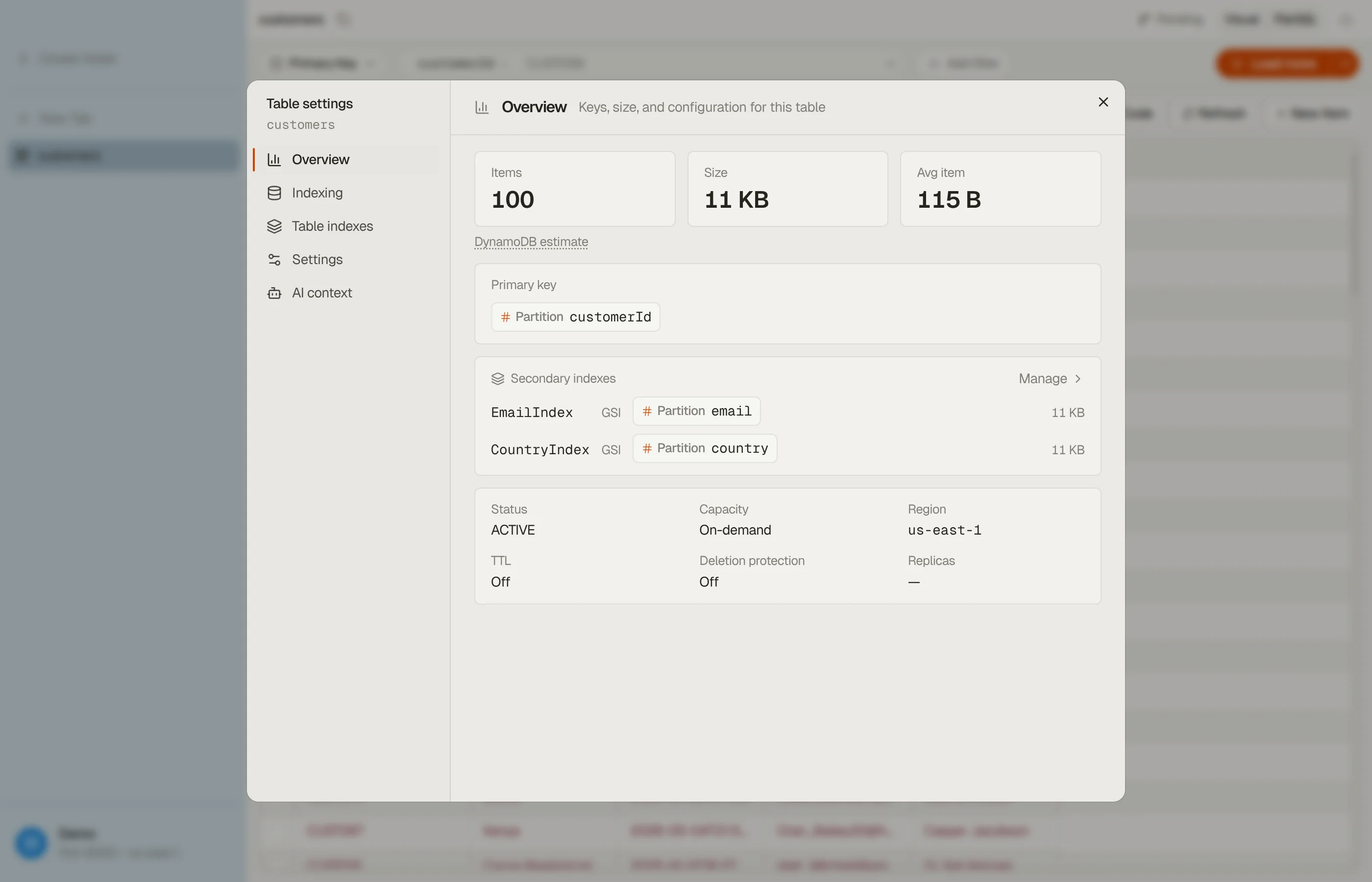
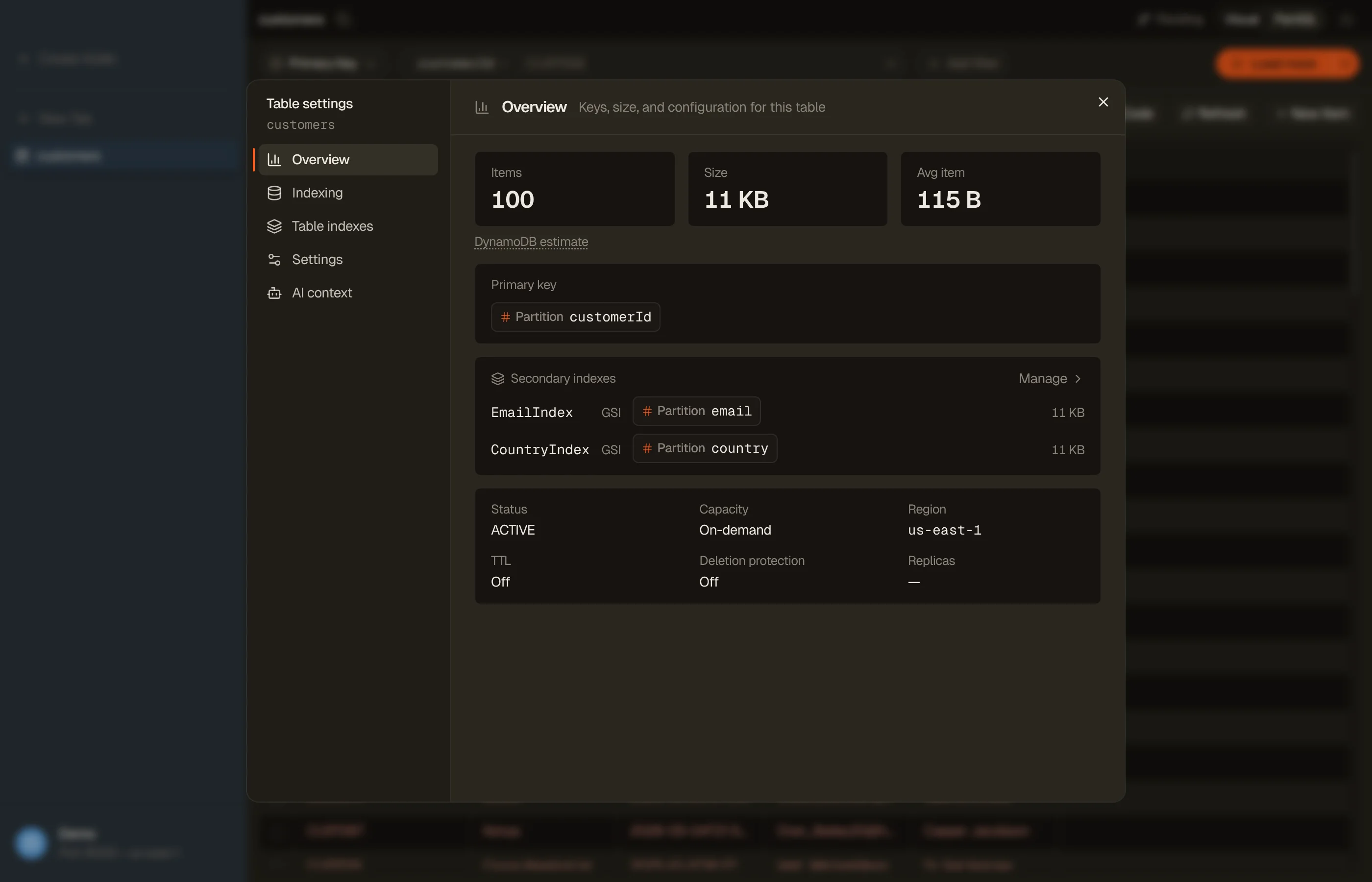
DynoTable shows the estimates on every table and can compute exact counts on demand. Every open table has a Settings button in the tab toolbar; the dialog it opens shows:
- Primary key and secondary indexes: the table's shape at a glance.
- Items · Size · Avg item: DynamoDB's own
DescribeTableestimates, labeled as estimates, with the six-hour caveat one hover away. - Index table: under Indexing, a capped sampling scan (normal read costs) that feeds field autocomplete and the inferred TypeScript / Zod / JSON Schema export; see Table overview and indexing.


For exact numbers, the built-in AI agent computes counts, sums, and per-group breakdowns over the entire table on request. It reads every matching item rather than sampling a page, and it asks before running that full read. (To learn a table's fields, it may read about 100 items without asking.)
FAQ
Why is my DynamoDB item count wrong?
ItemCount (and TableSizeBytes) refresh "approximately every six hours", so
recent writes and deletes are not reflected yet. The console's table overview
shows the same DescribeTable numbers, with the same lag. For the current
number, run aws dynamodb scan --table-name X --select COUNT, which is a full
read.
How do I count rows in DynamoDB exactly?
aws dynamodb scan --table-name X --select COUNT. The CLI pages through the
whole table and sums the per-page counts. It's exact but bills the same read
capacity as fetching every item.
Is DescribeTable free? It doesn't consume read capacity. It's a metadata call, not a data read, so polling it won't touch your table's throughput.
How do I find the size of one item? DynamoDB meters by item size (rounded up per 1 KB written / 4 KB read). Paste an item into the item size calculator to see its billed size, and see the 400 KB item limit for the ceiling.
Does item count affect my bill? Yes, a little. Billable storage is your data's raw size plus a per-item overhead, so many tiny items cost more than their bytes suggest, and each index's storage bills too. Requests bill by item size × request count. Put your table's numbers into the pricing calculator to see the monthly picture across on-demand and provisioned modes.
Download DynoTable and open the Table dialog on any table to see its shape, estimates, and indexed fields.