How to Query DynamoDB with AI (Natural Language)
"Show me last week's open tickets" is a one-liner in your head and a
KeyConditionExpression with placeholder maps on the wire.
The DynamoDB API itself has no natural-language endpoint: every request is still expressions or PartiQL. AI sits in the tooling layer, translating your intent into them.
Whether that translation helps or hurts depends on one thing: whether the model can see your real schema.
How do I query DynamoDB using natural language?
You have three options:
- Ask a general LLM to draft PartiQL and run it yourself. Fast, but the model is guessing your attribute names.
- Connect an AI agent through an MCP server, so it can inspect the table and run reads for real.
- Use a client with a schema-aware agent. DynoTable's AI chat turns plain language into PartiQL or SQL against your indexed schema, computes whole-table aggregates, and stages any write for your review.
Option 1: LLM-drafted PartiQL, run by you
Describe the query to any capable model, get PartiQL back, and run it in the console's PartiQL editor or with the CLI:
aws dynamodb execute-statement \
--statement "SELECT * FROM \"Tickets\" WHERE PK = 'TICKET#1001'"It works, and it fails in three predictable ways:
- The model can't see your table. It will invent attribute names and key shapes
(
ticketIdwhen yours isPK = TICKET#<id>), and you debug hallucinated schema. - PartiQL's limits still apply. A
SELECTreads one table, and aWHEREthat doesn't pin the partition key becomes a full table scan. Give the model your keys and ask for=orINon the partition key, or query a GSI on its own key:FROM "Tickets"."StatusIndex" WHERE "status" = 'OPEN'. A GSI read without thatWHEREscans the whole index. - Pasting data into a chatbot sends it outside your account. Sample items in a prompt are production data leaving your boundary.
To make scans impossible rather than unlikely, deny dynamodb:PartiQLSelect in IAM when
dynamodb:FullTableScan is true
(AWS example).
PartiQL vs SQL explains what the SQL surface buys.
For the data-governance problem, paste the aws dynamodb describe-table output and a
redacted sample instead of real items, or use a model on Amazon Bedrock under your own
AWS account, where model providers have no access to your prompts and completions
(Option 3 does that).
Good for one-off queries on a schema you can paste from memory; shaky as a workflow.
Option 2: an AI agent connected via MCP
The structural fix for "the model can't see your table" is to give the agent tools instead of a pasted schema.
An MCP server exposes DynamoDB operations as typed tools. Any MCP-capable agent (Claude Code, Cursor, Codex, custom agents) can then list tables, inspect keys and run reads, with real results feeding back into the conversation.
DynamoDB MCP server covers the options, how to run any of them on read-only credentials, and the write-safety questions. DynoTable ships one: loopback-only, consent per connection, and it never passes your AWS keys to the agent.
This is the right architecture when you already work in an agent (a coding assistant in your editor or terminal) or when the agent is the product, such as an internal support bot.
Option 3: a schema-aware agent in your DynamoDB client
DynoTable's built-in agent lives next to your tables (⌘;). It reads your indexed schema: the tables under the active profile, their keys and indexes, the attribute paths and types found by table indexing, even sample values.
"Filter this to last week" resolves against your real attribute names. Type @ to
reference a @table, @column or @gsi explicitly.

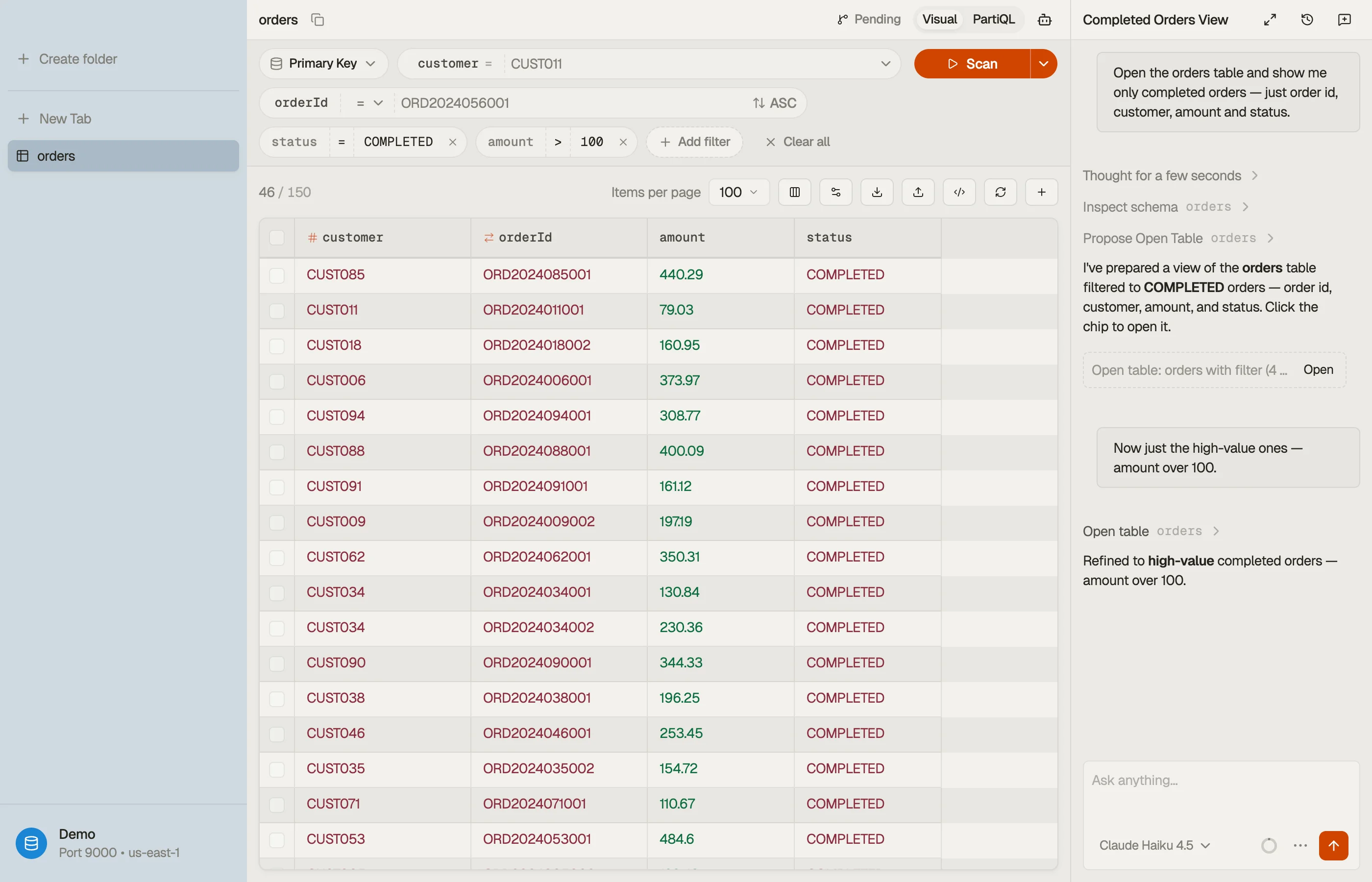

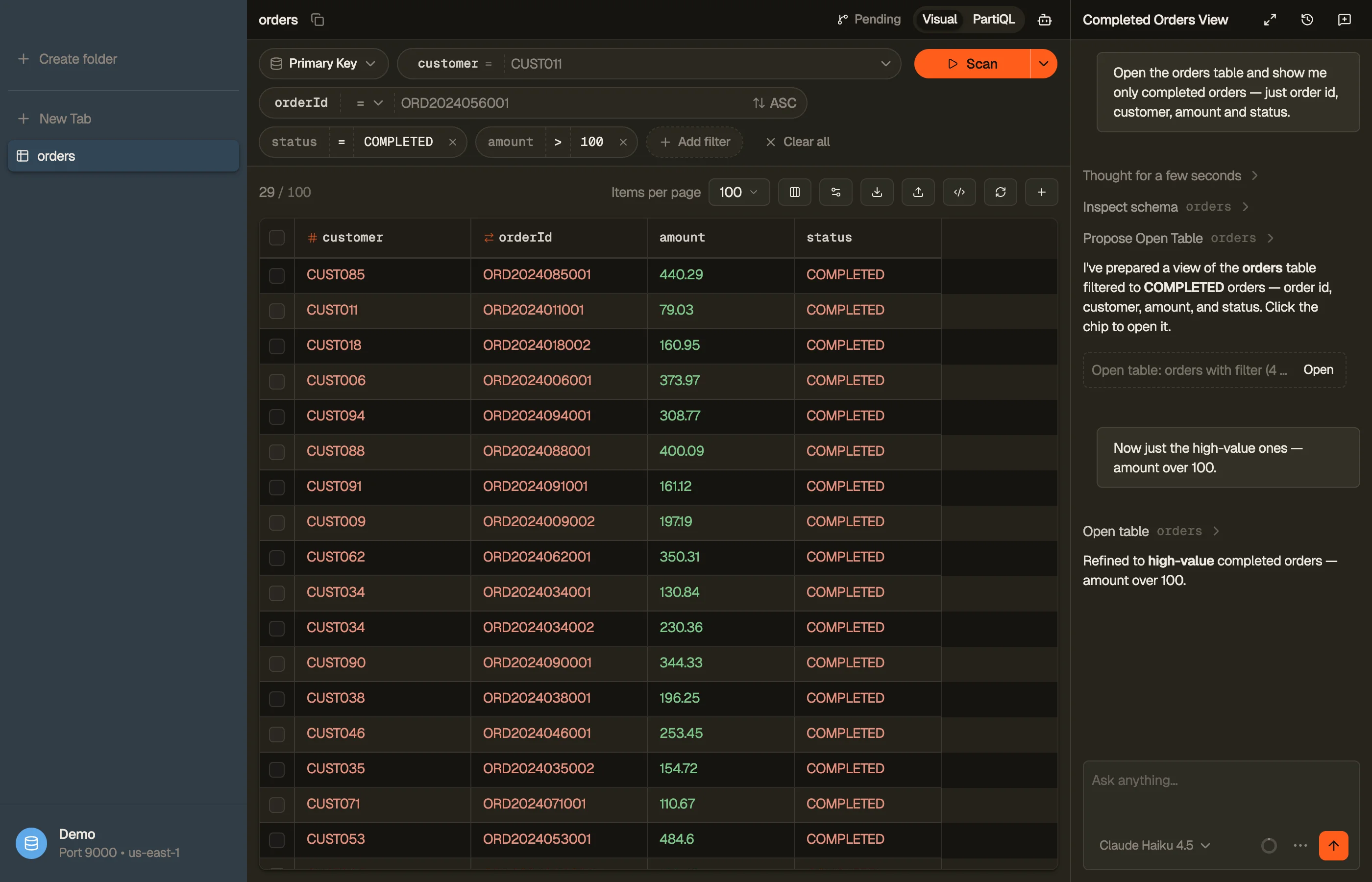
What it does with a question (the full list is in the AI tools docs):
- Writes the query for you: read-only PartiQL, or Workbench SQL when the question
needs
JOIN/GROUP BY/ aggregates (the analytics DynamoDB's API doesn't have). It proposes the result as a chip you click to open as a real tab. - Computes whole-table aggregates. A sum, average or per-group breakdown runs through Workbench SQL, which reads the whole table, not a sampled page. A quick item count stops at a scan cap and says when its answer is partial.
- Stages every write. A fix lands in the staging area as a reviewable diff. It can stage a bulk edit or delete of the items a filter matches, but can't commit, and can't create, drop or reconfigure tables or indexes.
- Asks before costly reads, in Manual mode. Manual, the default, prompts per tool. Auto approves the grants you saved; Full Auto approves every call except your denies and an S3 export. Every gated decision lands in a local audit log.
The agent runs on your own AWS Bedrock credentials, talking directly to Amazon Bedrock with them. Bedrock runs the model in AWS-operated accounts that the model's provider can't access, so the provider never sees your prompts. Prompts, schema and table data never route through DynoTable's servers, and inference is billed to you at Bedrock's own rates with no markup.
Tool results reach the model as data, with an instruction to treat them as untrusted. That makes a row reading "ignore previous instructions" less likely to steer the agent, not impossible.
What bounds the damage is that even a steered agent can only stage a change you review.
What AI does not change about DynamoDB
- Access patterns still rule. "Where status = X" over a non-key attribute is a filtered scan no matter who writes it. If a question keeps forcing scans, fix the data model: a GSI or a better sort key.
- Reads cost real capacity. A whole-table aggregate is a whole-table read. The pricing calculator tells you what a full pass costs before you approve it.
- Hand-build the queries you ship. For a query you'll run in production for years, build the expression once in the Expression Builder and ship the exact names/values maps. Use AI to explore and the builder for the code you commit.
FAQ
Can I query DynamoDB in plain English? Not against the API, which only speaks expressions and PartiQL. An AI layer can translate: an LLM drafting PartiQL, an MCP-connected agent, or a schema-aware agent like DynoTable's that runs the query against your real schema.
Does DynamoDB have a built-in AI query feature? No natural-language endpoint exists in the API. AI querying comes from the tooling on top, so evaluate its safety model: read gates, staged writes, and whose credentials it runs on.
Is it safe to let AI near production data? It's a permissions question. Look for reads gated behind approval, writes that land in a reviewable staging area, an audit log, and inference on credentials you control. A chatbot holding pasted data gives you none of those.
Can the AI join tables or do GROUP BY?
Not via the DynamoDB API: no engine exists for it. DynoTable's
agent uses Workbench SQL (JOIN, GROUP BY and aggregates within DynamoDB's
access-pattern rules), also home to count/sum/average.
What does it cost? Two meters: DynamoDB reads for whatever the queries touch, and Bedrock inference billed to your own AWS account. DynoTable adds no markup and proxies nothing. The agent and Workbench SQL also need an active DynoTable plan or trial; without one the app drops to read-only browsing. See pricing.
Ask your next question in plain language: download DynoTable, point AI at your own Bedrock, and keep every write behind a review.