How to Query DynamoDB in Descending Order
By default a DynamoDB Query returns items in ascending sort-key order. But most
"give me the latest" access patterns want the opposite — newest first. The knob is a
single boolean on the Query: ScanIndexForward. Set it to false and the same
query reads the partition in reverse.
It's one parameter, but it trips people up because it's easy to confuse with sorting the results after the fact (which DynamoDB doesn't do) and because the name reads backwards from what it controls.
How do I query DynamoDB in descending order?
Set ScanIndexForward=false on the Query. By default DynamoDB returns items in ascending sort-key order; flipping this single boolean reads the partition in reverse, giving you newest-first results when your sort key is a timestamp or sequence. It only changes ordering, not which items match, and reverse reads cost exactly the same as forward ones.
ScanIndexForward=true(default) → ascending sort-key order.ScanIndexForward=false→ descending order — newest-first when your sort key is a timestamp or sequence.- It only affects ordering, not which items match — the key condition still decides that.
- It's free. Reverse order costs the same as forward; DynamoDB reads the partition's stored order either way.
- Use
Limitwith it to get "the N most recent" in one cheap read.
The problem: "show me the latest first"
Say you run a multiplayer leaderboard and store each player's score events under one partition key, sorted by an increasing timestamp:
PK: GAME#42   SK: SCORE#2026-06-27T10:00:00Z   points
PK: GAME#42   SK: SCORE#2026-06-27T10:05:00Z   points
PK: GAME#42 SK: SCORE#2026-06-27T10:09:00Z pointsThe dashboard needs the most recent scores. A plain Query on GAME#42 returns
them oldest-first, so you'd be tempted to read everything and reverse it in your app —
wasteful, and broken the moment you add Limit. DynamoDB can hand them back
newest-first directly.
How ScanIndexForward works
Items in a partition are physically stored ordered by sort key. A Query walks
that order; ScanIndexForward just picks the direction of the walk:
true(default) — start at the lowest sort key, walk up (ascending).false— start at the highest sort key, walk down (descending).
Crucially, this is a property of the read, not the table — the same items, same
key condition, just reversed. And because DynamoDB is only choosing a direction over
already-sorted data, descending reads are
exactly as cheap
as ascending ones. Pair it with Limit=10 and you get "the 10 most recent score
events" in a single, minimal-cost Query.
One subtlety: when paging backward through a descending result set, the
LastEvaluatedKey/ExclusiveStartKey cursor still works — just keep
ScanIndexForward=false consistent across every page of the same query, or the cursor
direction and the order disagree.
Building the query in DynoTable
To assemble the key condition itself (and see the matching attribute-name/value maps),
use the DynamoDB expression builder. For the
whole request — index, Limit, and ScanIndexForward included — the
query builder composes the Query and emits a
runnable SDK v3, CLI, or boto3 program.
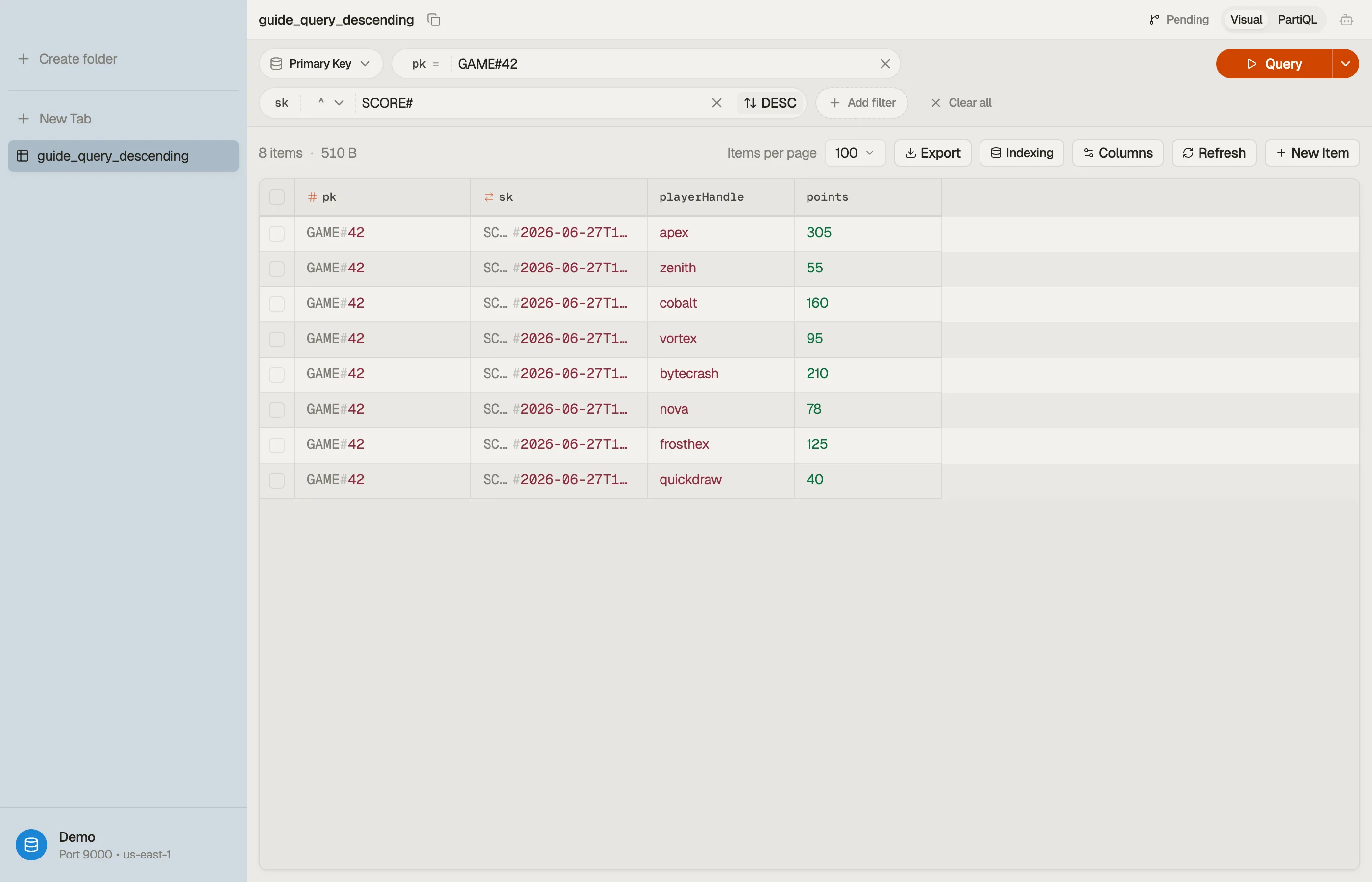
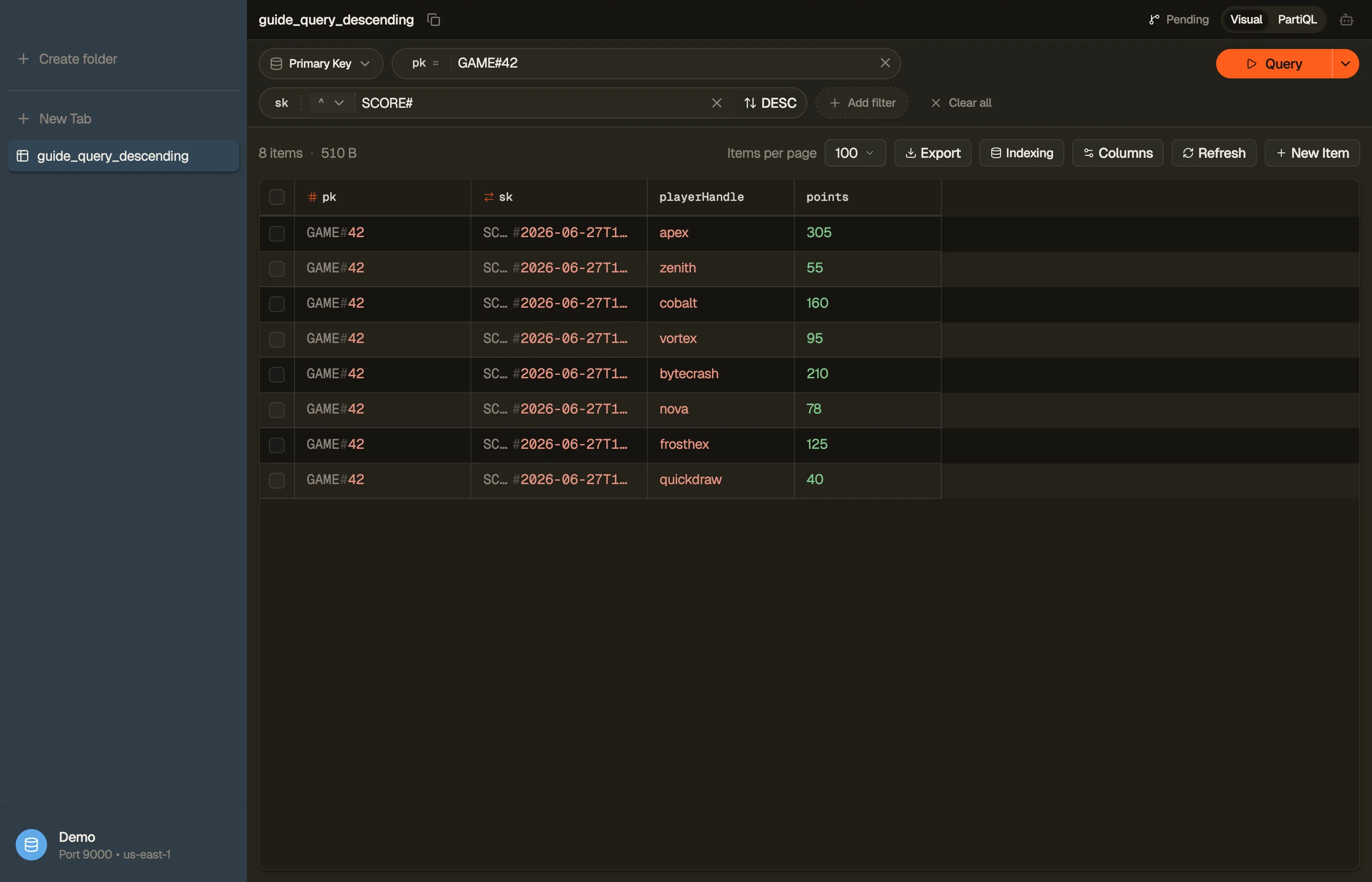
In DynoTable, you read a tab through a chosen key and set the sort direction on the tab
with a toggle — no need to hand-write ScanIndexForward. Flip it to preview
newest-first results.


Pitfalls + next steps
ScanIndexForwardreverses, it doesn't sort by an arbitrary attribute. Order is always by the sort key — to sort by something else you need that attribute as a sort key (often via a GSI).- Don't read-all-then-reverse in your app — set the flag and add
Limit. - Keep the flag consistent while paging a multi-page query, or the cursor fights the order.
- Want numeric newest-first? A Number-typed sort key already sorts numerically. Only if you've embedded numbers inside a string sort key do you need to zero-pad them so lexicographic order matches.
- Related: sort-key strategies and pagination.
Want to flip result order without touching API parameters? Download DynoTable and query your tables directly.
Composite and numeric sort keys
Descending order follows sort-key type rules, not your mental model of "latest":
| Sort key stored as | Descending gives you | Gotcha |
|---|---|---|
ISO-8601 UTC string 2026-06-27T10:09:00Z | Newest timestamp first | Lexicographic order matches chronological when timezone-fixed |
Zero-padded epoch string 00000000001009 | Highest sequence first | Unpadded numbers sort wrong ("9" > "10") — see zero-padding |
Number type N | Largest numeric value first | Natural numeric order, not string |
Status prefix STATUS#open#... | Reverse lexicographic on full SK | Not the same as "most recently opened" unless encoded in the suffix |
If "latest" means something other than the sort key — for example, sorting by
points inside the same game partition — you need that metric in the sort
key (or on a GSI whose sort key is points), not a post-query sort in
application code.
Limit with descending reads
Limit caps items evaluated, not items returned after a filter. Pair
ScanIndexForward=false with Limit=10 on a time-ordered sort key to fetch the
ten most recent events in one partition read.
Example cost: ten 2 KB items in one descending Query touch 20 KB → 3
eventually-consistent RCU (rounded to 4 KB blocks). Reading the entire partition
of 10,000 events to reverse in application code touches ~20 MB → thousands of
RCU for the same UI widget. Model your partition size with the
item-size calculator before choosing
Limit.
Pagination stays directional
When you page with ExclusiveStartKey, keep ScanIndexForward identical on
every request. Flipping the flag between pages reverses the cursor semantics —
you can skip or duplicate rows.
For APIs exposing "load more", base64-encode the LastEvaluatedKey opaquely;
clients should not mutate sort-key components. See
pagination for token patterns.
PartiQL and SDK parity
PartiQL ExecuteStatement queries accept the same ordering semantics through
underlying Query parameters when the executor maps to a key-condition read.
The query builder emits SDK v3, CLI, or boto3
programs with ScanIndexForward wired explicitly — helpful when your team mixes
PartiQL ad hoc queries with production SDK code.
Access patterns that use descending order
- Activity feeds —
SKis an ISO timestamp; descending +Limityields a recent window. - Leaderboards — numeric sort key
score; descending surfaces top scores when the partition key scopes one game or season. - Audit tail — append-only
EVENT#<ts>sort keys; descending shows newest events first without a GSI.
When the UI also needs ascending history ("show oldest first"), the same query
with ScanIndexForward=true avoids duplicating data or maintaining two indexes.
Try the toggle on real data
Connect DynoTable, open a query tab on a partition with a time-ordered sort key,
flip ascending/descending, and watch the grid reorder without editing API
parameters. Compare consumed capacity in the operation log — forward and
reverse reads on the same Limit should match.