DynamoDB Global Tables: Multi-Region Replication Explained
A global table is a single DynamoDB table replicated across multiple AWS regions, where every replica is writable. DynamoDB keeps them in sync automatically — you get low-latency local reads and writes in each region plus cross-region disaster recovery, without running your own replication.
In the audit-log scenario, an EU customer requires their data live in
eu-west-1, while the rest runs in us-east-1. And as a compliance-critical
log, it needs to survive a full regional outage. A global table answers both with
one feature.
How do DynamoDB Global Tables work?
DynamoDB Global Tables are a single table replicated across multiple AWS regions, where every replica is readable and writable. DynamoDB syncs them automatically over eventually consistent asynchronous replication, resolving conflicts last-writer-wins. You get low-latency local reads and writes per region plus cross-region disaster recovery, backing DynamoDB's 99.999% availability SLA.
- Multi-region, active-active. Each replica is fully readable and writable; writes in any region propagate to the others.
- In the default mode, replication is asynchronous and eventually consistent across regions — typically within a second, but not instant. (A strong-consistency mode also exists — see below.)
- Conflicts resolve last-writer-wins. Concurrent writes to the same item in two regions reconcile to the most recent one.
- It backs the 99.999% availability SLA — a multi-region global table is DynamoDB's highest-availability configuration.
The problem: one region isn't enough
A single-region table has two limits the audit log can't accept. First, data
residency: an EU customer's events must be stored in the EU, but your app runs in
the US. Second, disaster recovery: if us-east-1 has an outage, a single-region
audit log is unreadable and unwritable for the duration — exactly when you most
need the record of what happened.
Building either yourself — cross-region replication, failover, conflict handling — is a large, error-prone project. Global tables make it a configuration choice.
Replication mechanics
You add a replica region to the table; DynamoDB creates a copy there and keeps all replicas in sync.
Two consistency rules define the default (MREC) behavior:
- Cross-region replication is asynchronous. A write in
us-east-1is acknowledged locally, then propagated toeu-west-1— usually within a second, but a read in the other region right after a write may not see it yet. (In the default MREC mode, strongly consistent reads still work, but only within a single region.) - Conflicts are last-writer-wins. If the same item is written in two regions at nearly the same time, DynamoDB keeps the write with the latest timestamp and discards the other.
A worked example: an EU replica that's also DR
You add eu-west-1 as a replica of the audit-log table. Now:
| write region | item | visible in | |
|---|---|---|---|
| us-east-1 | TENANT#acme | EVENT#…#a1 | both regions (~1s lag to EU) |
| eu-west-1 | TENANT#bmw | EVENT#…#e7 | both regions (~1s lag to US) |
The EU customer's app writes to and reads from the local eu-west-1 replica —
low latency and data resident in-region. The same replication that satisfies
residency doubles as disaster recovery: if us-east-1 goes down, the
eu-west-1 replica still holds the full log and serves traffic; you fail over to
it.
Because the audit log is append-only and per-tenant-partitioned, last-writer- wins is essentially a non-issue here — a given tenant's events are written from one region and event keys are unique, so two regions rarely race on the same item. That's not luck; it's why an append-only log is one of the cleanest fits for global tables. A mutable counter, by contrast, would need care under concurrent cross-region writes.
Do it in DynoTable
After adding a replica you want to confirm the data actually landed in the new
region and matches the source — that the EU replica really holds acme's events,
with the right attributes, and isn't lagging.
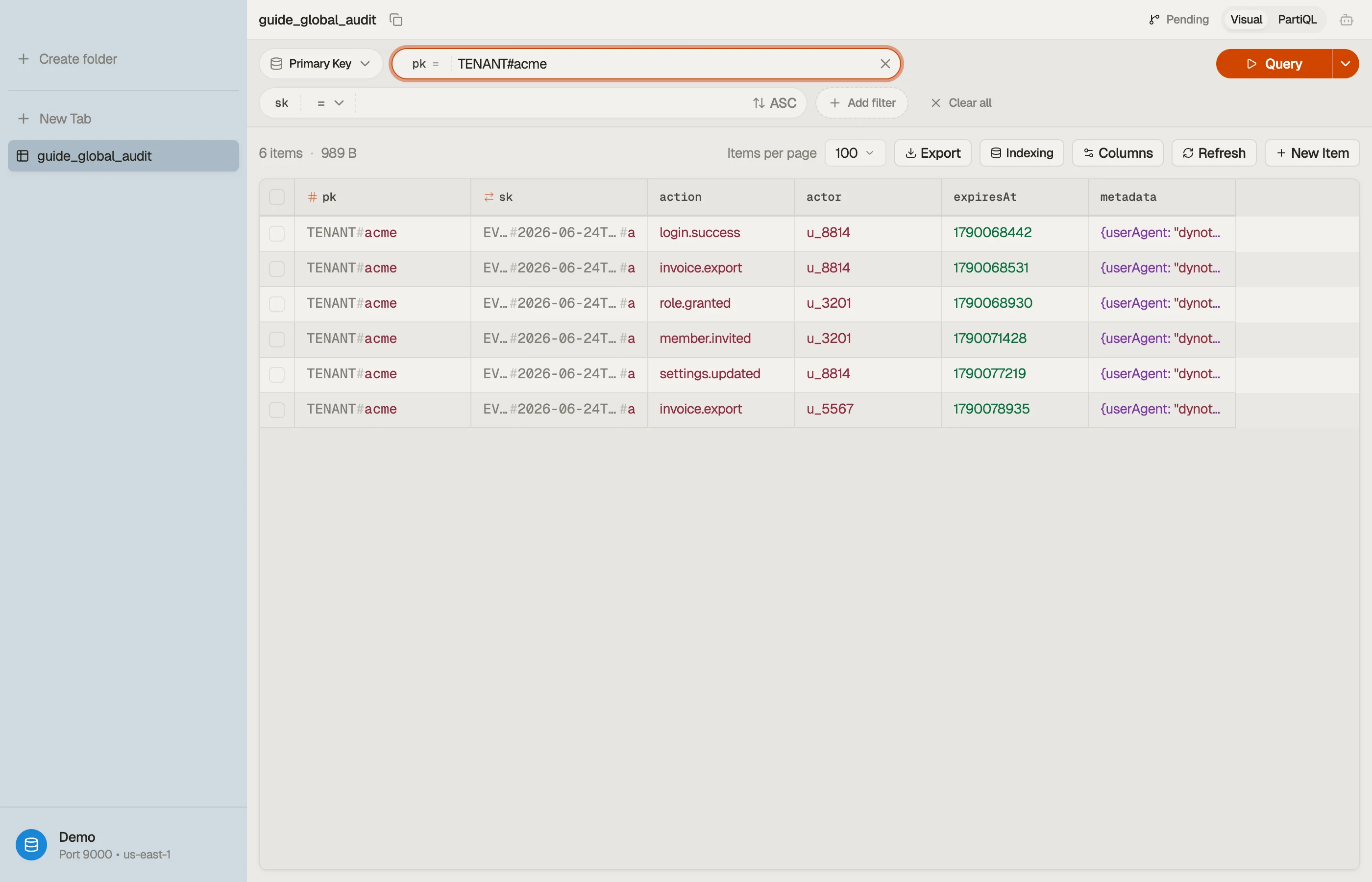
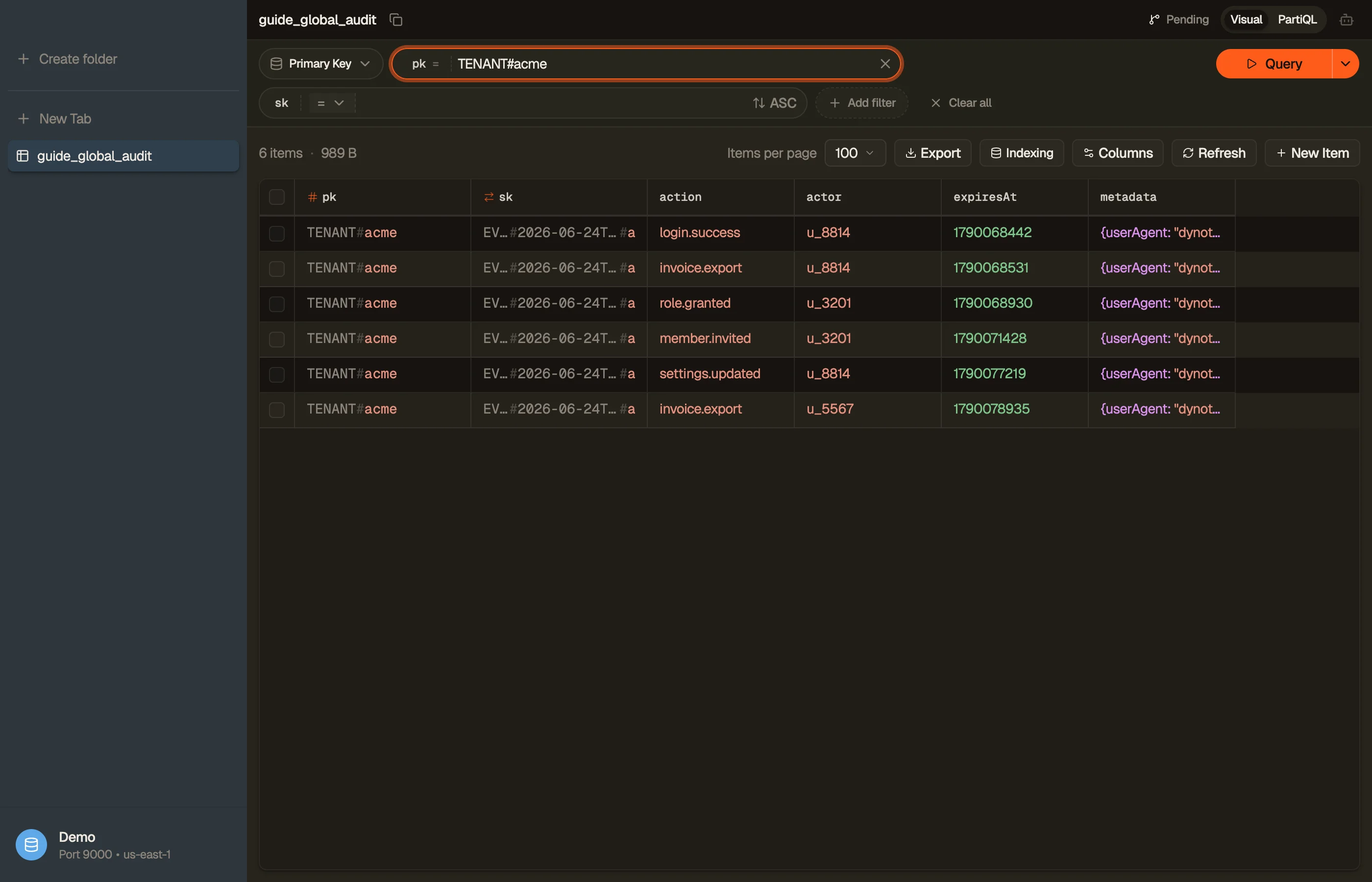
DynoTable connects to any region with its own credentials, so you can point one
window at us-east-1 and another at eu-west-1 and compare the same tenant's
items side by side to verify replication.


You can prototype the per-region queries you'll run against each replica in the DynamoDB Expression Builder.
Pitfalls and next steps
- Don't read-your-own-write across regions. Replication lag means a write in one region may not appear in another for ~a second. Don't write to US then immediately read from EU expecting it. In the default MREC mode, strongly consistent reads work only within a single region; MRSC extends strong reads across regions.
- Last-writer-wins silently drops data. For mutable items written concurrently in two regions, the loser is discarded with no error. Append-only or single-writer-per-item designs (like this audit log) avoid the problem; shared mutable state needs a conflict-aware design.
- Every replica costs. Each region stores a full copy and bills its own capacity and storage — a replica roughly doubles cost. Add regions for a real residency or DR need, not by default.
- Backups are per-replica. A restored global table becomes an independent table — plan recovery per region. See backup & point-in-time recovery.
Global tables protect against losing a region. The last operational concern is protecting against losing data — a bad deploy or accidental delete — with backup & point-in-time recovery.
Download DynoTable to connect to multiple regions and verify your global-table replicas hold the same data.