DynamoDB Backup and Point-in-Time Recovery Guide
DynamoDB protects your data two ways. On-demand backups are full snapshots you take and keep indefinitely. Point-in-time recovery (PITR) is continuous, automatic backup that lets you restore the table to any second within a rolling window. Both restore to a new table — they're recovery tools, not an undo button.
For the audit log this is non-negotiable. It's an immutable compliance record; a bad migration that rewrites events, or an accidental bulk delete, has to be recoverable to the moment before the mistake.
How does DynamoDB backup and point-in-time recovery work?
DynamoDB offers two backup types. Point-in-time recovery (PITR) takes continuous automatic backups, letting you restore to any second within a configurable 1-to-35-day window. On-demand backups are manual full snapshots kept indefinitely. Both restore to a new table, never over the original, so they are recovery tools rather than an in-place undo.
- PITR = continuous backup, restore to any second within a configurable window of 1 to 35 days (it used to be a fixed 35).
- On-demand backups = manual full snapshots kept as long as you want, independent of PITR's window.
- Restores create a new table. You restore to a new name, then cut over — the original is untouched.
- PITR is priced on table size, not on the number of restore points — estimate it with the DynamoDB Pricing Calculator.
The problem: a mistake you can't undo in place
DynamoDB has no transaction log you can roll back and no "undo" on a write. If a
migration script rewrites every event's action field, or someone runs a delete
that's wider than intended, the table is simply in the wrong state. Without
backups, the data is gone.
For an audit log — whose entire value is being a trustworthy record — "we can't get last Tuesday's events back" is a compliance failure, not just an inconvenience.
How backup and PITR work
Point-in-time recovery, once enabled, takes continuous automatic backups. Per
the
AWS docs,
PITR gives you fully managed continuous backups of table data with per-second
restore granularity. The window is
configurable from 1 to 35 days via RecoveryPeriodInDays, and you can restore
to any second within it — up to roughly five minutes behind real time
(LatestRestorableDateTime) — including to a different region.
One important edge: decreasing the recovery period immediately reduces the earliest restore point, and disabling then re-enabling PITR resets the recoverable start time — you lose the prior continuous history.
PITR also gates the managed export to S3: the
export reads from the same continuous backups, so with PITR off,
ExportTableToPointInTime fails with
PointInTimeRecoveryUnavailableException.
On-demand backups are separate: manual, full-table snapshots you create explicitly and retain indefinitely, useful for a pre-migration checkpoint or a long-term compliance archive beyond the 35-day PITR window. The request is processed instantly and the backup becomes restorable within minutes, consumes none of the table's throughput, and there's no limit on how many you keep. One honest caveat from the docs: on-demand backups don't guarantee causal consistency across items — the skew between updates is "usually much less than a second", but a backup taken mid-write-burst is not a single frozen instant.
What a restore doesn't bring back
A restore recreates the table data and its indexes — not its operational wiring. Per the AWS docs, you must manually re-configure on the restored table: auto scaling policies, IAM policies, CloudWatch metrics and alarms, tags, stream settings, TTL, deletion protection, and PITR itself. Restoring from backup and forgetting to re-enable PITR is how the next incident becomes unrecoverable.
At restore time you can deliberately change some settings — billing mode, provisioned capacity, encryption keys — and you can exclude some or all secondary indexes, which makes the restore faster and cheaper if you can rebuild them later. Restores can also target a different Region, and a restore never overwrites an existing table.
Scheduled backups with AWS Backup
DynamoDB's own on-demand backups have no scheduler. For recurring backups with
retention, DynamoDB integrates natively with AWS Backup
(AWS docs):
backup plans give you scheduled backups with lifecycle rules (including
cold-storage tiering), automatic cross-account and cross-Region copies for
DR, an independent KMS key via the backup vault, and Vault Lock for a WORM
compliance posture no one can quietly delete. Two operational gotchas: AWS
Backup is an explicit opt-in per account per Region, and backups it creates
(type AWS_BACKUP) can't be deleted from the DynamoDB console — manage them in
AWS Backup.
Both restore to a new table, not over the existing one:
A worked example: recovering from a bad migration
A migration meant to add an expiresAt attribute instead overwrote action on
every event with an empty string. PITR is on with a 35-day window, so you restore
to the second before the migration ran:
| step | result |
|---|---|
| restore PITR to 09:59:00 | new table audit-log-restored with correct actions |
| diff against live | confirm only the migration's rows differ |
| cut app over to restored | original left intact for forensics |
The corrupted table stays untouched while you verify the restore — you compare the
restored events against the live ones, confirm the action values are back, then
repoint the app. Nothing is destroyed in the recovery itself.
If the loss were a handful of items rather than a whole-table corruption, you could instead inspect the live data and the restored copy and copy just the affected rows across — see copy a DynamoDB table.
Do it in DynoTable
A restore is only as good as your verification of it. After restoring to
audit-log-restored, you need to actually look at the recovered events and confirm
they match what they should have been before the mistake.
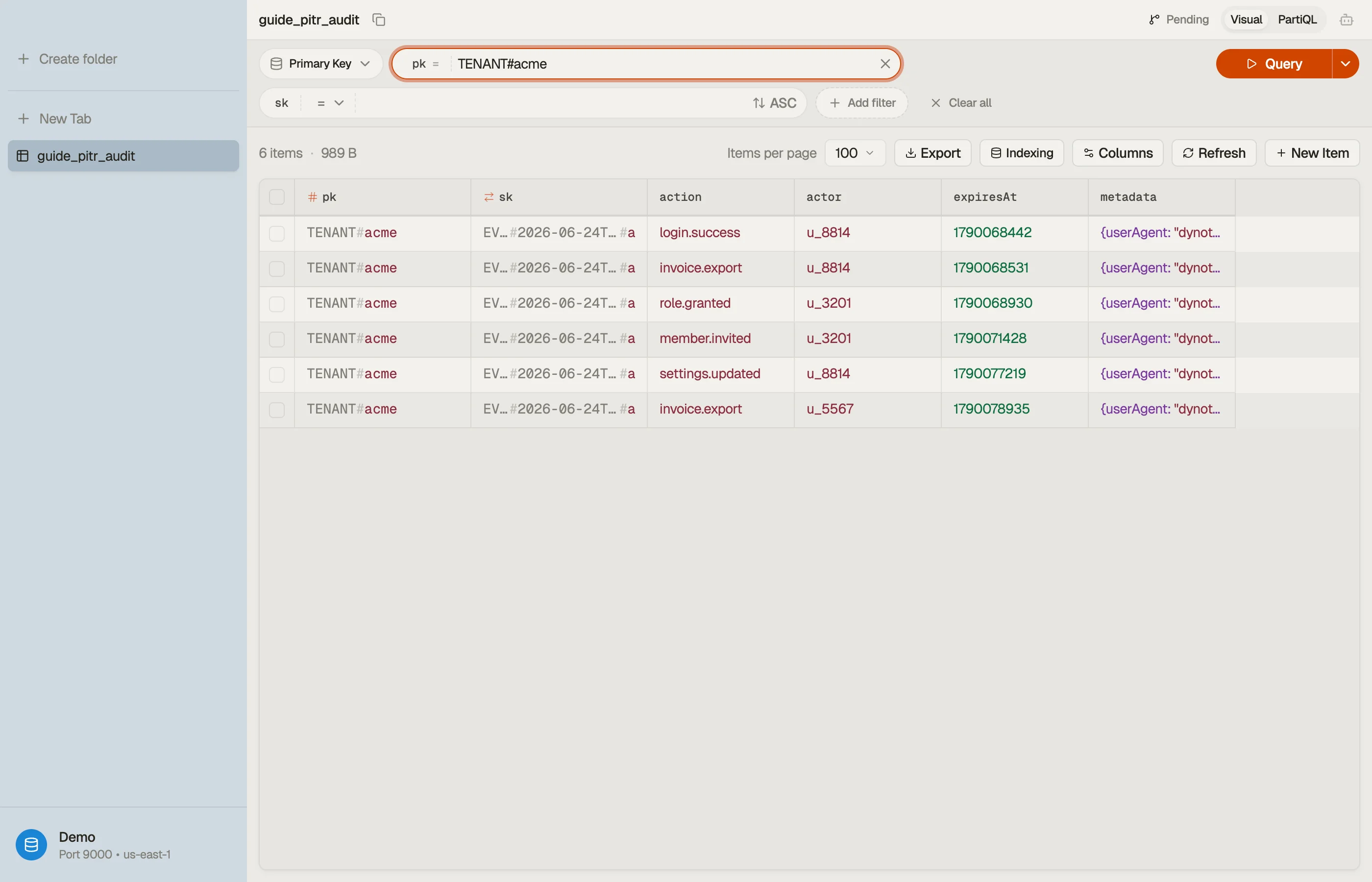
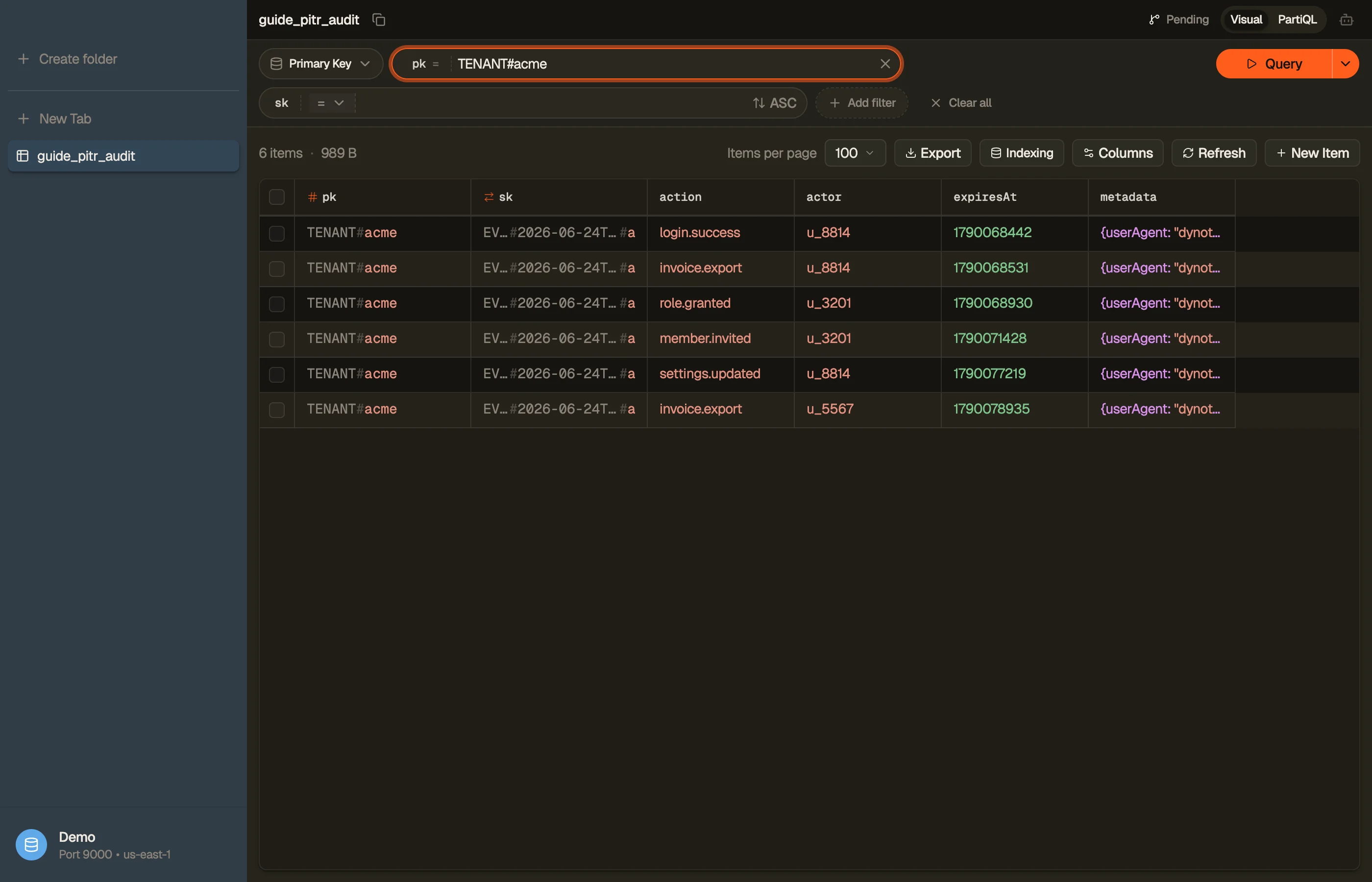
DynoTable connects to the restored table like any other, so you can query the
affected tenant's events, confirm the action values are correct, and compare
against the live table before you cut over — turning a restore from a leap of faith
into a verified recovery.


You can also export the recovered events for an offline compliance record — see export DynamoDB to CSV.
Pitfalls and next steps
- Enable PITR before you need it. It only protects from the moment it's on — there's no retroactive recovery. Turn it on for any table whose data you can't afford to lose.
- Disabling PITR resets the window. Toggling it off and back on wipes the continuous history; the recoverable start time begins again from re-enablement.
- Restores aren't instant or free. A restore provisions a whole new table and takes time proportional to size; budget for the duration and the extra table.
- 35 days isn't archival. For retention beyond the PITR window, take on-demand backups or export to S3 — PITR is a recovery window, not long-term storage.
That closes the audit-log operations loop: transactions for consistency, Streams for reaction, TTL for expiry, the right capacity mode for cost, global tables for region resilience, and PITR for data recovery. Revisit the Operations & Cost overview to see how they fit together.
Download DynoTable to connect to a restored table and verify your recovery before you trust it.