DynamoDB ReturnValues: Get the Old or New Item
By default a DynamoDB write returns nothing but success. But you often need the data
around the write — the value before you changed it, or the fresh value after. The
naive fix is a second GetItem, which is an extra round trip and a race: someone
else can write in between. DynamoDB avoids both with the ReturnValues parameter,
which hands back the old or new item atomically as part of the write itself.
What does ReturnValues do in DynamoDB?
ReturnValues tells a DynamoDB write to hand back the item as part of the same call, so you skip a second GetItem and the race it creates. PutItem and DeleteItem accept NONE or ALL_OLD; UpdateItem accepts all five (NONE, ALL_OLD, UPDATED_OLD, ALL_NEW, UPDATED_NEW), returning old or new values atomically.
ReturnValuesreturns the item as part of the write — no second read, no race.NONE(default) — return nothing.ALL_OLD— the entire item as it was before the write.UPDATED_OLD— only the attributes the update changed, before values.ALL_NEW— the entire item after the write.UPDATED_NEW— only the changed attributes, after values.PutItem/DeleteItemaccept onlyNONEorALL_OLD;UpdateItemaccepts all five.
The problem: you need the value you just overwrote
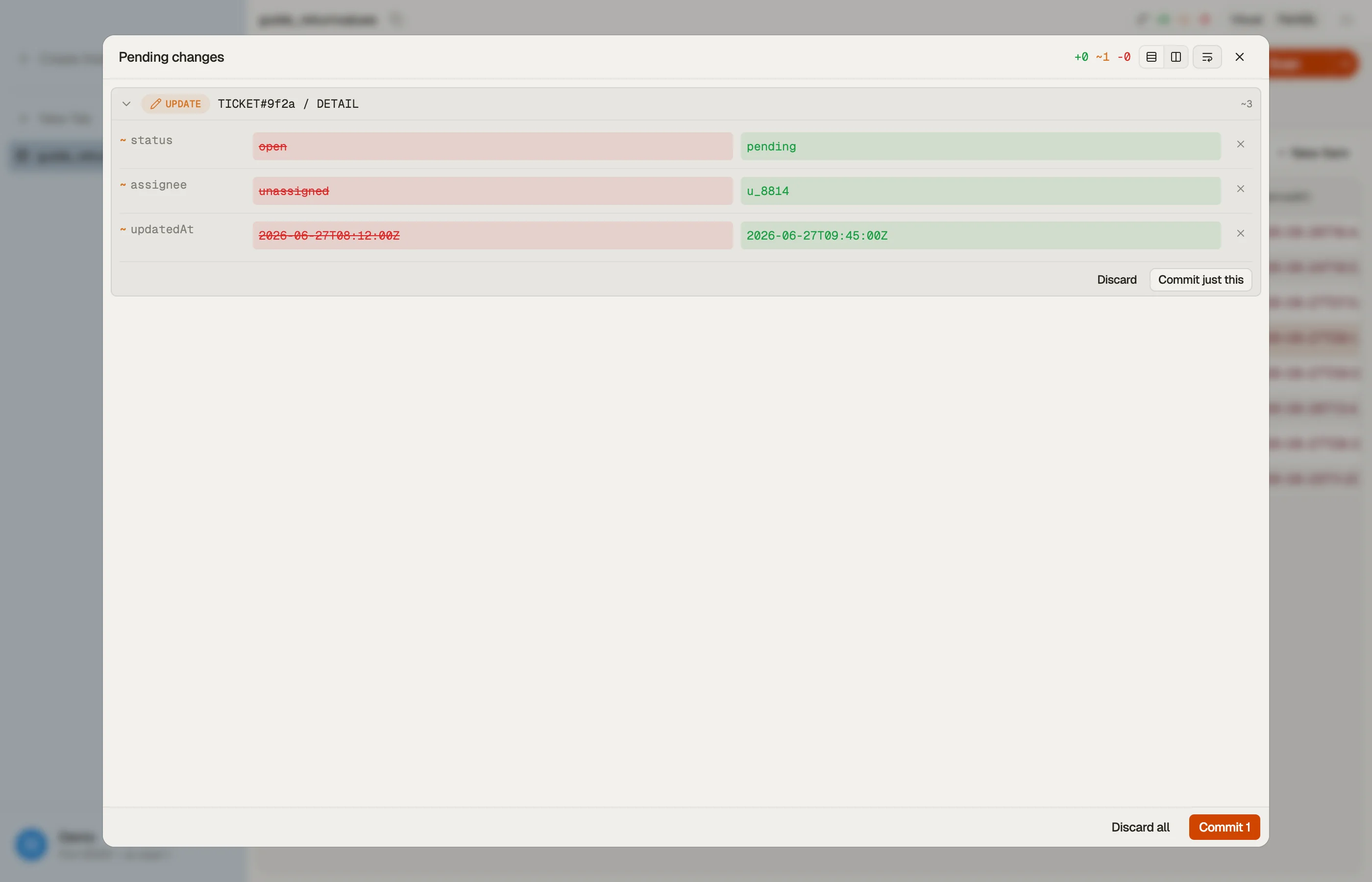
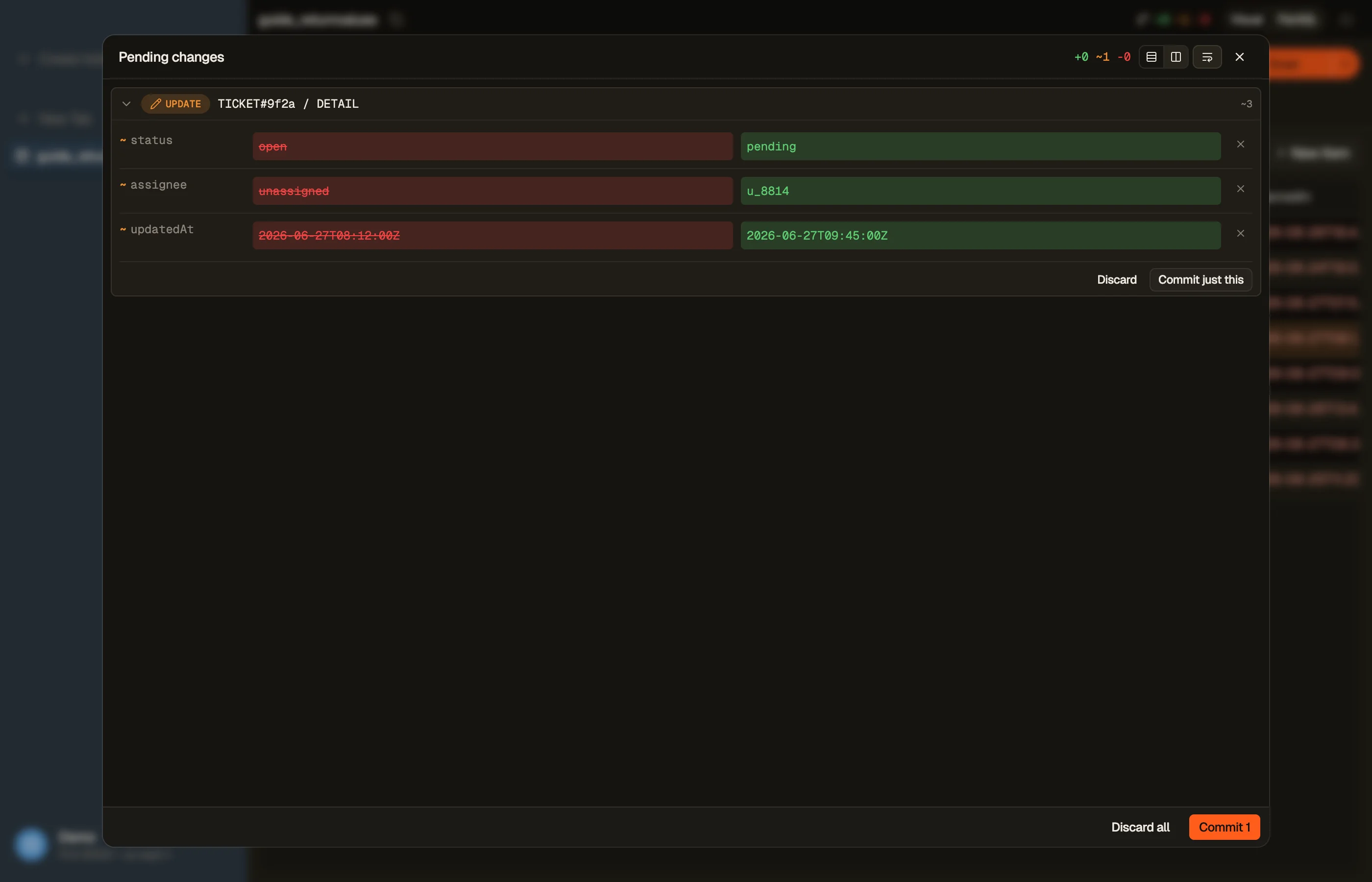
Say you run a support desk and an agent changes a ticket's status from open to
pending. Your audit log needs to record what the status was before the change.
Without ReturnValues you'd:
GetItemto read the current status,UpdateItemto set the new one.
Between steps 1 and 2 another agent could change the status — now your audit log records
a stale "before" value. Worse, it's two calls for one logical operation. ReturnValues
collapses it into a single atomic UpdateItem that returns the old status as it
actually was at write time.
The five options, and when to use each
UpdateItem supports the full set; the choice is what slice of the item and which
side of the write you need:
ReturnValues | Returns | Use when |
|---|---|---|
NONE | nothing | you don't need the item back (default) |
ALL_OLD | whole item, pre-write | auditing / "what did I just replace?" |
UPDATED_OLD | changed attrs, pre-write | you only care about the fields you touched |
ALL_NEW | whole item, post-write | you need the fresh full item to return to a caller |
UPDATED_NEW | changed attrs, post-write | reading back a counter/value you just incremented |
UPDATED_NEW is the everyday hero: increment a counter with an
update expression and read the new total back in
the same call, no race. For the support-ticket audit, ALL_OLD (or UPDATED_OLD if
you only log the status field) captures the pre-change state atomically.
Note the asymmetry: PutItem and DeleteItem only support NONE and ALL_OLD —
there's no "new" value to return for a delete, and a put's new value is just what you
sent. Only UpdateItem, which mutates in place, offers all five.
AWS documents
the exact matrix.
Writing the update in DynoTable
Assemble the UpdateItem and its update expression visually with the
DynamoDB expression builder — it emits the
SET/ADD clause plus the attribute-name and value maps. In the app, DynoTable
shows the resulting item after a staged write is committed, so you see the new state
directly.


Pitfalls + next steps
- Don't
GetItem-then-write to read around a change — it's a round trip and a race; useReturnValues. UPDATED_*returns only touched attributes — if you need the whole item, useALL_*.PutItem/DeleteItemcan't return new values — onlyNONE/ALL_OLD.ReturnValuesis not a substitute for a condition — to guard a write, add a condition expression; to read back its effect, useReturnValues. They compose.- Related: update expressions, atomic counters.
Want to make edits and see the before/after without scripting two calls? Download DynoTable and edit your items directly.
Atomic counter with UPDATED_NEW
Inventory systems increment a version or stock field on every write. The
pattern is one UpdateItem with ADD stock :inc and ReturnValues: UPDATED_NEW:
UpdateItem  PK=SKU#8842
  UpdateExpression: ADD stock :one
  ExpressionAttributeValues: {":one": {"N": "1"}}
  ReturnValues: UPDATED_NEW
→ Attributes.stock.N == "41" (was 40)You receive only the changed attribute map, not the full item — ideal when the
item is large but the caller needs the new counter. For audit trails that must
capture every field before change, switch to ALL_OLD.
The write still bills as an UpdateItem on the item's size; ReturnValues does
not add a separate read charge — DynamoDB already loaded the item to apply the
update.
Capacity note
Returning attributes does not double the WCU cost of the write itself. You pay for the write based on the item size before and after the update per AWS rules, independent of how many attributes appear in the response payload.
If you were tempted to GetItem then UpdateItem to log the old value, you
paid for a read plus a write. ReturnValues: ALL_OLD on the update removes the
read entirely — on a 2 KB item at 500 updates per second that saves roughly
250 eventually-consistent RCU per second.
Compose with condition expressions
ReturnValues and
condition expressions compose on the
same call. Example: increment retryCount only while below a cap, and return the
new count:
ConditionExpression: retryCount < :max
UpdateExpression: ADD retryCount :one
ReturnValues: UPDATED_NEWIf the condition fails, DynamoDB returns ConditionalCheckFailedException and
no attribute payload — distinct from a successful update with an empty
UPDATED_NEW when nothing changed.
Use the expression builder to generate the
UpdateExpression, condition, and marshalled value maps together.
Decision guide
| You need… | Setting | Works on |
|---|---|---|
| Nothing back | NONE | Put, Update, Delete |
| Full item before overwrite/delete | ALL_OLD | Put, Update, Delete |
| Only changed fields, before | UPDATED_OLD | Update |
| Full item after patch | ALL_NEW | Update |
| Only changed fields, after | UPDATED_NEW | Update |
Deletes and puts
DeleteItem with ReturnValues: ALL_OLD is how you implement "pop and return"
semantics on a queue item — the deleted row comes back in Attributes. There is
no ALL_NEW on delete because the item no longer exists.
PutItem with ALL_OLD returns the previous item when you overwrite an existing
key — useful for swap workflows. When the key did not exist, the response omits
Attributes.
Verify in DynoTable
Stage an attribute change in the item editor: the review pane shows old and new
values side by side before commit — the same information UPDATED_OLD and
UPDATED_NEW would return, without writing a script. After commit, copy the row
as JSON for test fixtures via the grid's export actions.