OpenSearch SQL
The SQL Workbench runs SQL over OpenSearch
indices and DynamoDB tables in the same statement. Join orders to the index
that holds your customers, or run a GROUP BY over an index. Joins run in
DynoTable, never in the OpenSearch SQL plugin, and the
Smart Tables canvas draws the same joins without SQL.
Both are read-only, and running them needs a Trialing or Active license, as on tables.
Name an index in SQL
Write an index name where you would write a table name. An unqualified name means
the DynamoDB table first, then the OpenSearch index. When a table and an index
share a name, put the engine in front of the name, as in the
examples below: the opensearch prefix reads the index only,
and the dynamodb prefix reads the table only.
A name with a hyphen or a dot needs quotes after the engine prefix. An index that two of your domains or collections both hold is ambiguous, and the Workbench says which targets hold it.
The editor completes index names after FROM and JOIN, and an index's field
names and values after its alias, with each field's mapping type.
Join a table to an index
A JOIN onto an index can land on:
- the document's
_id; - any
keyword, numeric,date,booleanoripfield; - a
textfield that has akeywordsub-field.
A text field without a keyword sub-field can't be a join target, and the
editor underlines it with the reason: OpenSearch would never match a whole value
on it. Joins onto a table keep the access-pattern rule:
they land on a partition key or a GSI partition key.
An index can be on either side. Join a table to an index, an index to a table, or two indices, including indices on different domains. The index can also be the base of the statement.
A join onto an index costs one batched lookup per page of base rows, not one request per row. The cost warning the Workbench shows for each joined DynamoDB table does not apply to an index.
When the base of the statement is an index, its WHERE conditions that
OpenSearch can answer are sent with its search, so fewer documents travel. A
joined index is read by the join key alone. The full WHERE still runs on the
joined rows, so the answer doesn't depend on what was sent.
Aggregate over an index
COUNT, SUM, AVG, MIN, MAX, GROUP BY and HAVING work over an index
as they do over a table.
Query examples
Join the orders table to a customers index on the document id:
SELECT o.orderId, o.total, c.email, c.tier
FROM orders o
JOIN customers c ON o.customerId = c._id
WHERE o.status = 'SHIPPED'Count documents per status in an orders index that shares its name with a
table:
SELECT status, COUNT(*) AS docs, AVG(total) AS avg_total
FROM opensearch.orders
GROUP BY status
ORDER BY docs DESCKeep only the customers whose shipped orders add up to more than 1,000, with an
orders index as the base and a customers table joined on its partition key,
customerId:
SELECT c.email, SUM(o.total) AS revenue
FROM opensearch.orders o
JOIN dynamodb.customers c ON o.customerId = c.customerId
WHERE o.status = 'SHIPPED'
GROUP BY c.email
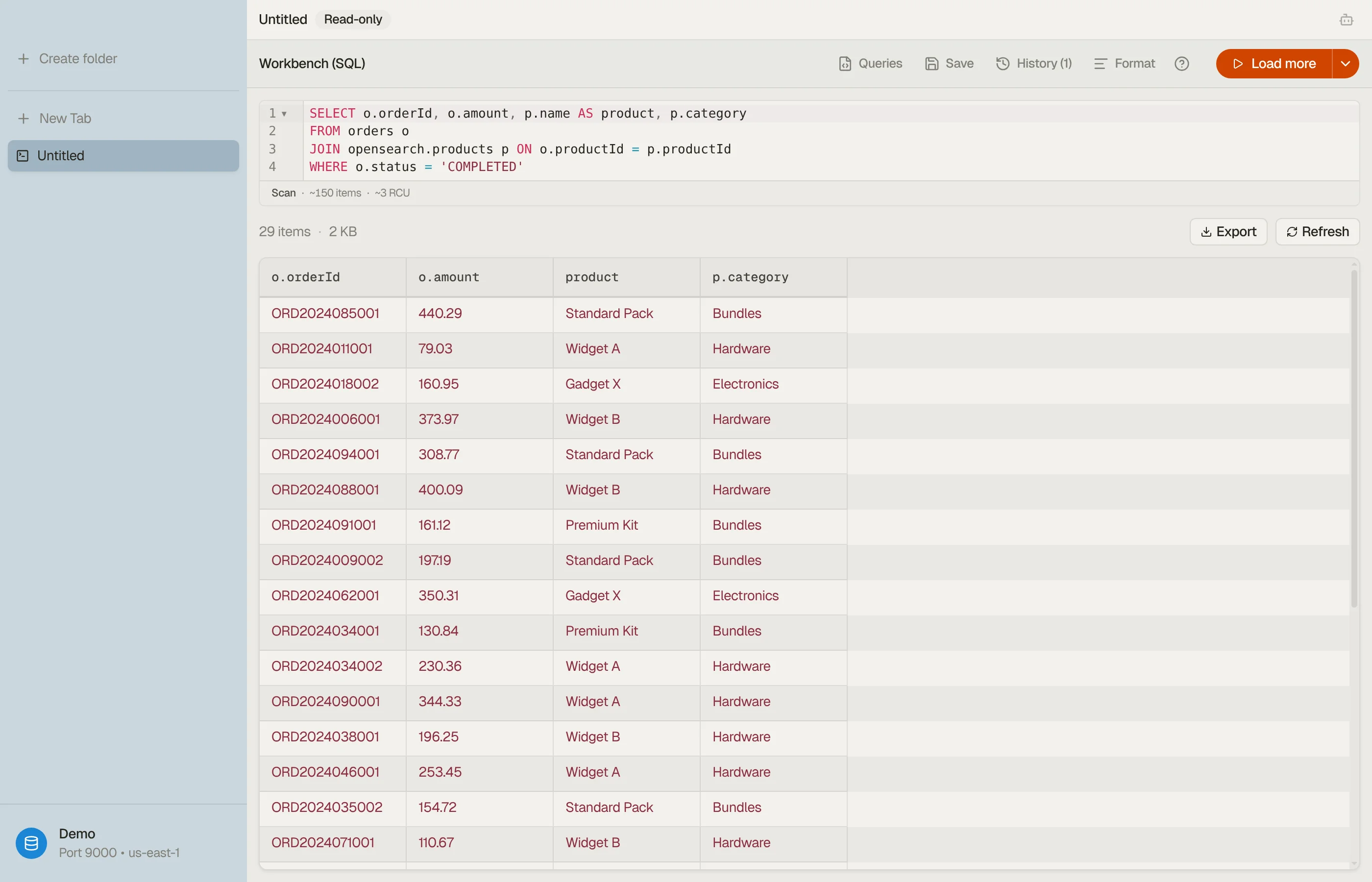
HAVING SUM(o.total) > 1000Join two indices, quoting a name that holds a hyphen. The name field of the
services index is a keyword field:
SELECT e.message, e.level, s.owner
FROM opensearch."app-logs" e
LEFT JOIN opensearch.services s ON e.service = s.name
WHERE e.level = 'error'

Smart Tables with indices
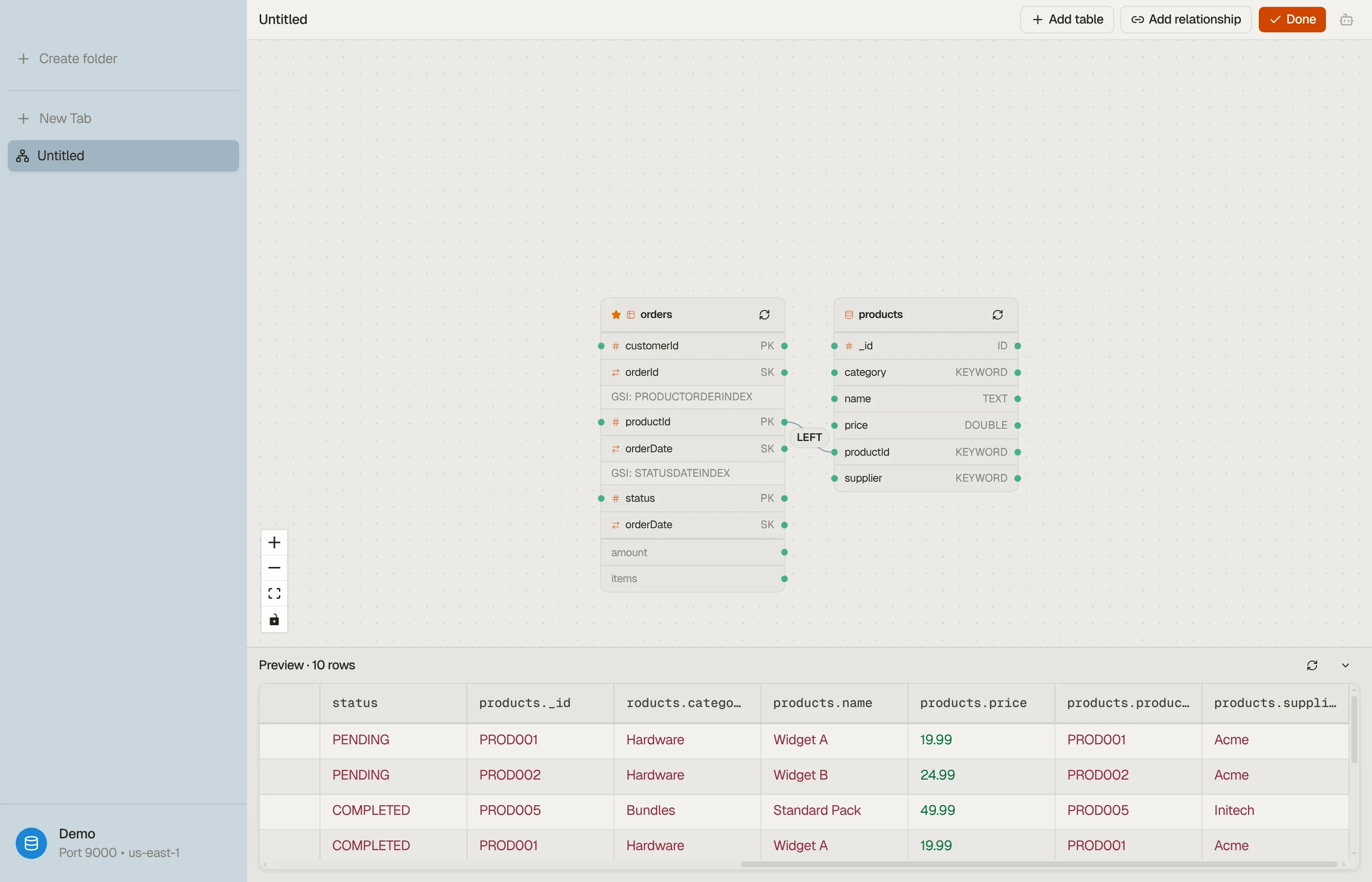
In Configure mode, Add table lists your indices next to your tables, grouped by domain or collection. An index node shows one row per top-level field, and only the fields that can be join targets accept a relationship. Add relationship offers the same fields.
An index can be the base of a Smart Table or a related member. A table and an
index with the same name can both be members; the index is labelled
opensearch: and its name. Filters in Data mode apply to the base, whether it
is a table or an index.
One Smart Table can't hold two indices with the same name from different domains or collections.


Export the result
A Workbench or Smart Table result with an index in it exports to a file like any other: see Export.