OpenSearch index management and mappings
Create an index, read its OpenSearch mapping and field stats, change its settings, delete it, or copy its definition as code. An index has the same dialog a table has, with the parts that apply to OpenSearch. Open it with Index settings in the index tab's toolbar. Creating, changing and deleting an index needs a Trialing or Active license; reading the dialog doesn't.
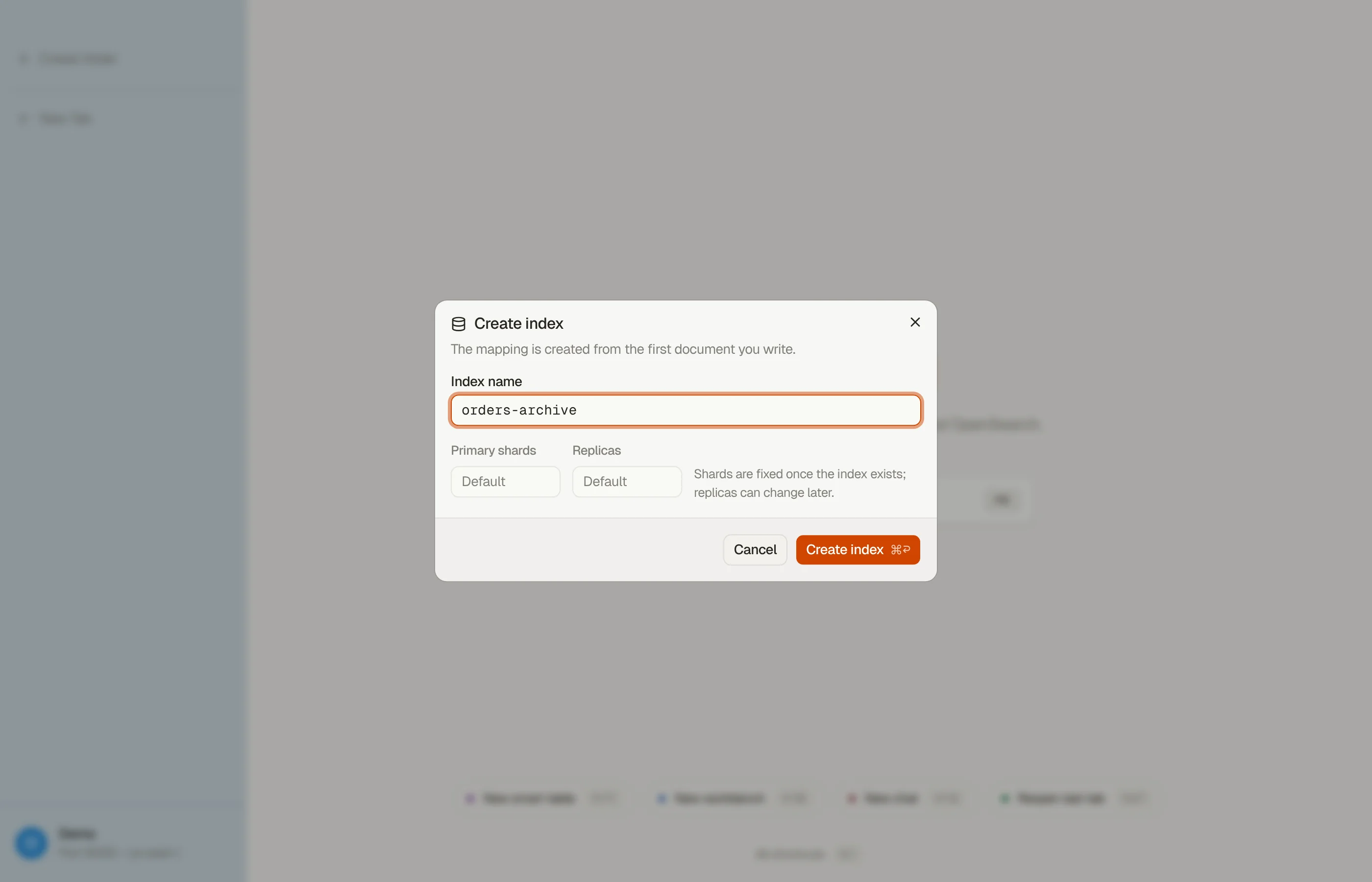
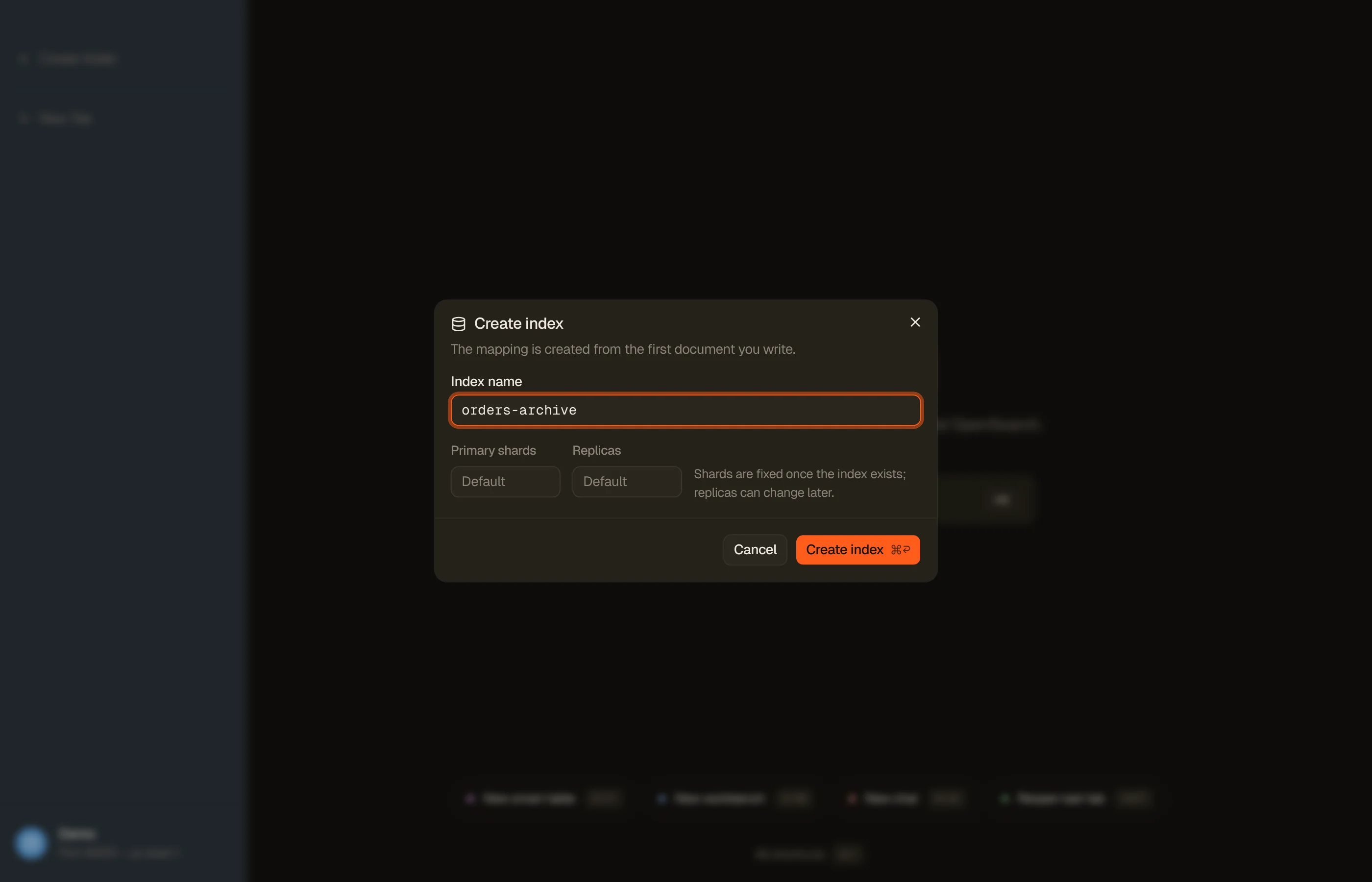
Create an index
Pick New index in ⌘K, or right-click empty space in the sidebar. The form asks for:
- Target: the domain or collection, shown only when the profile reaches more than one.
- Name: lowercase, at most 255 bytes, with no spaces and none of
\ / * ? " < > | , # :. It can't start with_,-,+or.. The form names the rule a name breaks. - Shards and Replicas: optional, left blank for the server default. Only on a managed domain or a self-hosted endpoint.
The new index opens in a tab. There is no mapping editor: OpenSearch maps the
index from the first document you write. Create the index through the REST API
when it needs an explicit mapping, such as a knn_vector field.


Overview
The Overview pane reads the index live: Docs, Size (every copy,
replicas included) and Avg document, then the Doc key (_id) and facts
such as health, primary size, deleted docs, primary shards, replicas, refresh
interval, creation date, endpoint and UUID. A fact OpenSearch doesn't return
shows —. An alias shows the indices it points at.
Mapping
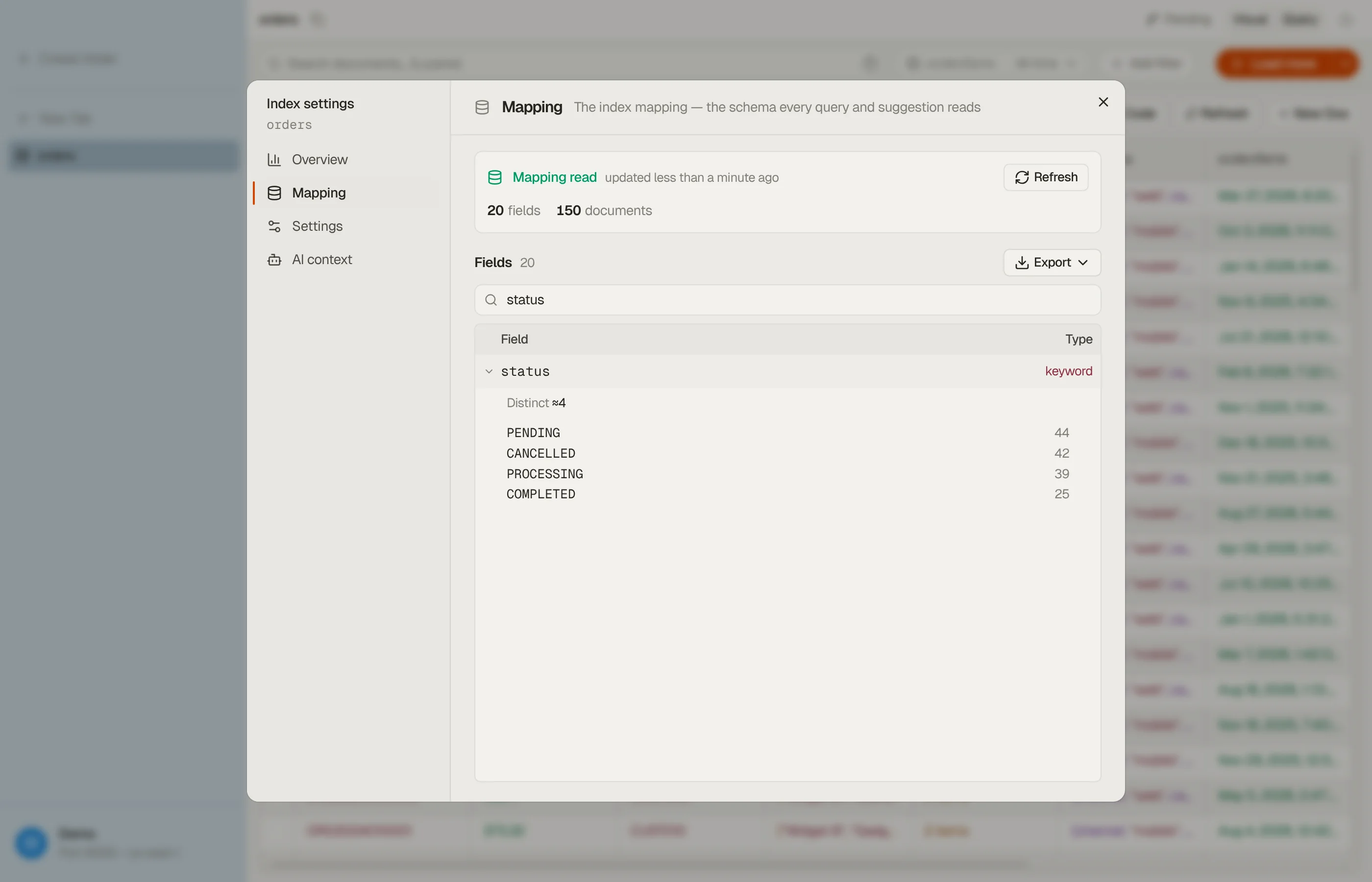
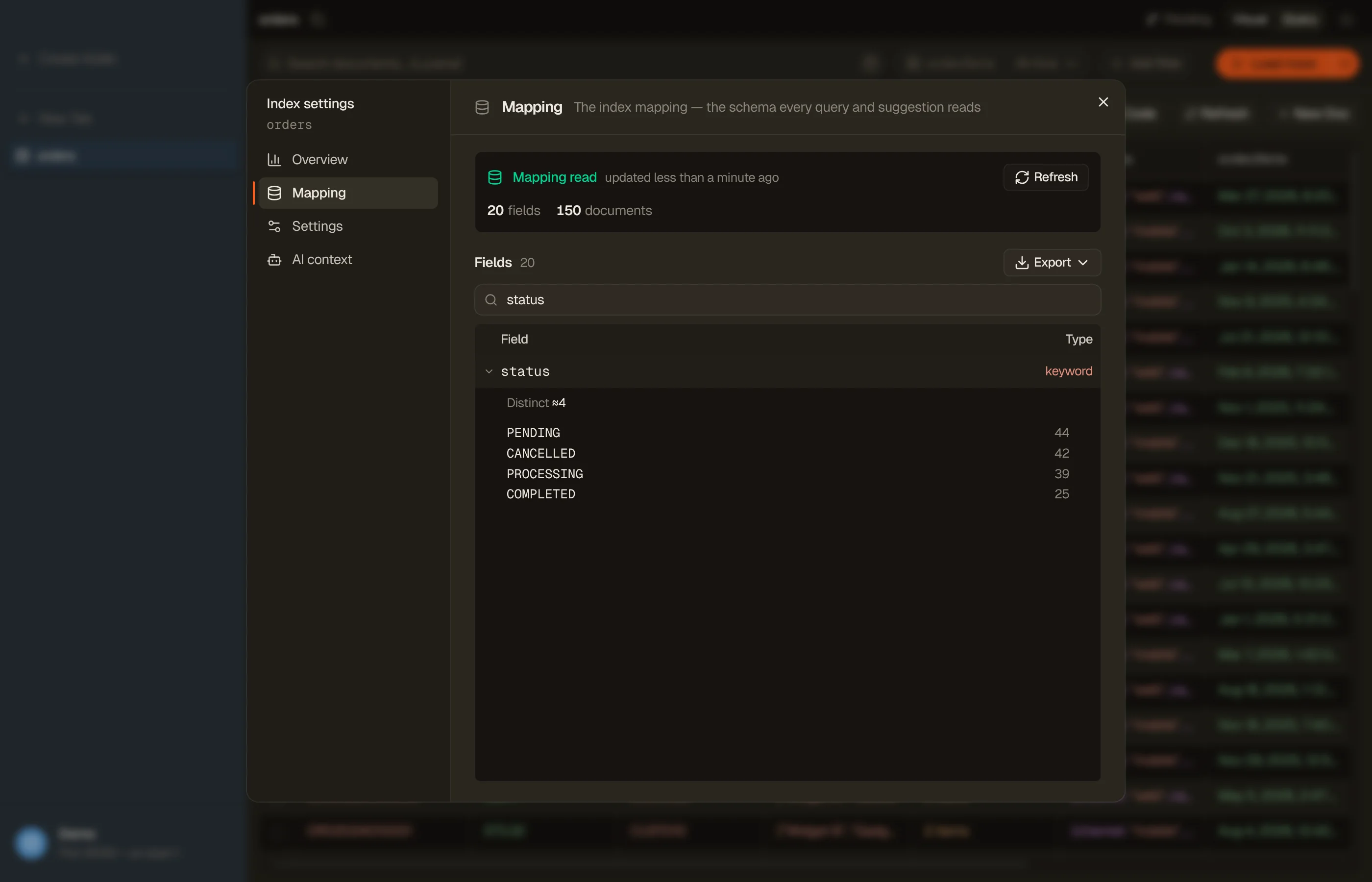
The Mapping pane lists every field the mapping declares, nested objects included, with its mapping type. Filter by name when the list is long. Expand a field to see its most common values and, for numeric and date fields, how its values spread. Refresh reads the mapping again.
Export turns the mapping into a TypeScript, Zod or JSON Schema, as the table schema export does. Every field is marked optional, because a mapping doesn't say which fields a document must have.


Settings
On a managed domain or a self-hosted endpoint, Settings changes two things:
- Replicas: asks you to confirm first, since every replica is a full copy of the index's primary shards.
- Refresh interval: a value such as
1sor30s, or-1to stop refreshing. It applies at once. A bare number without a unit is refused.
The number of primary shards is fixed when the index is created, so Overview shows it as a fact. A Serverless collection manages these settings itself, so the pane shows only the delete. An alias gets a note and no controls: a change through an alias would land on every index behind it.
Delete an index
The Danger zone at the end of Settings deletes the index once you type its name. Every document in it goes with it, and OpenSearch has no deletion protection to stop it. Open tabs on the index close. A table or another domain's index with the same name is not touched.
AI context
AI context holds a note the AI assistant reads whenever it works with this index: what the fields mean, which values matter. With a Team Workspace, a team note sits beside your own. An index's notes are separate from a table's with the same name.
Copy the definition as code
Code in the index toolbar copies the index's definition under Index definition:
- REST: a
PUT /<index>request with its settings, mappings and aliases, ready for the Dev Tools console. - Terraform: an
opensearch_indexresource, with an import line and a commented provider block. Settings the resource has no argument for are listed in a comment at the top.
Settings OpenSearch owns, such as the UUID and creation date, are left out. For an alias, the export shows the indices behind it, up to five. Take the result with Copy.