Staging & commit
Item edits, creates, and staged deletes go through a staging area before they touch DynamoDB. Think of it as a git staging area with a safety latch: changes accumulate as reviewable diffs, then ship as transactional batches only when you commit.
PartiQL INSERT, UPDATE, and DELETE statements go
through the same stage — the run button offers Stage & Commit or Stage.
Two gestures skip the review pause by design: ⌘⇧S saves and commits an
item in one step, and ⌘⇧⌫ deletes the selected rows and commits in one
step. Every committed write, one-step or not, lands in the
write history.
How it works
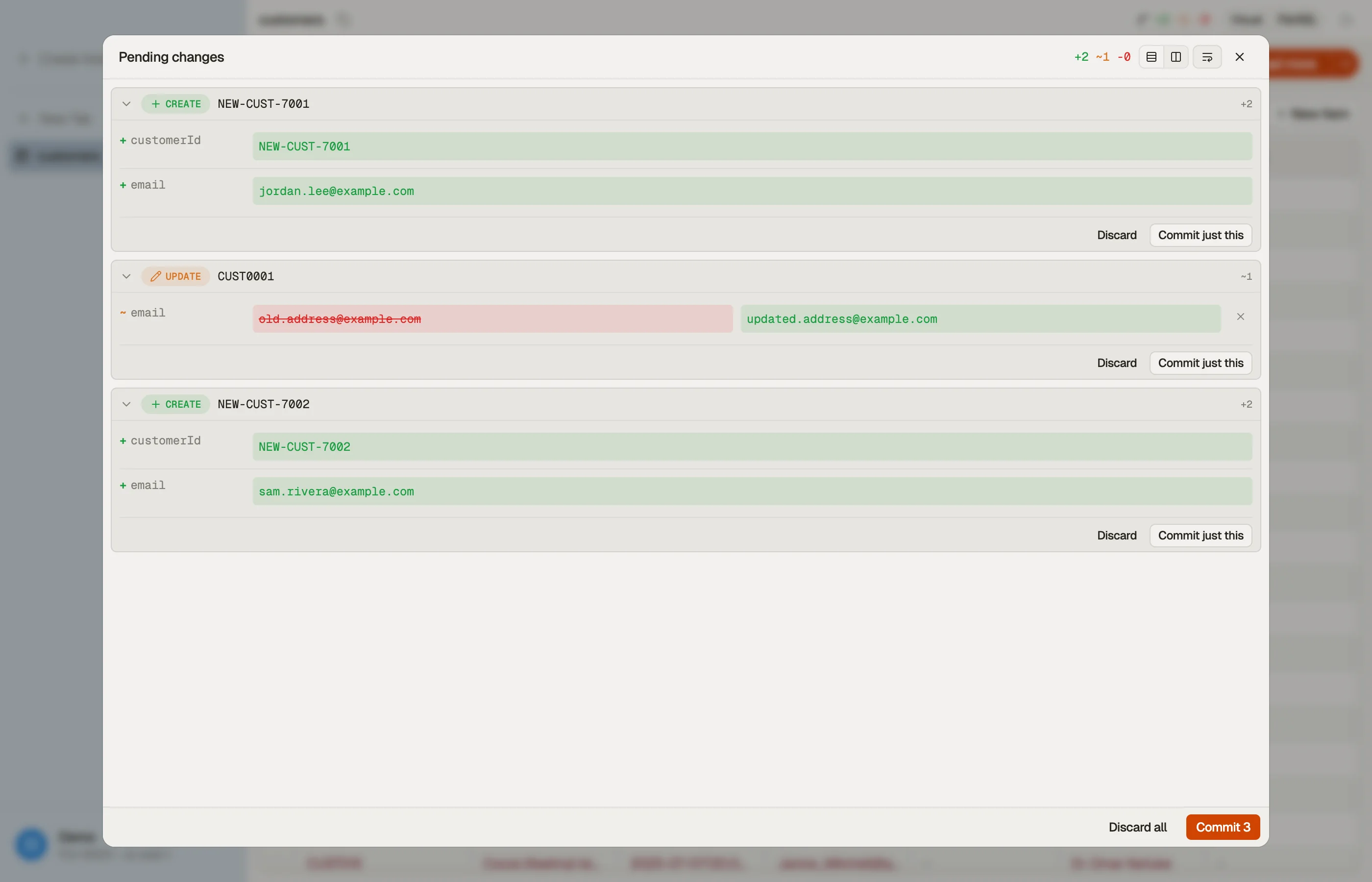
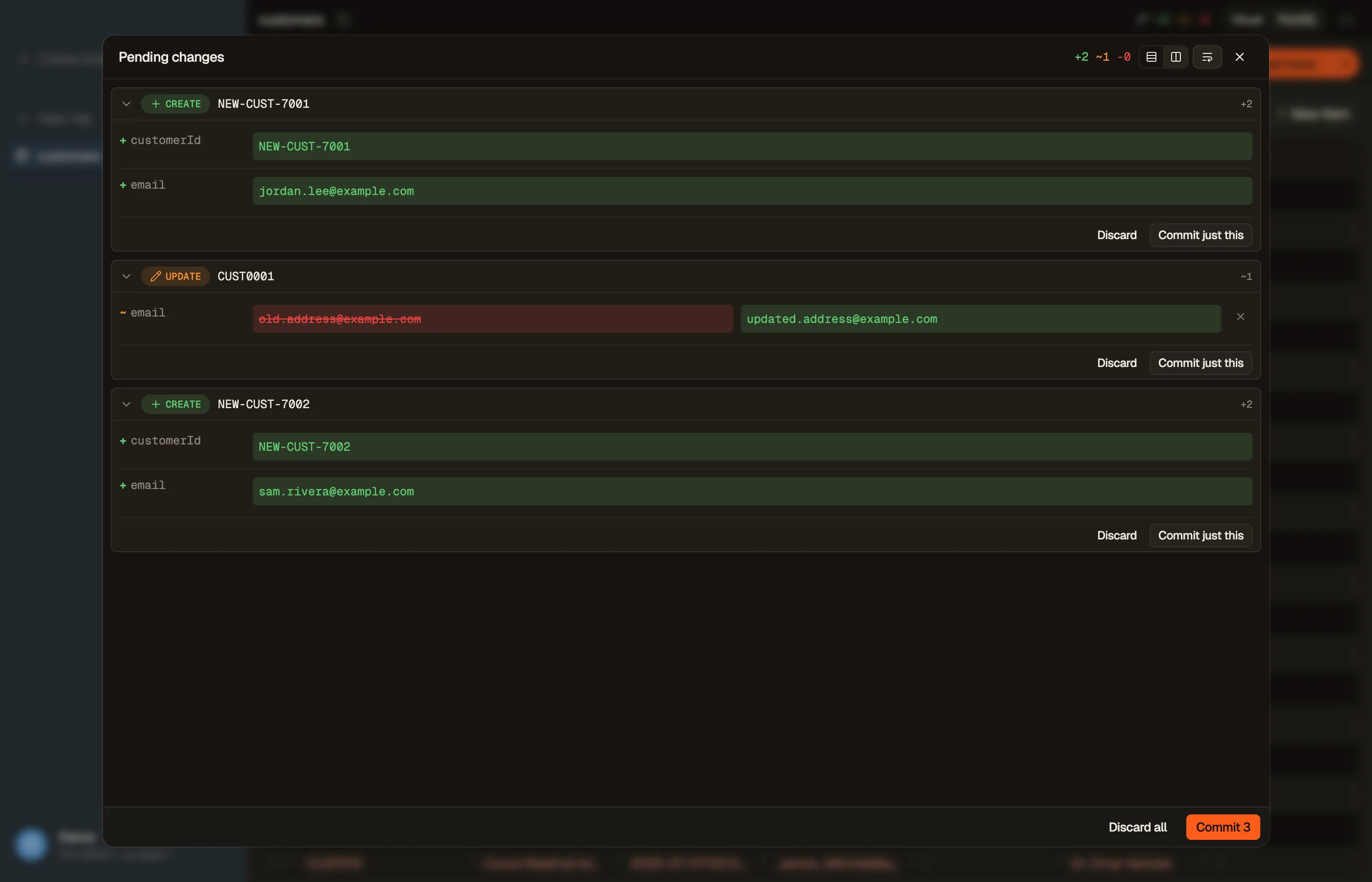
Each table has its own staging area, shared across every view of that table. When you save an item edit, create a row, or delete one, the change lands in the panel as a per-attribute diff — added, removed, and changed attributes shown side by side. Affected rows in the grid are tinted by operation:
- green — a new item (create)
- orange — an update (changed cells highlighted)
- red — a deletion (struck through)
Open the same table in two tabs and they show the same pending changes; close and reopen a tab and the stage is still there. Closing a tab never discards your staged changes.
Toggle the panel with ⌘⇧D. Drag its edge to resize it.


Reviewing changes
Each diff card shows exactly what will change:
- Scalars render old → new with red/green highlighting.
- Long strings show an inline word-level diff.
- Maps and Lists render as pretty-printed JSON (whole-attribute in v1).
Use a card's per-attribute Reject to drop a single attribute back to its original value. Reject every attribute and the whole change is discarded.
Committing
Commit to write your staged changes to DynamoDB:
- Commit N ships every staged change for that table — across all its tabs.
- Commit just this ships a single change from its card.
Commits go out as TransactWriteItems batches with optimistic-locking
conditions: an update only succeeds if the attributes still hold the values you
started from, a create only succeeds if the item doesn't already exist, and a
delete only succeeds if the item is still there. The
expression builder on this site composes the
same UpdateExpression and ConditionExpression shapes if you want to inspect them
outside the staging panel. Large stages are automatically chunked to stay within
DynamoDB's transaction limits.
The save chords from the editor apply here too:
- ⌘S — stage (no commit)
- ⌘⇧S — save & commit
- ⌘⇧X — discard all staged changes (with confirmation)
From a grid selection you can stage deletes without opening the editor:
- ⌘⌫ — stage a delete of the selected rows
- ⌘⇧⌫ — delete & commit the selected rows
Conflicts
Because commits use optimistic locking, a change committed by someone else after you staged yours is detected rather than silently overwritten. The card shows an inline banner:
- Drift — the remote item changed underneath you. Rebase onto remote refreshes the baseline so you can re-review, or Abort the change.
- Remote deleted — the item no longer exists. Abort the change.
- Network unavailable — the commit couldn't reach DynamoDB. Retry or abort.
A commit halts on the first failed batch — earlier successful batches stay written, the rest are not attempted, and the failures surface as conflicts to resolve.
Write history and Revert
DynoTable keeps a local history of every write that goes through staging:
item edits, creates, and deletes, PartiQL INSERT / UPDATE / DELETE
statements, batch deletes, and writes the AI agent
staged for you. An import writes through a separate
path and is not recorded. Open the History tab of the staging panel
(Pending changes) to see them.
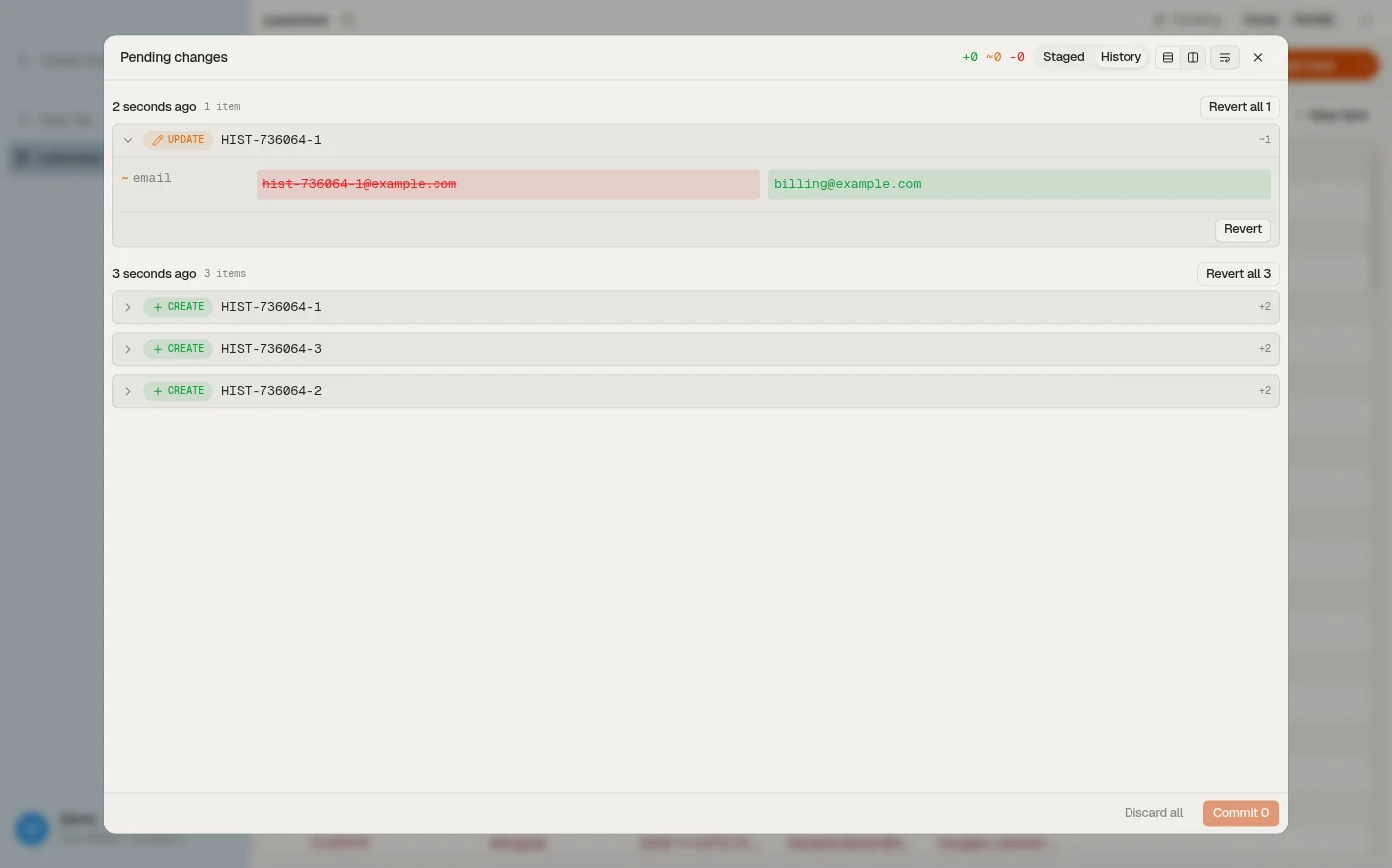
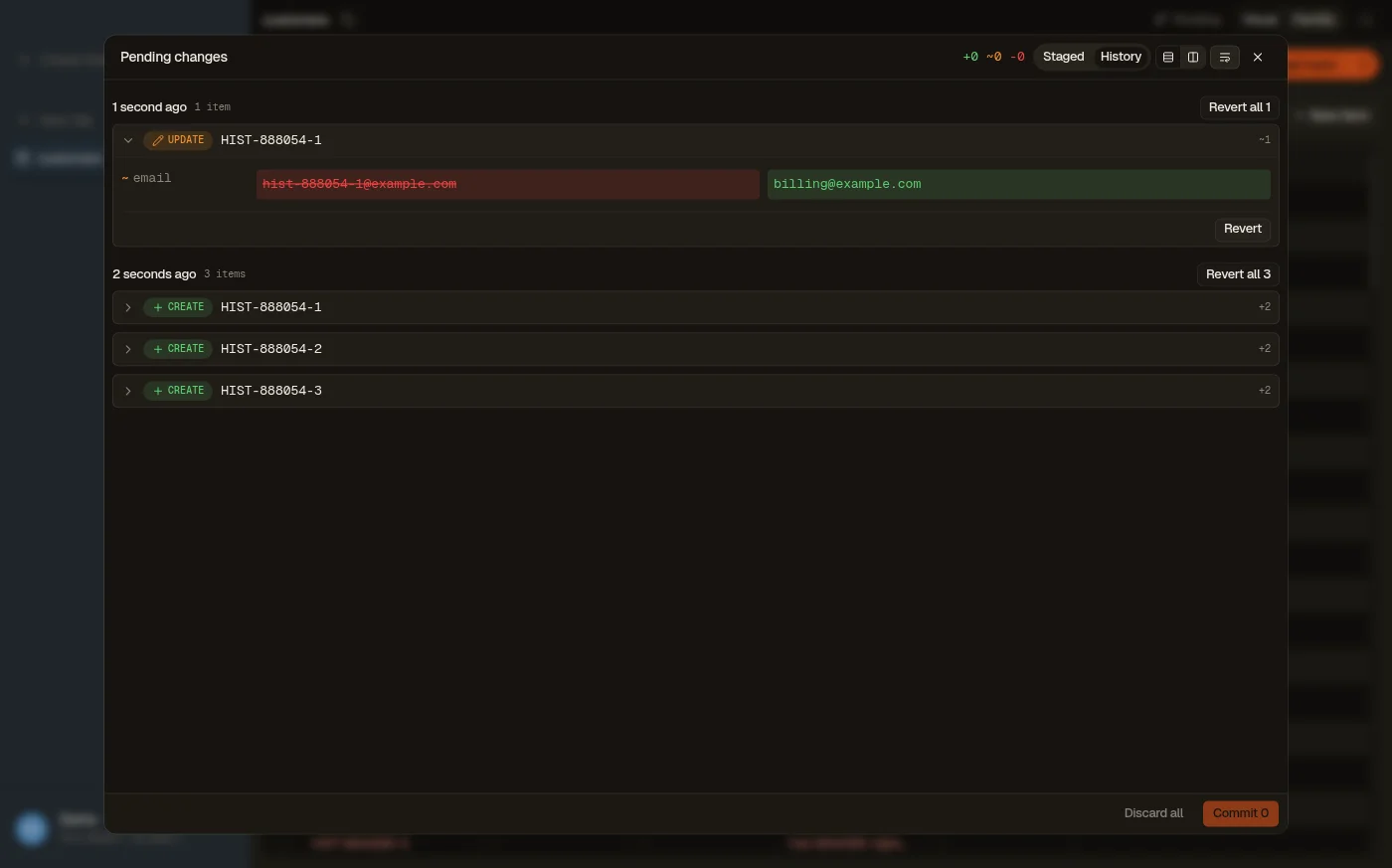
Entries are grouped by commit. Each one shows the per-attribute diff — what every attribute looked like before and after — and how the write was made: an item edit, a PartiQL statement (with the statement text), the AI agent, or a batch delete. A batch delete records each deleted item in full, read just before the delete ran, so it can be brought back exactly as it was.
Revert stages the exact inverse of a write as an ordinary pending change. Revert a single item or a whole commit, then review the diff and commit it like any other change — a revert is never written silently. If the item changed in DynamoDB after the write you are reverting, the revert surfaces a conflict instead of overwriting the newer value.


History is local to this machine. It is a convenience for undoing your own writes, not a shared audit log — nobody else on the team sees it, and it keeps only recent commits. The panel says when older entries are hidden.
Three limits to know before you rely on a revert:
- Reverting a create removes the whole item, including attributes added to it after that commit.
- Reverting a batch delete restores the item as it was read before the delete. A write that raced the delete is lost.
- Very wide items (about 150 attributes or more) cannot be reverted.
What blocks commits
Editing, staging, and committing all need a Trialing or Active license. A read-only state blocks the whole path, not just the commit — it unlocks again once the app is back to an active state.