PartiQL
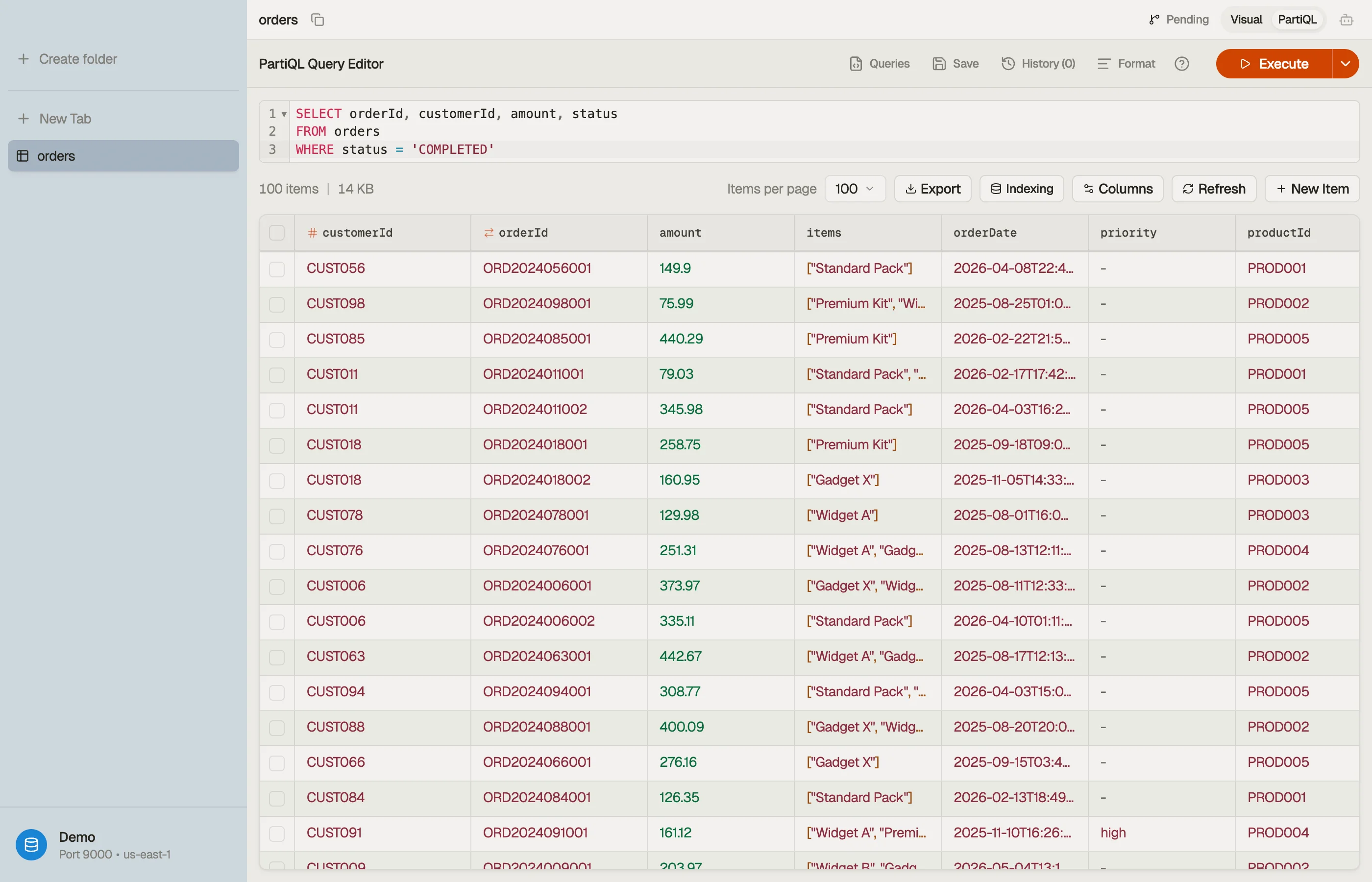
PartiQL is DynamoDB's SQL-compatible query language. Switch any table tab to
PartiQL mode (⌘⇧M) to write SELECT, INSERT, UPDATE, and
DELETE statements directly instead of clicking filter
pills.
Completion stays within the current table: the editor suggests its indexed
fields and values, plus a $table placeholder. It does not offer a table picker.
See Table overview and indexing for how the local index is built.
Switching a tab into PartiQL mode auto-runs the default SELECT * FROM "table"
scan — the direct equivalent of opening the table in the visual
view. Once you edit the statement, running it is up to you:
press ⌘↩ to execute. Results stream in, and Load more fetches the
next pages. For a write statement the same chord stages it — see
Write templates.
PartiQL uses the same query plan and cost preview as the Workbench.
SELECT * FROM "my-table" WHERE pk = 'USER#42' AND begins_with(sk, 'ORDER#')

PartiQL is not SQL
DynamoDB's PartiQL is a deliberate subset. The editor lints your query as you type and flags constructs DynamoDB won't run. Some diagnostics include a one-click quick fix. The common gotchas:
INuses brackets, not parentheses —WHERE id IN ['a', 'b'], not('a', 'b'). Quick-fix rewrites it. The linter also warns when the list runs past DynamoDB's caps (50 values on a partition-key column, 100 on a non-key column) before the server would reject it.- No
LIMITclause — page size is a tab control, not SQL. Use Load more. - No
JOIN,GROUP BY,HAVING, aggregates, subqueries,UNION, or CTEs. For joins and aggregates, open a Workbench tab — the linter points you there. Subqueries,UNION, and CTEs aren't available there either. LIKE→ function —LIKE '%foo%'becomescontains(col, 'foo'),'foo%'becomesbegins_with(col, 'foo'). Quick-fix offered.IS NULL/IS NOT NULL→attribute_not_exists(col)/attribute_exists(col). Quick-fix offered (note the inverse mapping).- Single-quote string literals —
'value', not"value". Double quotes mean an identifier.
The format-help popover next to the Run button lists these inline whenever you need a reminder. Attribute names that clash with DynamoDB reserved words need aliases — the reserved words checker flags them and generates an ExpressionAttributeNames map you can paste into PartiQL or SDK calls.
Templates & saved queries
The Queries menu drops ready-made statements into the editor, resolved
against the active table's real keys and a sampled value — so a SELECT template
arrives already referencing your partition key, not a placeholder. Tab through
the highlighted holes to fill in the rest.
Keep a statement you'll reuse with the Save button — your saved queries live in the same menu alongside the templates. A PartiQL save is bound to the table and region it was written for; Workbench saves are the ones that travel between tables. Workbench and PartiQL keep separate libraries, since they speak different query languages.
Write templates
INSERT / UPDATE / DELETE templates use synthetic DEMO-* keys on purpose,
so running one straight away can't accidentally mutate a real row. They're
designed to run in order — insert, then update, then delete the same demo item —
and you edit the keys to target real data.
History
Every executed query is saved to per-mode history (separate from the Workbench's). Reopen the history menu to restore a previous statement into the editor — including failed runs, so you can fix and retry.