SQL Workbench
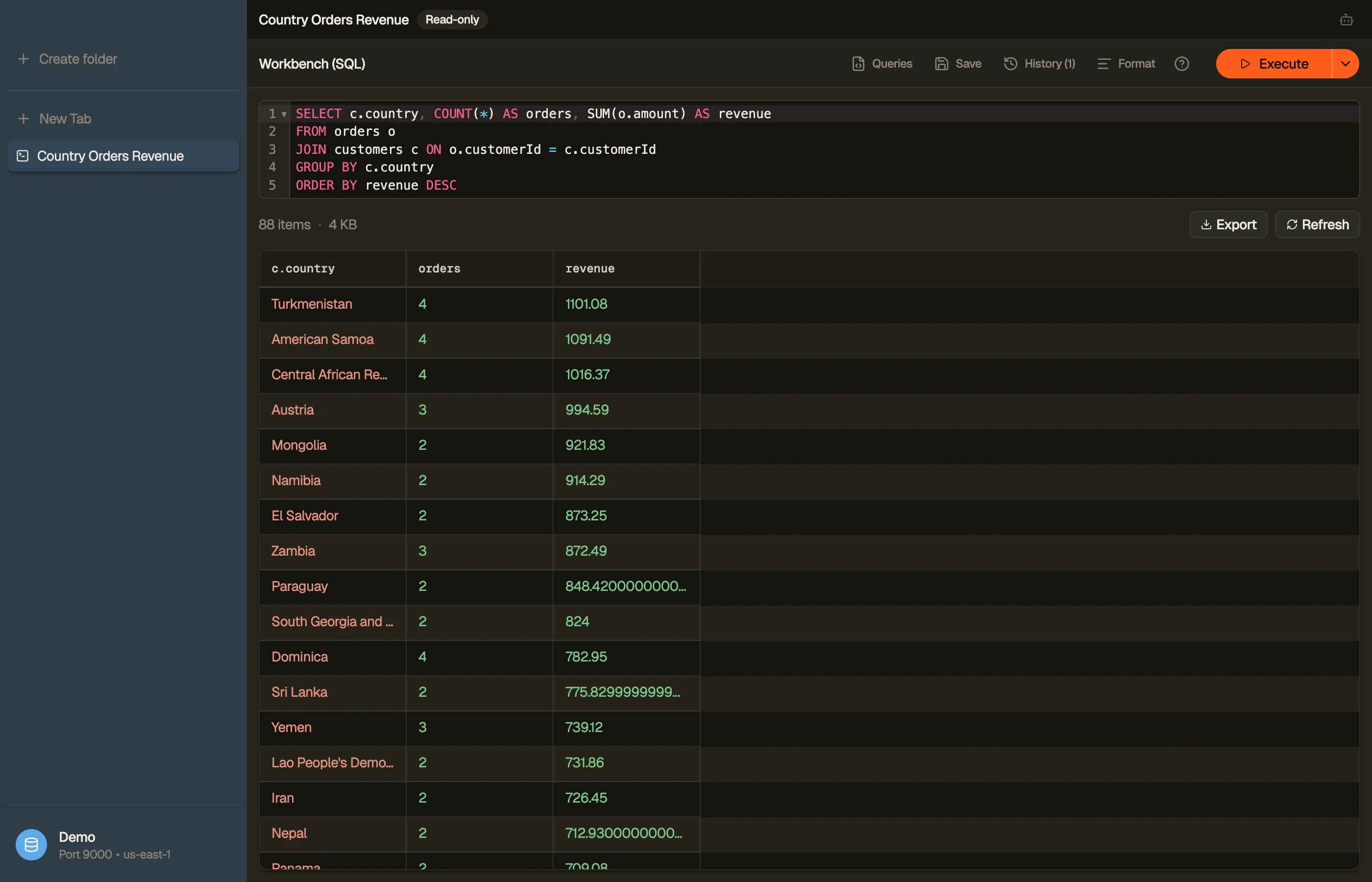
The Workbench is a SQL authoring tab that runs real JOIN, GROUP BY, and
aggregate queries across your DynamoDB tables — the things PartiQL
can't do. It's SQL within DynamoDB's access-pattern rules: you write a single
SELECT, a compiler checks that every join reads through a real key or index,
materializes the joined rows, and runs your full SQL on top.
Open one from the sidebar right-click menu (New Workbench), the ⌘⌥B shortcut, or File → New Workbench. Write SQL, then press ⌘↩ to run.
SELECT c.email, COUNT(*) AS orders, SUM(o.total) AS revenue
FROM orders o
JOIN customers c ON o.customerId = c.id
GROUP BY c.email
ORDER BY revenue DESC


What it supports
A single SELECT statement with:
JOIN ... ON ...—INNERandLEFTjoins across tables.- Aggregates —
COUNT,SUM,AVG,MIN,MAX, plusGROUP BYandHAVING. WHERE,DISTINCT,CASE,CAST,ORDER BY.
While an aggregate query is still streaming, a partial badge marks the affected
columns — the numbers refine as more pages arrive.
The access-pattern rule
DynamoDB has no server-side joins. The Workbench compiler enforces what
DynamoDB can do: each JOIN's to-side attribute must be a partition key or a
partition key on the target table, so every lookup is a real query, never a
hidden full-table per row.
If a join points at a non-key attribute, the editor underlines it and explains why. Other constructs the compiler rejects up front, with a precise squiggle:
RIGHT/FULL OUTER/CROSSjoins and comma-joins (onlyINNER/LEFT).- Subqueries, CTEs (
WITH),UNION/INTERSECT/EXCEPT. - Window functions (
OVER), multiple statements, anything that isn't aSELECT.
Read-only
A Workbench is always read-only. There's no editing, staging, or batch-delete — it's an analysis surface. Running a query never writes to your tables.
Identifiers follow standard SQL casing: unquoted names match
case-insensitively (WHERE PLATFORM finds platform); wrap a name in quotes or
backticks for exact-case matching.
Running, templates, and history
- Run — ⌘↩ in the editor, the Run button, or ⌘R to re-execute. Workbench tabs never auto-run on open; execution is always deliberate.
- Run to end — ⌘⇧↩, or pick it from the Run button's split menu, to stream the full joined result instead of one page. The page cap lifts and pages keep arriving until the query is exhausted; Stop is the only brake. Handy for large aggregates you want complete in one pass.
- Templates & saved queries — the Queries menu holds starter templates (select-all, filter-by-key, count-by-group, with Tab-through holes) plus any query you keep with Save — your own named queries, reusable on any table. Picking one replaces the editor's contents, so it runs exactly as you saved it.
- History — every run is saved (separately from PartiQL's history), searchable, and restorable — failed runs included, so you can fix and retry.
A Workbench tab is a saved spec — name it, reopen it from ⌘K, and it survives reloads. You can also export its joined results.
Workbench vs Smart Table
Both run the same join engine; they're two ways to author the same thing:
- Workbench is the SQL lane — type a query, get aggregates and resolved attributes.
- Smart Table is the visual lane — draw the joins on a canvas and browse the joined rows like a normal table.