DynamoDB Streams
DynamoDB Streams is a change-data-capture log: every insert, update, and delete on a table is captured, in order, as a stream of records you can react to. It's how you turn a table into an event source without polling it.
In the audit-log scenario you want to react the instant a sensitive event lands — fire an alert when someone exports an invoice or grants an admin role — without scanning the table on a timer. Streams is the push side of that.
How do DynamoDB Streams work?
DynamoDB Streams capture every insert, update, and delete on a table as a time-ordered, deduplicated log of records, retained for up to 24 hours. You choose what each record carries with StreamViewType (keys, new image, old image, or both), then consume the stream with a Lambda trigger to react to item changes without polling.
- Streams captures item-level changes as a time-ordered, deduplicated log, retained for up to 24 hours.
- You choose what each record carries via
StreamViewType: keys only, the new image, the old image, or both old and new. - Records are ordered within a , and a stream is sharded the same way the table is.
- The native consumer is Lambda — a trigger that runs per batch of new records, with Kinesis Data Streams as the alternative for richer fan-out.
The problem: reacting without polling
You need "alert me when a role.granted event is written." The naïve approach is
a scheduled job that scans for new events every minute — which reads the whole
recent partition every time, costs capacity, and is always at least a minute
late.
What you actually want is a push: DynamoDB tells you the moment an item changes. That's exactly what Streams provides, with the change record delivered to your code instead of you hunting for it.
How Streams works
Per the AWS docs, DynamoDB Streams stores "a deduplicated, time-ordered log of changes for up to 24 hours" with native Lambda integration (change data capture for DynamoDB). Each record describes one item-level modification.
When you enable a stream you pick a StreamViewType, which controls how much
of the changed item each record carries:
| StreamViewType | each record contains |
|---|---|
| KEYS_ONLY | only the key attributes of the changed item |
| NEW_IMAGE | the entire item as it looks after the change |
| OLD_IMAGE | the entire item as it looked before the change |
| NEW_AND_OLD_IMAGES | both the before and after images |
Records are ordered within each partition key and the stream is sharded along the same partition structure as the table. Retention is 24 hours — Streams is a reaction buffer, not a permanent history. For durable history you store the events themselves (which is exactly what our audit-log table already is).
The native consumer is a Lambda trigger: DynamoDB invokes your function with a batch of new stream records as they arrive.
A worked example: alert on sensitive audit events
The audit-log table gets a stream with NEW_IMAGE, so each record carries the
full new event. A Lambda consumes the batch and forwards only the records that
matter:
| stream record (NEW_IMAGE) | consumer action | ||
|---|---|---|---|
| TENANT#acme | EVENT#…#a2 | action=invoice.export | send to SIEM |
| TENANT#globex EVENT#…#b9 action=role.granted | page on-call | ||
| TENANT#acme | EVENT#…#a1 | action=login.success | ignore |
The function never touches the table — it reacts purely to what the stream hands it. No polling, no scan, and the alert fires within seconds of the write. Because records are ordered per partition key, all of one tenant's events arrive in the order they were written.
This is also the standard way to maintain a downstream copy: a stream consumer can project each event into OpenSearch for full-text audit search, or aggregate counts — all derived from the same change log.
Do it in DynoTable
Before you wire up a stream consumer, you need to know the exact shape of the
item your Lambda will receive — which attributes exist, how nested maps and lists
look, what a NEW_IMAGE record will actually contain.
To convert a sample item between plain JSON and the attribute-value shape a stream
record uses, the DynamoDB JSON Converter does it in
your browser. And in DynoTable, you can inspect the full item — including its
DynamoDB-JSON form — so you model the NEW_IMAGE record against real data instead of
guessing the field shape.

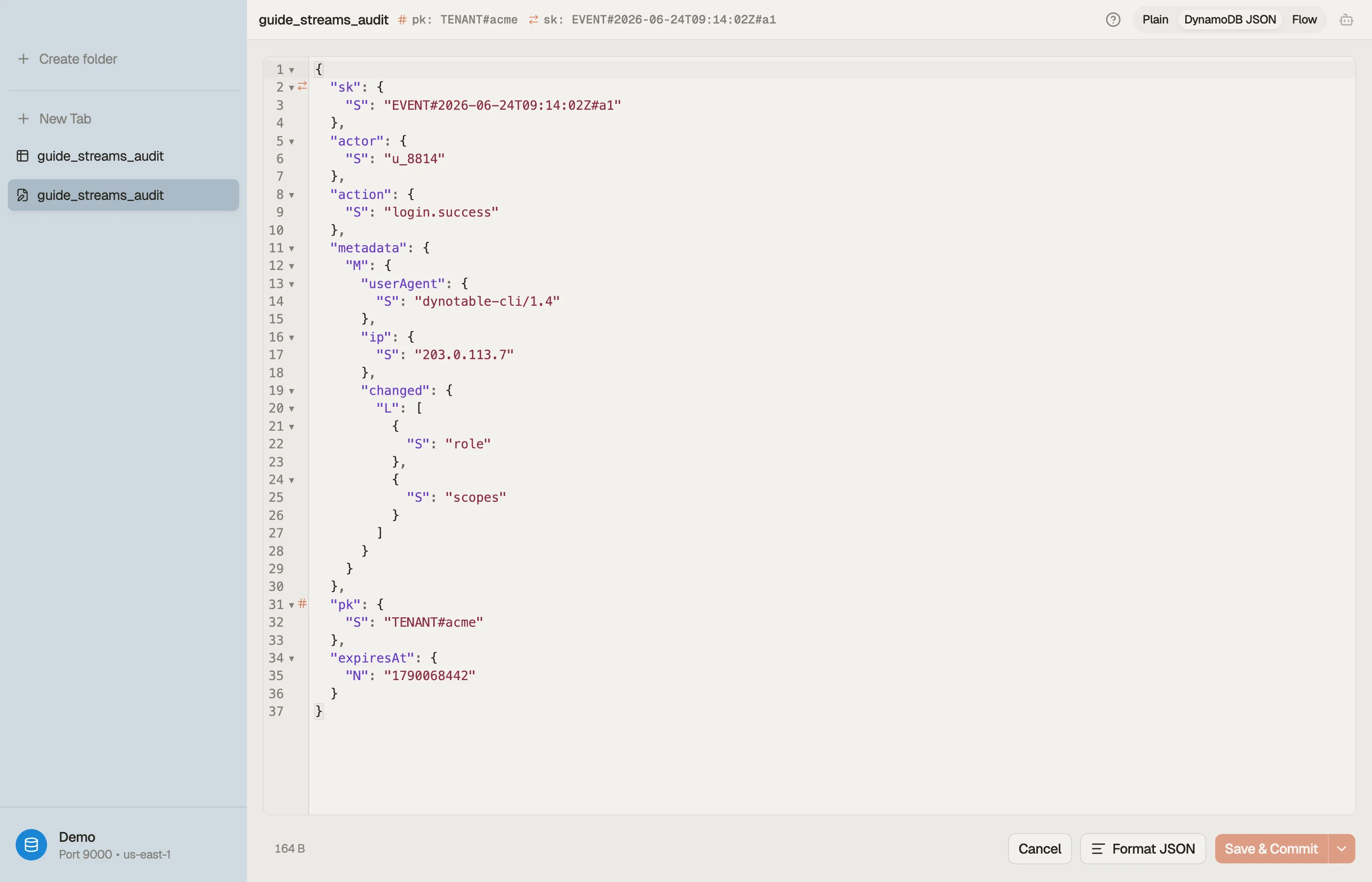

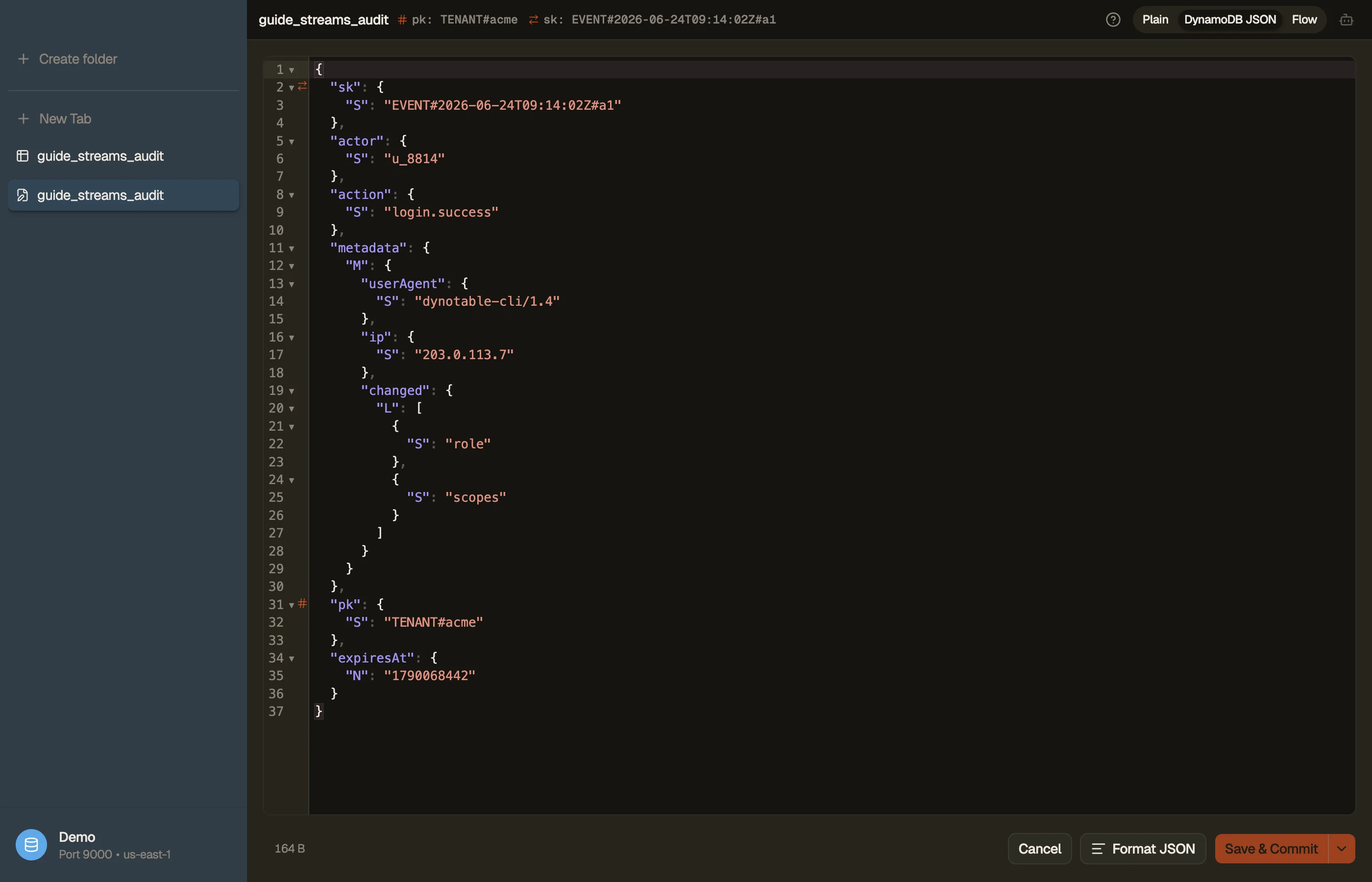
If you're testing a consumer locally, run the table against DynamoDB Local and inspect it the same way — see connect to DynamoDB Local.
Pitfalls and next steps
- 24 hours is not a backlog. If your consumer is down for a day, records age out and are gone. Streams is for near-real-time reaction, not durable replay — keep the events themselves for history.
- Pick the smallest
StreamViewTypeyou need.NEW_AND_OLD_IMAGESdoubles the payload; if you only need the key to go re-read the item,KEYS_ONLYis cheaper. - Ordering is per partition key, not global. Events for two different tenants have no ordering guarantee between them — only within one tenant's partition.
- TTL deletes show up as stream records with the system-attribute marker, which is how you archive expiring items — see DynamoDB TTL.
Streams turns the audit log into an event source. The next operational concern is the opposite end of an item's life — expiring old events automatically with DynamoDB TTL.
Download DynoTable to inspect the exact item shape your stream consumer will receive before you write a line of Lambda code.