DynamoDB Index Projections: KEYS_ONLY, INCLUDE & ALL
When you create a secondary index, DynamoDB doesn't automatically copy the whole item into it. You choose what gets copied — the index's projection. Pick too little and your queries pay a second read to fetch the rest; pick everything and you pay extra storage and write cost on every update. It's a tradeoff you set once at index creation and live with.
(Don't confuse this with a projection expression, which trims the attributes a single read returns. This page is about what an index physically stores — see projection expressions for the other one.)
What is a DynamoDB index projection?
A projection is the set of attributes DynamoDB copies from the base table into a secondary index. You pick one of three types: KEYS_ONLY (just the keys), INCLUDE (keys plus a named list of attributes), or ALL (the whole item). More projection means fewer base-table fetches but higher storage and write cost.
- A projection is the set of attributes copied into a secondary index.
KEYS_ONLY— only the table and index keys. Smallest, cheapest.INCLUDE— the keys plus a named list of extra attributes you choose.ALL— every attribute of the item. Largest; queries never need the base table.- Reading an attribute that isn't projected forces a fetch from the base table for a GSI — a silent extra cost. (An LSI can fetch non-projected attributes for you, at extra read cost.)
- More projection = more storage + more write cost, since every base-table write propagates to the index.
The problem: the index that makes you read twice
Say you run a support desk with a GSI that lets you list open tickets by priority.
You project KEYS_ONLY to keep it lean. The query returns fast — but it only gives you
ticket IDs, and your queue screen needs each ticket's subject, assignee, and age.
So now your code does a second round of reads against the base table to hydrate every result. The "one query" you designed is actually a query plus N gets, and the latency and cost you were trying to save came right back. The projection was too thin for the access pattern.
What each projection type copies
KEYS_ONLYstores just the base-table key and the index key. Use it when the query only needs to know which items match and you'll fetch details elsewhere — or not at all.INCLUDEstores the keys plus a fixed list of attributes you name. The sweet spot: project exactly the fields your query needs to render, and nothing more.ALLcopies the entire item. Queries are fully self-served from the index, at the cost of duplicating the whole item's storage and write throughput into it.
For the support-desk queue, INCLUDE with subject, assignee, and age is the
right call — the queue renders from the index alone, with no second fetch and without
duplicating the ticket's large body into the index.
The cost you're trading
Every attribute you project is
stored a second time
and rewritten in the index whenever the base item changes. So a generous ALL
projection on a frequently-updated table multiplies both storage and write capacity.
The discipline is: project what the query reads, not "everything, just in case."
A subtlety worth knowing: with a sparse index, the projection still only holds the
items that carry the index key — so INCLUDE/ALL on a
sparse index stays small because the index itself is
small. Weigh the storage and write multiplier for your projection with the
DynamoDB pricing calculator, and assemble the
index queries themselves with the
DynamoDB expression builder.
Seeing a projection in DynoTable
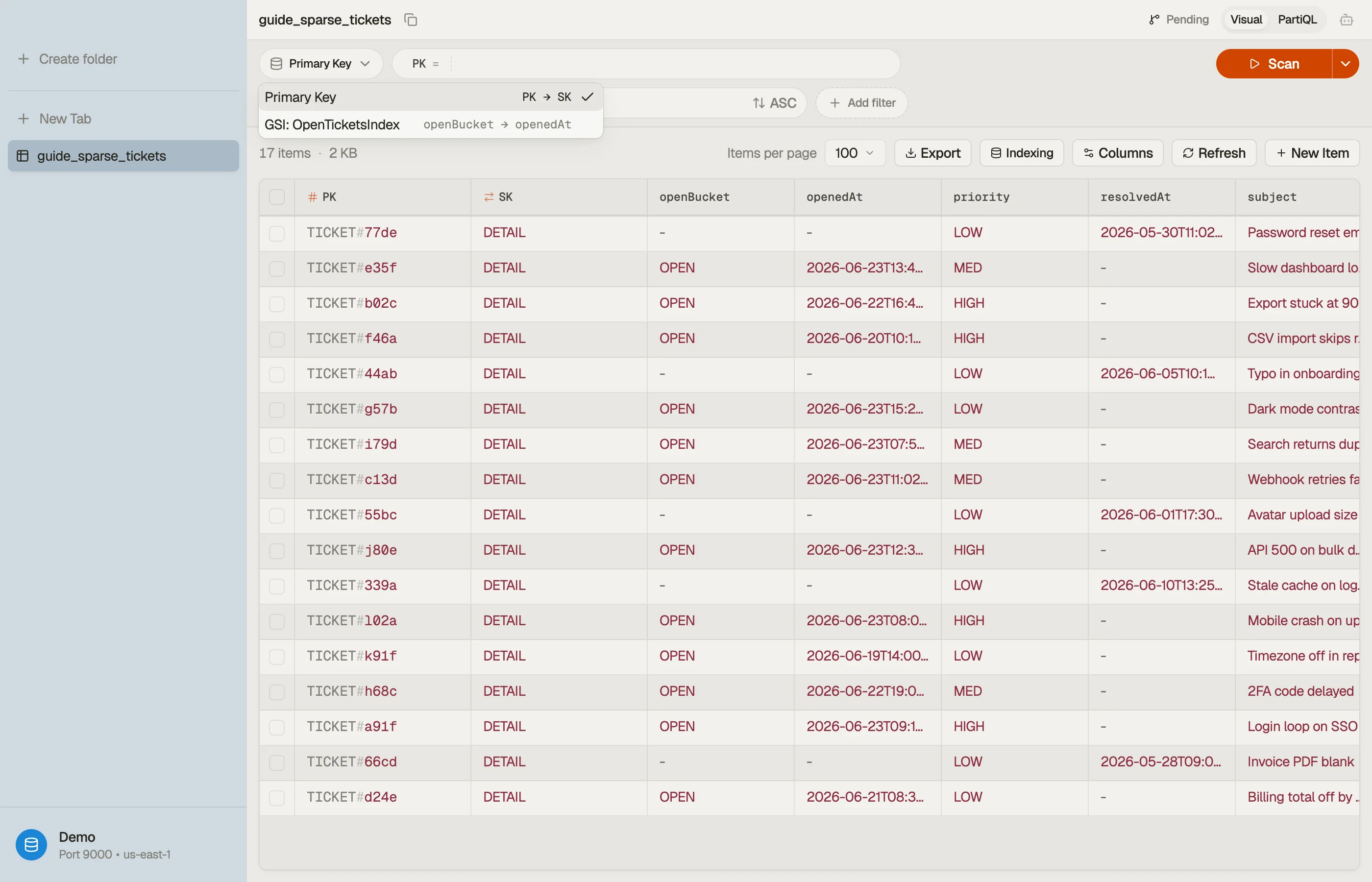
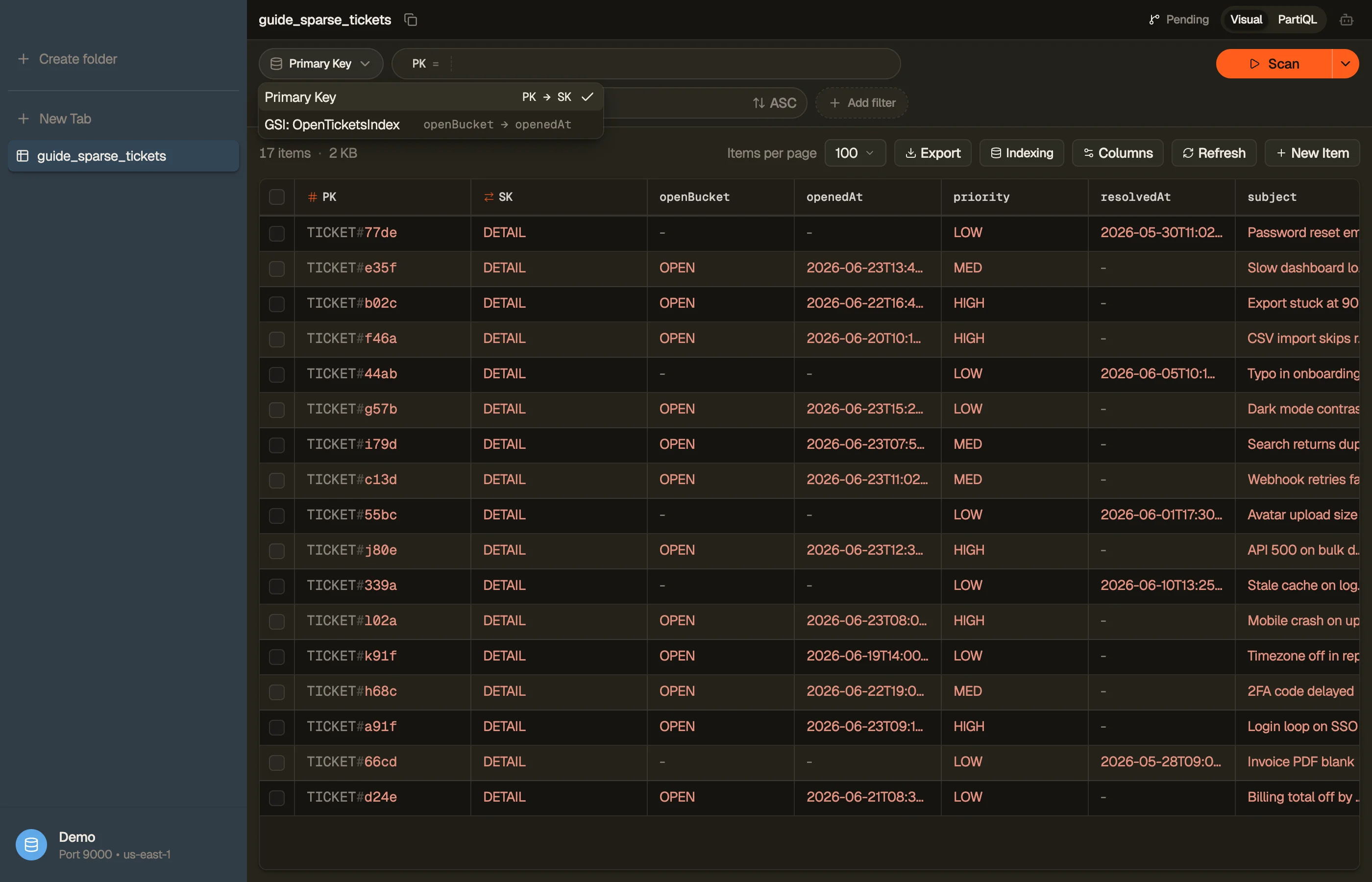
DynoTable lists each of a table's secondary indexes and lets you query straight through one. Run the same access pattern against the base table and against a GSI and compare the results — the attributes missing from the index result are exactly the ones it doesn't project, so a projection's effect is visible without re-reading the table definition.


Pitfalls + next steps
- A non-projected attribute on a GSI means a base-table fetch — design the projection around what the query renders.
ALLis rarely free — it duplicates storage and write cost; default toINCLUDEunless the index genuinely needs every field.- Projections are mostly fixed. You can't freely edit a GSI's projection later without recreating the index — choose deliberately up front.
- Related: GSI vs LSI and sparse indexes shape how much a projection actually stores.
Want to see what each of your indexes actually returns before you redesign them? Download DynoTable and query your tables directly.