DynamoDB Item-Based Actions: GetItem, PutItem, UpdateItem, DeleteItem
DynamoDB's API splits into three families: item-based actions that work on a single
item by its primary key, Query which reads a range within one partition, and
Scan which reads everything. This guide is the first family — the four operations
you use most: GetItem, PutItem, UpdateItem, DeleteItem. They're the cheapest,
fastest calls DynamoDB offers, and getting their distinctions right (especially Put
vs Update) prevents a class of accidental-data-loss bugs.
What are DynamoDB's item-based operations?
DynamoDB's item-based operations are the four calls that act on a single item by its full primary key: GetItem reads it, PutItem creates or completely replaces it, UpdateItem modifies specific attributes in place, and DeleteItem removes it. Each addresses exactly one item, making them the fastest, cheapest calls — unlike Query and Scan, which read many.
GetItem— read one item by its full primary key.PutItem— create or completely replace one item.UpdateItem— create or modify specific attributes of one item in place.DeleteItem— remove one item by its full primary key.- All four require the complete primary key (partition key, plus sort key if the table has one) — they address exactly one item.
PutItemoverwrites the whole item;UpdateItemis surgical — confusing them is how attributes silently disappear.
The defining trait: one item, full key
Every item-based action targets a single item by its complete primary key. That's what makes them fast and cheap — DynamoDB hashes the partition key, goes straight to the item, done. No filtering, no scanning. If you don't know the full key, these aren't the right tool; that's what Query and Scan are for.
Say you run user accounts keyed by USER#<id>:
PK: USER#204 email, displayName, plan, createdAtGetItemonUSER#204→ that user, directly.DeleteItemonUSER#204→ removes that user.
Both need the exact key. No key, no item-based action.
PutItem vs UpdateItem — the one that bites
This is the distinction worth internalising:
PutItemwrites the entire item. IfUSER#204already exists and youPutItemwith just{email, displayName}, the existingplanandcreatedAtattributes are gone — a put replaces the whole item, it doesn't merge.UpdateItemchanges only what you name.UpdateItemwith aSET email = …leaves every other attribute untouched, and creates the item if it didn't exist (an upsert).
Rule of thumb: reach for UpdateItem to change an existing item, and use PutItem
only when you genuinely mean "write this item as the complete new state." Both
PutItem and UpdateItem accept a
condition expression so you can make the write
conditional ("only if it doesn't already exist").
Item-based actions in DynoTable
Want the raw API calls behind these actions? Assemble the expressions and typed value maps in the DynamoDB expression builder, and convert a plain-JSON item into the API's typed format with the DynamoDB JSON converter.
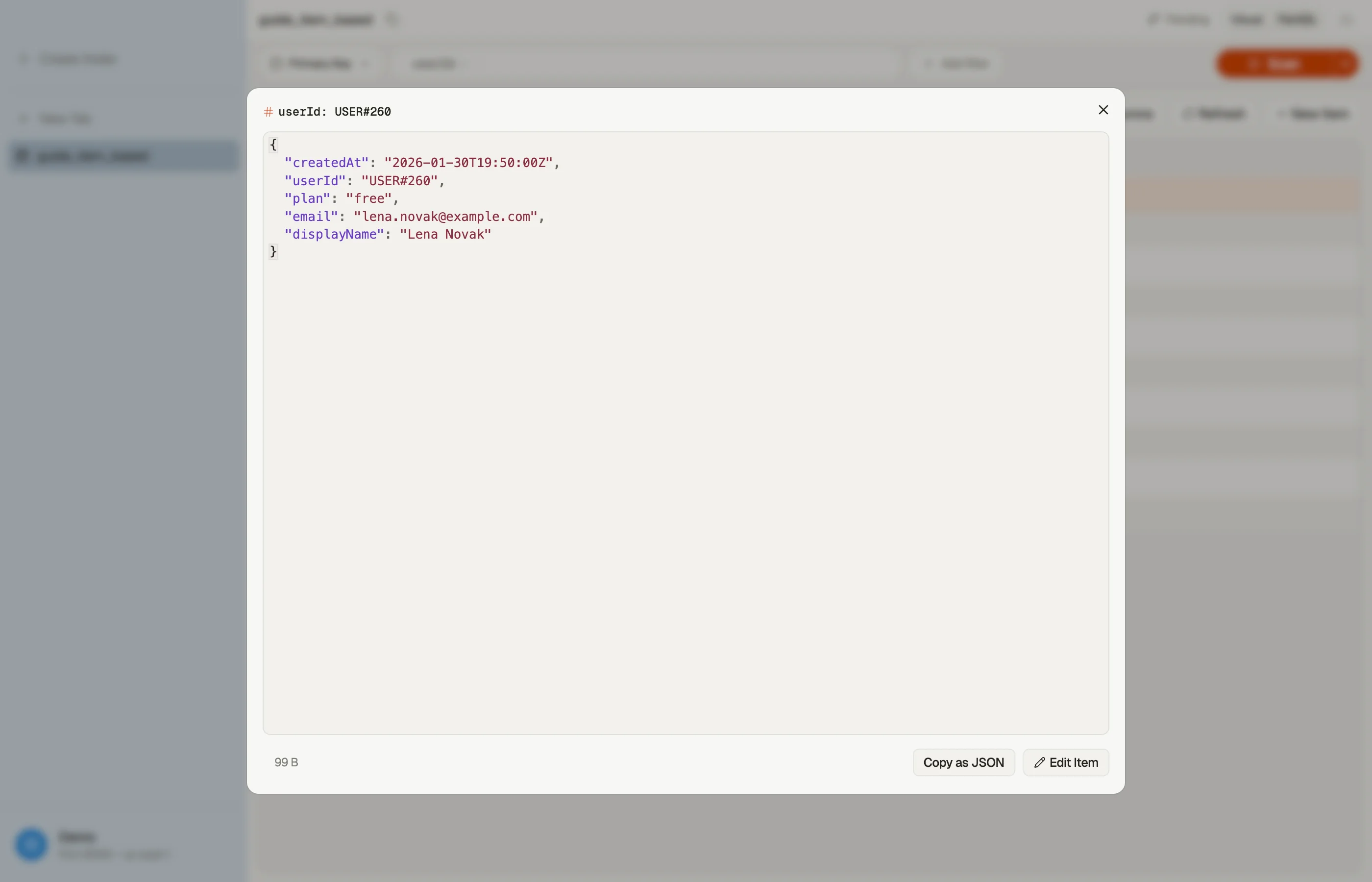
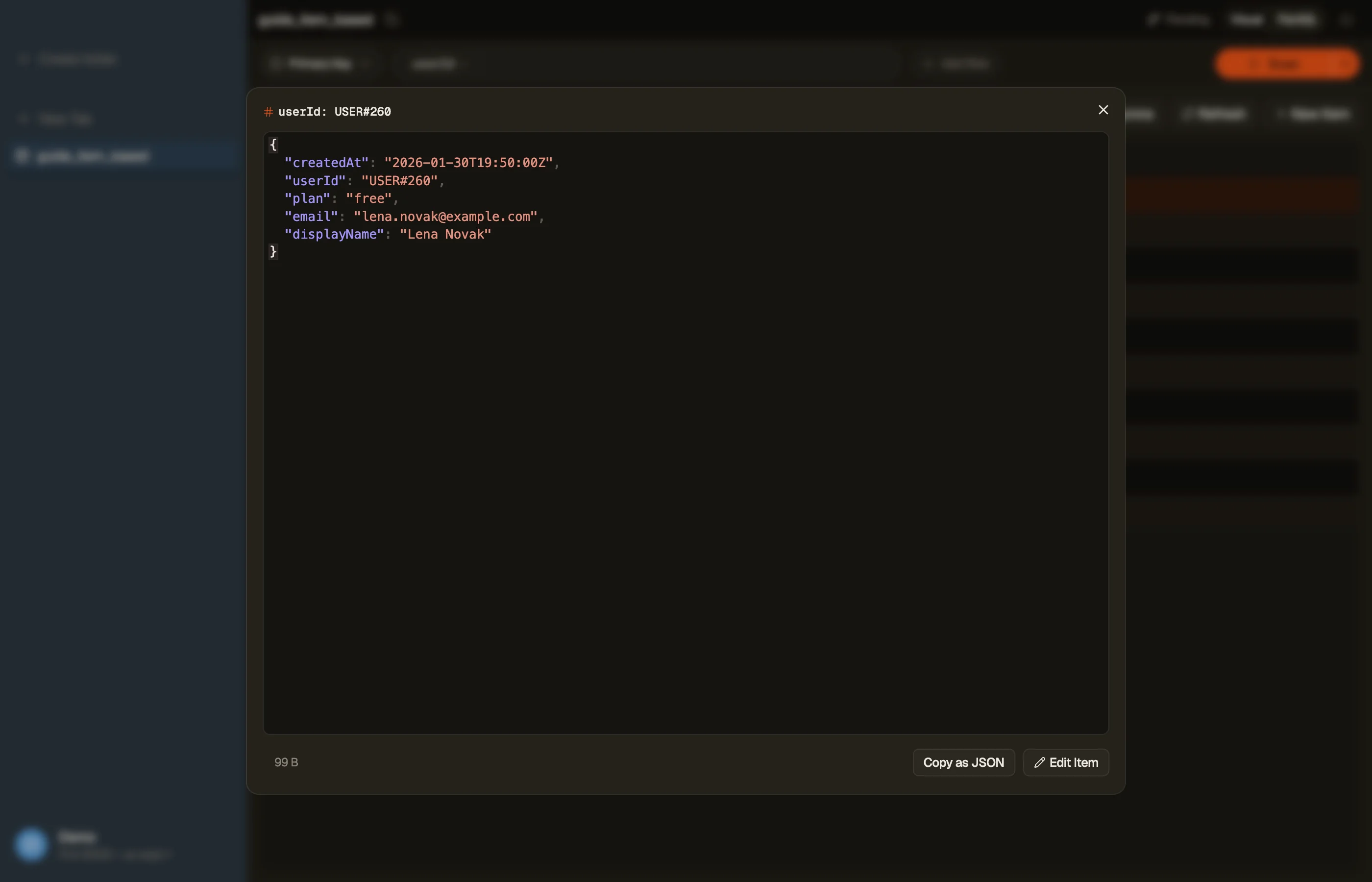
In DynoTable, that same work is visual: open an item in the grid to read it (a
GetItem), edit attributes and commit (an UpdateItem), add or replace a row (a
PutItem), or delete one — one item at a time.


Pitfalls + next steps
PutItemreplaces the whole item — to change a few fields without losing the rest, useUpdateItem.- You must know the full primary key — no key means Query/Scan, not an item action.
- Many items at once? Don't loop these one by one — batch operations fold them into fewer round trips.
- Need the old/new value back? Set
ReturnValuesinstead of a follow-upGetItem. - Related: query vs scan covers the read-many side.
Want to read, write, and delete items without writing a line of API code? Download DynoTable and work with your tables directly.