SQL Workbench
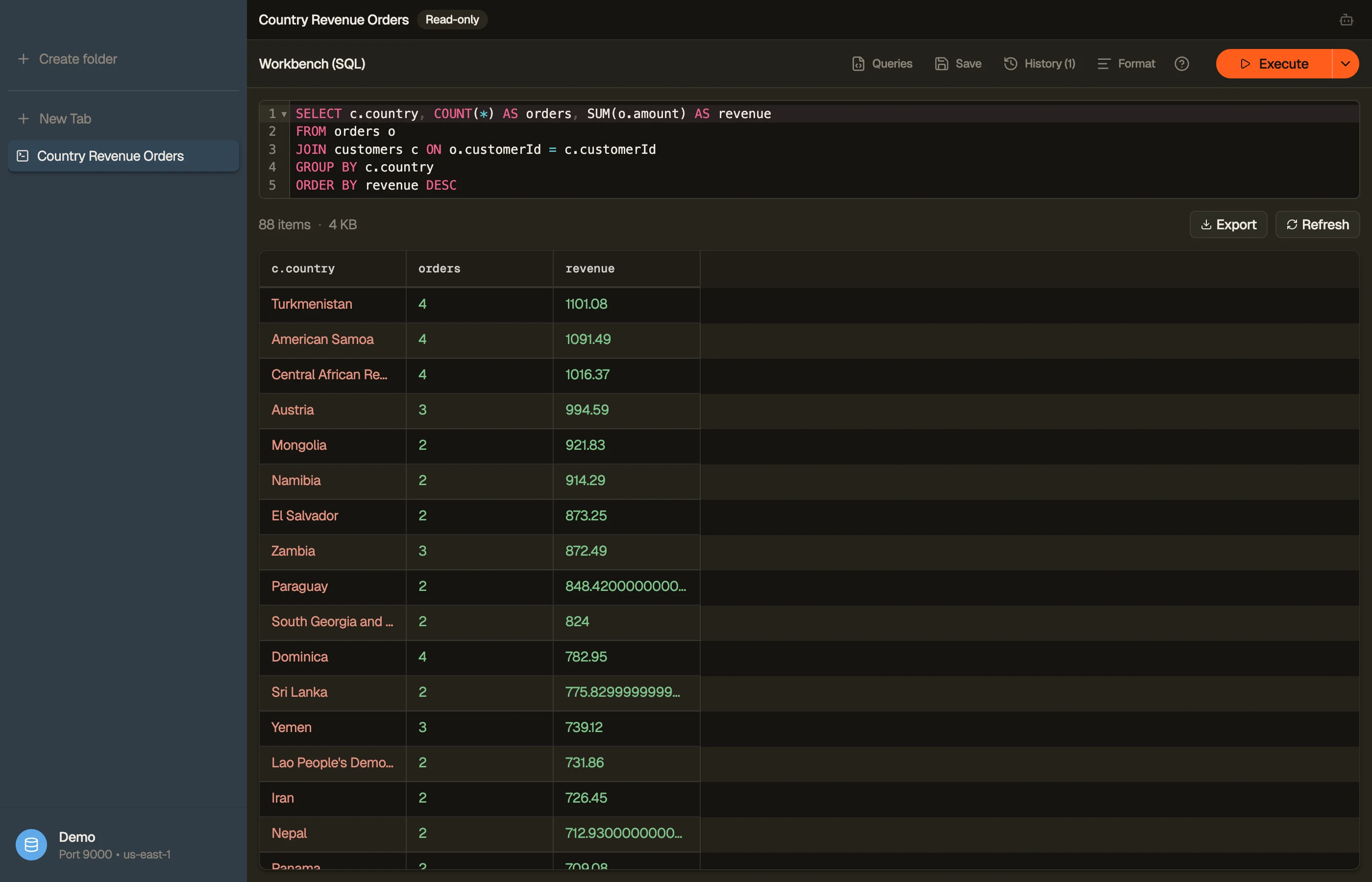
The Workbench is a SQL authoring tab that runs real JOIN, GROUP BY, and
aggregate queries across your DynamoDB tables — the things PartiQL
can't do. It's SQL within DynamoDB's access-pattern rules: you write a single
SELECT, a compiler checks that every join reads through a real key or index,
materialises the joined rows, and runs your full SQL on top.
Open one from the sidebar right-click menu (New Workbench), the ⌘⌥Q shortcut, or File → New Workbench. Write SQL, then press ⌘↩ to run.
SELECT c.email, COUNT(*) AS orders, SUM(o.total) AS revenue
FROM orders o
JOIN customers c ON o.customerId = c.id
GROUP BY c.email
ORDER BY revenue DESC


What it supports
A single SELECT statement with:
JOIN ... ON ...—INNERandLEFTjoins across tables.- Aggregates —
COUNT,SUM,AVG,MIN,MAX, plusGROUP BYandHAVING. WHERE,DISTINCT,CASE,CAST,ORDER BY.
While an aggregate query is still streaming, a partial badge marks the affected
columns — the numbers refine as more pages arrive.
The access-pattern rule
DynamoDB has no server-side joins. The Workbench compiler enforces what
DynamoDB can do: each JOIN's to-side attribute must be a partition key or a
GSI partition key on the target table, so every lookup is a real query, never a
hidden full-table scan per row.
If a join points at a non-key attribute, the editor underlines it and explains why. Other constructs the compiler rejects up front, with a precise squiggle:
RIGHT/FULL OUTER/CROSSjoins and comma-joins (onlyINNER/LEFT).- Subqueries, CTEs (
WITH),UNION/INTERSECT/EXCEPT. - Window functions (
OVER), multiple statements, anything that isn't aSELECT.
Read-only
A Workbench is always read-only. There's no editing, staging, or batch-delete — it's an analysis surface. Running a query never writes to your tables.
Identifiers follow standard SQL casing: unquoted names match
case-insensitively (WHERE PLATFORM finds platform); wrap a name in quotes or
backticks for exact-case matching.
Running, templates, and history
- Run — ⌘↩ in the editor, the Run button, or ⌘R to re-execute. Workbench tabs never auto-run on open; execution is always deliberate.
- Templates — starter queries (select-all, filter-by-key, count-by-group) with Tab-through holes.
- History — every run is saved (separately from PartiQL's history) and restorable.
A Workbench tab is a saved spec — name it, reopen it from ⌘K, and it survives reloads. You can also export its joined results.
Workbench vs Smart Table
Both run the same join engine; they're two ways to author the same thing:
- Workbench is the SQL lane — type a query, get aggregates and resolved attributes.
- Smart Table is the visual lane — draw the joins on a canvas and browse the joined rows like a normal table.