SQL Workbench
The Workbench is a SQL authoring tab that runs real JOIN, GROUP BY, and
aggregate queries across your DynamoDB tables — the things PartiQL
can't do. It's SQL within DynamoDB's access-pattern rules: you write a single
SELECT, a compiler checks that every join reads through a real key or index,
materialises the joined rows, and runs the rest of the statement — filters,
aggregates, GROUP BY, ORDER BY — on top.
Open one from the sidebar right-click menu (New Workbench), the ⌘⌥B shortcut, or File → New Workbench. Write SQL, then press ⌘↩ to run.
The editor suggests table names, plus indexed fields and values based on the SQL context at the cursor. See Table stats for what the local index contains and how to refresh it.
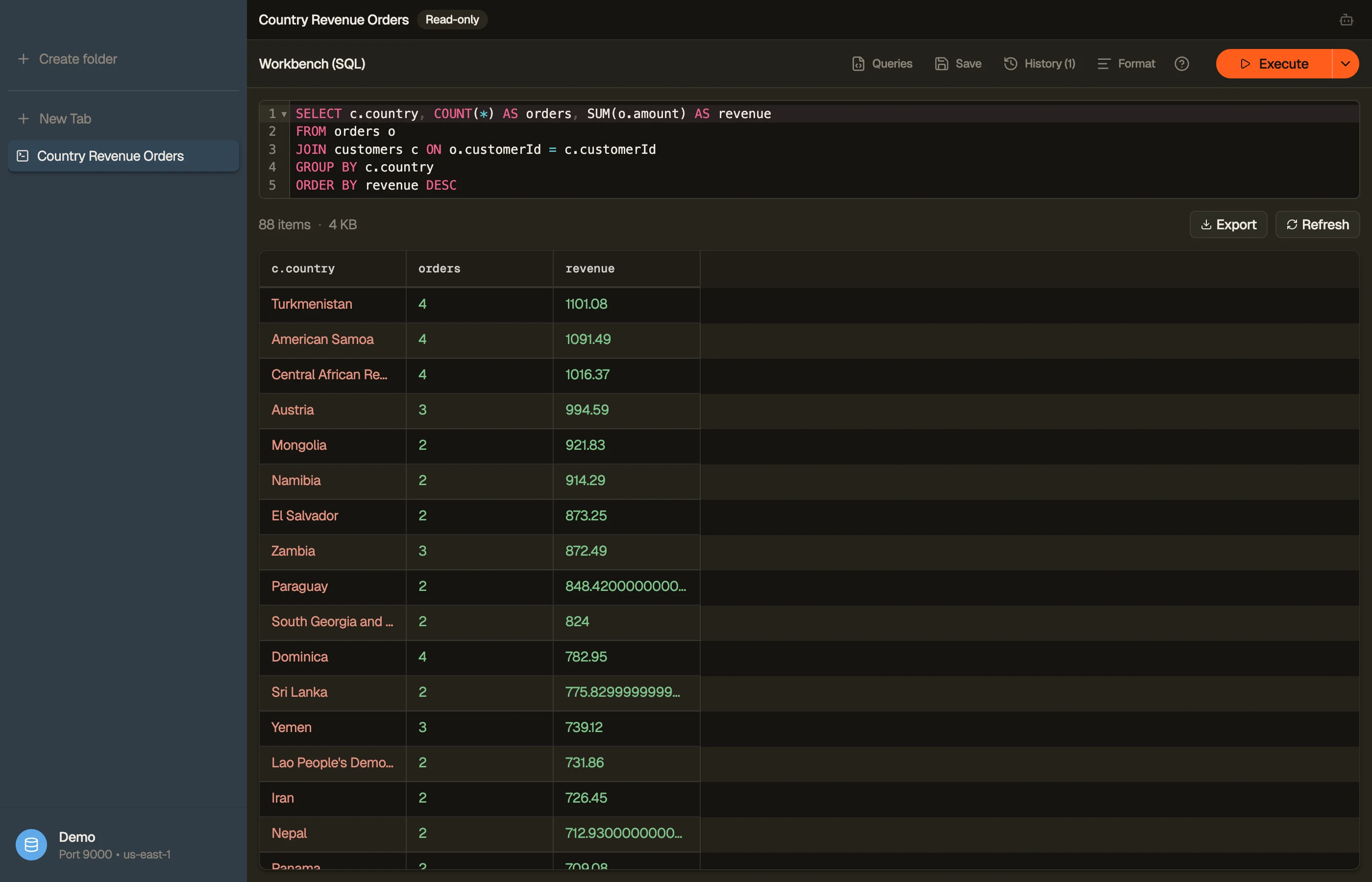
SELECT c.email, COUNT(*) AS orders, SUM(o.total) AS revenue
FROM orders o
JOIN customers c ON o.customerId = c.id
GROUP BY c.email
ORDER BY revenue DESC


What it supports
A single SELECT statement with:
JOIN ... ON ...—INNERandLEFTjoins across tables.- Aggregates —
COUNT,SUM,AVG,MIN,MAX, plusGROUP BYandHAVING. WHERE,DISTINCT,CASE,CAST,ORDER BY.
While an aggregate query is still streaming, a partial badge marks the affected
columns — the numbers refine as more pages arrive.
The access-pattern rule
DynamoDB has no server-side joins. The Workbench compiler enforces what
DynamoDB can do: each JOIN's to-side attribute must be a partition key or a
partition key on the target table, so every lookup is a real query, never a
hidden full-table per row.
If a join points at a non-key attribute, the editor underlines it and explains why. Other compiler rejections appear as precise validation squiggles too. The Workbench does not offer quick fixes:
RIGHT/FULL OUTER/CROSSjoins and comma-joins (onlyINNER/LEFT).- Subqueries, CTEs (
WITH),UNION/INTERSECT/EXCEPT. - Window functions (
OVER), multiple statements, anything that isn't aSELECT.
Read-only
A Workbench is always read-only. There's no editing, staging, or batch-delete — it's an analysis surface. Running a query never writes to your tables.
Identifiers follow standard SQL casing: unquoted names match
case-insensitively (WHERE PLATFORM finds platform); wrap a name in quotes or
backticks for exact-case matching.
Preview the query cost
When a plan is available, the preview identifies Scan versus Query and the
index; the RCU estimate appears only when table metadata supports it.
This status bar appears in Workbench and PartiQL, not the visual filter row. Empty SQL, a compile failure, DML, or unparseable PartiQL has no plan, so no cost bar appears.
An ordinary partition Query shows “cost depends on matched items” and no RCU.
A point read and a sized Scan also yield no RCU without supporting
DescribeTable metadata.
A point read still shows “≈1 item.” A Scan with an item count can show a table
estimate, but calculating its RCU requires table size in bytes. Without either
value, a Scan says “size unknown.”
Scan estimates use DynamoDB's periodically refreshed table numbers, not live
values. The point-read branch prices strong consistency; the Scan branch
prices eventual consistency.
Both Workbench and PartiQL execute eventually consistent reads. The point-read estimate can therefore be twice the request's actual cost. Treat every number as a pre-run hint, not a bill.
Running, templates, and history
- Run — ⌘↩ in the editor, the Run button, or ⌘R to re-execute. Workbench tabs never auto-run on open; execution is always deliberate.
- Run to end — ⌘⇧↩, or pick it from the Run button's split menu, to stream the full joined result instead of one page. The page cap lifts and pages keep arriving until the query is exhausted; Stop is the only brake. Handy for large aggregates you want complete in one pass.
- Templates & saved queries — the Queries menu holds starter templates (select-all, filter-by-key, count-by-group, with Tab-through holes) plus any query you keep with Save — your own named queries, reusable on any table. Picking one replaces the editor's contents, so it runs exactly as you saved it.
- History — every run is saved (separately from PartiQL's history), searchable, and restorable — failed runs included, so you can fix and retry.
A Workbench tab is a saved spec — name it, reopen it from ⌘K, and it survives reloads. You can also export its joined results.
Workbench vs Smart Table
Both run the same join engine; they're two ways to author the same thing:
- Workbench is the SQL lane — type a query, get aggregates and resolved attributes.
- Smart Table is the visual lane — draw the joins on a canvas and browse the joined rows like a normal table.